A Complete Guide to Node.js: How It Works, Use Cases, and Best Practices


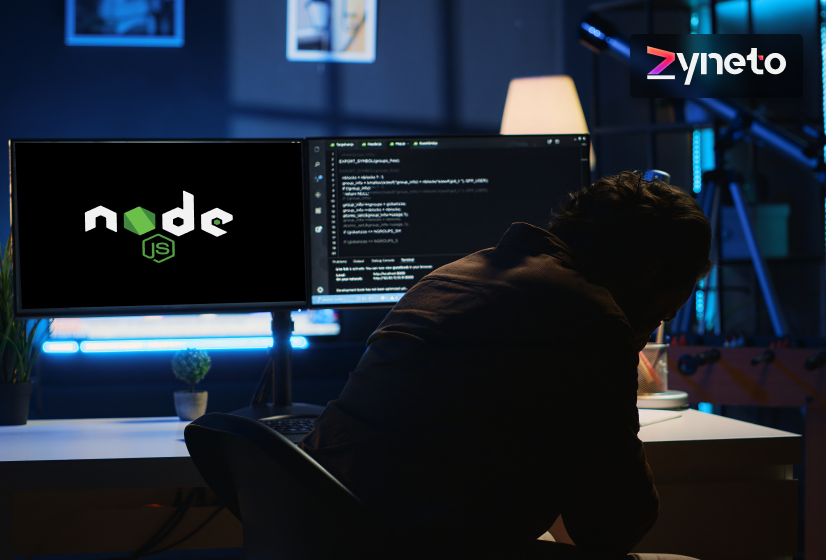
Node.js for modern web development has become a practical choice for teams building applications that need speed, stability, and room to grow. Many digital products today support live updates, user activity in real time, and constant data flow.
Older backend systems often slow down under this load. Node.js offers a different way to handle these demands.
The framework allows developers to use JavaScript on the server side. This makes development smoother because the same language works across the full application. Teams spend less time switching tools and more time building features. Its event-based model also helps applications manage many requests at once without blocking the system.
In this guide, we will discuss what is Node.js is and how it works behind the scenes. The blog will also look at where it fits best, where it needs care, and how teams use it in real projects.

Web applications today need a backend that can handle many users at the same time without slowing down. This need led to the rise of Node.js for modern web development. Node.js offers developers a way to build server-side applications using JavaScript, which was once limited to browsers.
At a basic level, if you are wondering what Node.js is, then it is an environment that runs JavaScript outside the browser. It sits between the operating system and the application code, which allows JavaScript to handle tasks like network requests, file access, and database calls.
To explain how Node.js works, it helps to focus on how it handles tasks. Node.js uses an event-based system. When a request arrives, Node.js checks the type of work involved. If the task needs time, such as fetching data, Node.js does not pause. It assigns the task and continues handling other requests. When the task finishes, Node.js processes the result.
This design avoids idle waiting. It also reduces memory usage compared to systems that create a new thread for every request. Because of this, Node.js works well for applications that deal with many short tasks.
These include APIs, messaging systems, and live user updates. This behavior is a key reason teams choose Node.js for scalable systems.
The strength of Node.js does not come from the runtime alone. It comes from a complete ecosystem that supports development, testing, and production use. These components work together to make Node.js for modern web development reliable and practical for real projects.
The V8 engine is the core that runs JavaScript in Node.js. It converts JavaScript code into machine code that the system can execute directly. This process improves speed and reduces response time.
Because of V8, Node.js can handle many user requests without slowing down. This is one reason Node.js performs well when teams build Node.js for scalable applications.
Node.js includes built-in modules that handle common backend tasks. These modules manage network requests, file access, streams, and encryption. Since they come bundled with Node.js, developers do not need extra libraries for basic operations.
This keeps applications lighter and easier to maintain. Core modules also reduce security risks because they are well-tested and regularly updated.
NPM is a major part of the Node.js ecosystem. It provides access to a large collection of reusable packages. These packages help with tasks like authentication, logging, data validation, and API handling.
Developers save time by using shared solutions instead of writing everything from scratch. Many teams rely on NPM packages when building enterprise Node.js applications, as they support growth and long-term maintenance.
The event system allows Node.js to react to actions like incoming requests or completed tasks. Instead of waiting for one task to finish, Node.js listens for events and responds when they occur.
This approach supports Node.js for real-time applications, where fast updates and steady response times matter.
Process management tools help keep Node.js applications stable in production. They monitor memory usage, restart services after failures, and manage multiple running instances.
These tools support long-running systems and reduce downtime. Combined with other Node.js development tools, they help teams run applications smoothly in real environments.
Developers often select Node.js because it solves everyday backend problems in a simple and reliable way. It helps teams build systems that respond quickly, handle growth, and stay easy to manage over time. For many projects, Node.js reduces both development effort and long-term maintenance work.
Node.js can manage many incoming requests at the same time without creating a new thread for each one. This keeps the system active and prevents slowdowns during traffic spikes.
Applications that receive frequent user actions benefit from this design. This is one of the main reasons teams rely on Node.js for scalable applications that must grow without constant performance tuning.
Some applications depend on instant updates. These include chat platforms, live dashboards, and shared tools. Node.js processes small tasks quickly and sends responses as soon as data changes.
Because it avoids waiting on slow operations, Node.js for real-time applications works well in systems where timing matters.
Node.js allows JavaScript to run on both the server and the client. This reduces complexity in development.
Teams reuse knowledge and sometimes even share code between layers. This setup shortens onboarding time for new developers and improves collaboration across teams.
Node.js supports fast development through simple setup and a large ecosystem of tools. Developers can test ideas quickly and release changes often.
This speed helps teams respond to feedback and fix issues without long delays. Shorter development cycles also support steady improvement over time.
Node.js uses system memory in a careful way. It avoids blocking tasks and does not create idle threads.
This efficiency helps reduce server costs, especially in cloud environments where resource usage affects billing. It also supports smoother scaling when demand changes.
Node.js is not limited to small projects. Many large companies run enterprise Node.js applications that support daily operations and customer services.
These systems depend on stability and long-term support. Regular updates and strong community backing make Node.js a dependable choice for large teams.
Modern applications often use microservices and APIs. Node.js works well in these setups because it handles network requests efficiently.
Teams can break systems into smaller services and manage them with ease. This flexibility supports long-term growth and system updates.
When teams compare backend options, they often compare frameworks instead of languages. In this context, Node.js for modern web development is usually evaluated against popular frameworks like Django, Spring Boot, Laravel, and Ruby on Rails.
Each framework follows a different design approach, which affects performance, flexibility, and development effort.
Django is a Python-based framework that follows a structured and opinionated design. It includes many features by default, such as authentication, admin panels, and database handling.
This helps teams start quickly when requirements are fixed. However, this structure can limit flexibility when applications need frequent changes.
Node.js frameworks like Express or NestJS allow developers to choose only the tools they need.
This makes it easier to adjust application behavior over time. In terms of Node.js vs Python performance, Node.js often handles concurrent web requests more efficiently, especially in I/O-heavy systems such as APIs and live data services.
Spring Boot is built on Java and is known for strong structure and stability. It works well for systems with complex workflows and strict rules. The downside is a heavier configuration and higher memory usage.
Node.js frameworks focus on lightweight setup and faster execution. Applications usually start more quickly and consume fewer resources.
In a Node.js vs Java backend framework comparison, Node.js often suits web services that need fast responses, while Spring Boot fits systems with deep business logic and long-running processes.
Laravel is a PHP framework that provides clean syntax and built-in features for routing, authentication, and database work. It suits content-focused platforms and form-based applications.
Node.js frameworks perform better in applications that handle many short-lived requests. Because of its event-driven model, Node.js for real-time applications such as chat systems, notifications, and live dashboards often runs more smoothly than Laravel-based setups under the same load.
Ruby on Rails follows strict conventions that help teams move fast early in development. It works well for standard web applications. As traffic grows, performance tuning becomes more complex.
Node.js frameworks offer more control over request handling. Developers decide how data flows through the system. This control helps Node.js handle high concurrency better, which supports Node.js for scalable applications that need to manage many active users at once.
Across frameworks, Node.js stands out in web-focused workloads. It handles concurrent connections with fewer system resources. Other frameworks can reach similar results, but often rely on additional layers or background workers.
Because of this behavior, many teams use Node.js frameworks in enterprise Node.js applications such as APIs, internal tools, and service layers. The framework choice affects how these systems respond under load and how easily they adapt to change.
In the best backend technology comparison at the framework level, Node.js frameworks consistently rank high for flexibility, responsiveness, and control in modern web systems.
Node.js is used in many real products because it handles live activity and repeated requests in a stable way. Its event-based design supports quick responses and steady system behavior. These qualities make Node.js suitable for different types of applications across industries.
A common use of Node.js for real-time applications is in chat tools, messaging platforms, and live support systems. These applications depend on instant message delivery.
Node.js processes each message as an event and sends updates right away. Users see changes without delay, which helps conversations stay smooth and reliable.
Most modern web and mobile apps rely on APIs to exchange data. Node.js works well for building APIs that receive frequent requests. It handles many calls at once and returns responses quickly.
This makes Node.js for modern web development a good fit for single-page applications, mobile backends, and admin panels that depend on fast data access.
Node.js supports streaming by sending data in small parts instead of waiting for the full file. This method works well for video streaming, audio playback, and large file uploads.
Users start receiving data sooner, and servers use memory more efficiently. This improves performance without adding strain to the system.
Many teams use Node.js to build microservices. Each service handles a specific function and communicates through APIs. Node.js keeps these services lightweight and responsive.
This setup supports scalable NodeJS applications, especially when traffic changes across different services.
Node.js is also used in internal systems within large organizations. These include dashboards, monitoring tools, and workflow applications.
Such enterprise Node.js applications need consistent performance and easy updates. Node.js allows teams to add or adjust features without interrupting other parts of the system.
Systems that receive frequent signals from devices or services benefit from Node.js. It processes events as they arrive and reacts without delay.
This makes Node.js useful for monitoring tools, alert systems, and device control platforms where timing matters.
Some web platforms use Node.js to render pages on the server before sending them to users. This helps pages load faster and improves search visibility. Node.js handles rendering requests efficiently, which supports a smoother user experience.
Node.js becomes easier to use and manage when developers rely on the right frameworks and libraries. These tools help structure code, reduce manual effort, and keep applications stable as they grow.
Frameworks provide a base structure for handling requests and organizing logic.
Libraries help developers avoid repetitive work and focus on core logic.
► Authentication and Security Libraries
Many libraries handle login, access control, and token management. Using these tools reduces security risks and saves time. Developers rely on tested libraries instead of building security features from scratch.
► Data Handling and Validation Libraries
Validation libraries help check user input before processing it. This reduces errors and protects applications from bad data. Data handling libraries also simplify tasks like formatting and transformation.
► Libraries for Live Data Handling
For Node.js for real-time applications, libraries that manage WebSocket connections are common. They help send updates instantly and keep connections stable.
Good tools help teams write clean code and fix issues early.
► Code Quality Tools
Linters enforce consistent coding rules. Formatters keep code readable. These tools help teams maintain quality as projects grow.
► Testing Tools
Testing libraries support unit and integration tests. Tests help catch issues before deployment. This practice builds confidence when teams release updates or refactor code.
► Debugging Support
Debugging tools allow developers to inspect running applications. They help identify slow processes and logic errors during development.
Production systems need tools that keep applications running.
► Process Managers
Process managers restart applications if they fail and manage multiple instances. This reduces downtime and supports Node.js for scalable applications that run continuously.
► Load Handling and Monitoring
Monitoring tools track memory use, response time, and errors. These tools help teams understand system behavior under load.
Node Package Manager helps teams manage libraries and versions.
► Dependency Tracking
NPM tracks which packages a project uses and their versions. This keeps builds consistent across environments.
► Security Checks
Many Node.js development tools scan dependencies for known issues. This helps reduce security risks in production systems.
In enterprise Node.js applications, logging and monitoring tools are essential. Logs record system activity, while monitoring highlights performance issues.
These tools help teams maintain stability and plan improvements. Together, frameworks, libraries, and tools define how Node.js projects are built and maintained.
A balanced setup helps teams stay productive while keeping systems reliable and ready to scale.
Node.js is often chosen for applications that need fast responses and steady behavior under load. Its performance depends on how well teams design and manage the system.
When used correctly, Node.js supports growing workloads without adding unnecessary complexity.
Node.js performs best in applications that handle many short and frequent requests. Its event-based flow allows it to process tasks without blocking the system. APIs, dashboards, and live services benefit from this design because requests move through the system quickly.
At the same time, Node.js is not designed for heavy computation. Tasks that consume high CPU resources can block the main thread. This is one of the common Node.js drawbacks teams need to consider early.
To avoid slowdowns, developers often move such tasks to background workers or separate services.
Scalability is one of the key benefits of using NodeJS for modern backend systems. It handles large numbers of connections using limited resources. This makes Node.js suitable for scalable applications, suitable for platforms where traffic changes often.
Horizontal scaling works well with Node.js. Teams run multiple instances of the application and distribute traffic between them. This approach allows systems to grow without major changes to code. Cloud platforms make this process easier by supporting automatic scaling based on demand.
Even with good scaling support, design choices still matter. Poor database queries or shared bottlenecks can affect performance. These Node.js challenges appear when systems are not planned with growth in mind.
Node.js supports many active connections at the same time. Since it runs on a single main thread, shared data must be handled carefully. Unplanned access to the shared state can lead to errors during high traffic.
Teams often use external data stores or message queues to manage shared work. These patterns keep the main application responsive and reduce conflicts. Clear separation of responsibilities also improves reliability.
Security in Node.js depends on strong development practices. Applications must validate input, manage permissions, and protect sensitive data. Poor input handling remains one of the most common Node.js challenges in real systems.
Dependency management also affects security. Many applications rely on third-party packages. Keeping these packages updated and scanning for known issues helps reduce risk.
Node.js applications often run continuously. Memory leaks or unhandled errors can affect long-term stability. Monitoring tools help track system health and detect issues early. Restart strategies also help maintain uptime.
Node.js works well in cloud-based systems and modern application setups. Its lightweight nature and quick startup make it easy to deploy, update, and manage across different environments. Many teams choose Node.js when they need flexibility without adding extra overhead.
Cloud platforms pair well with Node.js because applications start fast and use resources efficiently. Teams deploy Node.js services with minimal setup and avoid heavy configuration. When traffic increases, cloud systems add more instances to manage the load.
This supports Node.js for scalable applications where usage patterns change often. Node.js also connects smoothly with managed cloud services like databases, storage, and message queues.
These services handle storage and processing tasks while Node.js focuses on request handling and logic. This separation keeps systems stable and easier to maintain over time.
Containers have become a standard part of modern development. Node.js fits easily into container-based setups because of its small size and simple runtime needs.
Teams package applications along with required dependencies and run them the same way across development, testing, and production.
Node.js services inside containers start quickly and stop cleanly. This behavior supports frequent updates and smoother deployments. It also helps teams reduce downtime during releases and rollbacks.
DevOps practices focus on automation and quick feedback. Node.js supports these goals through fast builds and simple tooling.
Teams integrate Node.js projects into automated pipelines without complex steps. Tests run quickly, which helps detect issues early in the development cycle.
Continuous integration and deployment workflows work smoothly with Node.js. Developers push updates, pipelines handle testing, and releases move to production with less delay. This flow helps teams respond to bugs or user feedback without slowing progress.
Modern systems often use microservices instead of a single large application. Node.js fits this approach because it handles network requests efficiently. Each service performs a specific task and communicates through APIs.
Node.js services remain lightweight, which allows teams to scale individual services when needed. This setup limits the impact of changes and supports Node.js for modern web development, where systems need to adapt over time.
Node.js is widely used in serverless environments. Functions run only when triggered by events such as API calls or data changes. Node.js starts quickly, which reduces the delay in these systems. This model also helps control costs since resources run only when required.
In many architectures, Node.js acts as a bridge between services. It manages requests, handles data flow, and connects external systems. When designed with care, Node.js supports growth without forcing major redesigns.
By fitting into cloud platforms, DevOps workflows, and modern architectures, Node.js helps teams build systems that remain flexible, reliable, and ready for future needs.
Building reliable applications with Node.js takes more than choosing the right technology. It requires clear planning, clean architecture, and decisions that support growth over time. This is where working with an experienced NodeJS development company like Zyneto makes a real difference.
We help teams use Node.js for modern web development in a practical and goal-focused way. Our work starts by understanding how your application will be used in real conditions. Based on that, we design backend systems that remain easy to manage as traffic and features grow.
Architecture is a key part of our approach. We plan systems that support Node.js for scalable applications without adding unnecessary layers. Whether you need APIs, dashboards, or service-based systems, we focus on clear structure and predictable behavior.
For products that depend on live updates, we design solutions that support Node.js for real-time applications while keeping performance stable. This includes handling background tasks, managing data flow, and integrating third-party services safely.
Quality and security remain a priority throughout development. We follow clear coding standards, test thoroughly, and manage dependencies with care. This helps teams avoid common Node.js challenges and reduces long-term risk.
As a trusted development company, Zyneto also supports enterprise Node.js applications by focusing on monitoring, stability, and long-term maintenance. Our goal is to help you build Node.js systems that perform well today and stay reliable as your needs grow.
Node.js has become a dependable option for teams building backend systems that need quick responses and steady performance. Its event-based model and efficient handling of requests support applications that deal with live data and changing traffic. When used in the right scenarios, Node.js helps teams build systems that remain stable as they grow.
In this guide, we covered what Node.js, explained how Node.js works, and explored where it fits best in real projects. We also looked at framework comparisons, common use cases, and how Node.js supports cloud and DevOps practices. These points help teams understand both the strengths and limits of Node.js.
Node.js is not the right choice for every project, but it fits many modern needs well. With careful planning and clear design, teams can use Node.js to build reliable systems that continue to perform as requirements change.
What is Node.js refers to a runtime that allows JavaScript to run on the server. It is used in modern applications because it handles many requests at the same time without blocking the system. This makes it suitable for APIs, live updates, and data-driven platforms where speed and responsiveness matter.
To understand how Node.js works, it helps to know that it uses an event-based model. Instead of waiting for tasks to finish, Node.js continues processing other requests. Traditional systems often block resources while waiting. This difference helps Node.js stay responsive under high traffic.
Yes, Node.js for scalable applications works well because it handles many connections using fewer system resources. It is also widely used for Node.js for real-time applications such as chat systems, live dashboards, and notifications, where instant updates are required.
Some common Node.js drawbacks include weak performance for heavy CPU tasks and risks from poorly managed dependencies. Node.js challenges often relate to improper architecture, blocking code, or weak input validation. These issues can be avoided with good design and practices.
In a best backend technology comparison, Node.js often performs better in web-focused workloads than Python frameworks and uses fewer resources than many Java-based systems. Node.js vs Python performance usually favors Node.js for concurrent requests, while Node.js vs Java backend comparisons highlight faster development and lighter setups for Node.js.

Vikas has around fifteen years of experience building software and now builds generative AI systems at Zyneto. His work covers retrieval augmented generation, agentic AI, knowledge graphs, AI memory, and the evaluation and guardrails that decide whether any of it is safe to put in front of customers. He has shipped enterprise copilots, document AI, chatbots and predictive analytics for e-commerce, fintech and marketing teams, and works day to day in Python, JavaScript and SQL. He follows multimodal models, business process automation and enterprise AI security closely, and mentors engineers moving into AI. He writes about architecture, inference cost and the failure modes that only show up at production scale.
Share your details and we will talk soon.
Be the first to access expert strategies, actionable tips, and the trends actually shaping the digital world. No fluff - just practical insights delivered straight to your inbox.
Dive into our blog and stay ahead of the curve with expert perspectives, future-ready trends, and tech tips written for decision-makers and doers alike.