How to Create an AI App in 2026: Steps, Costs and Rules


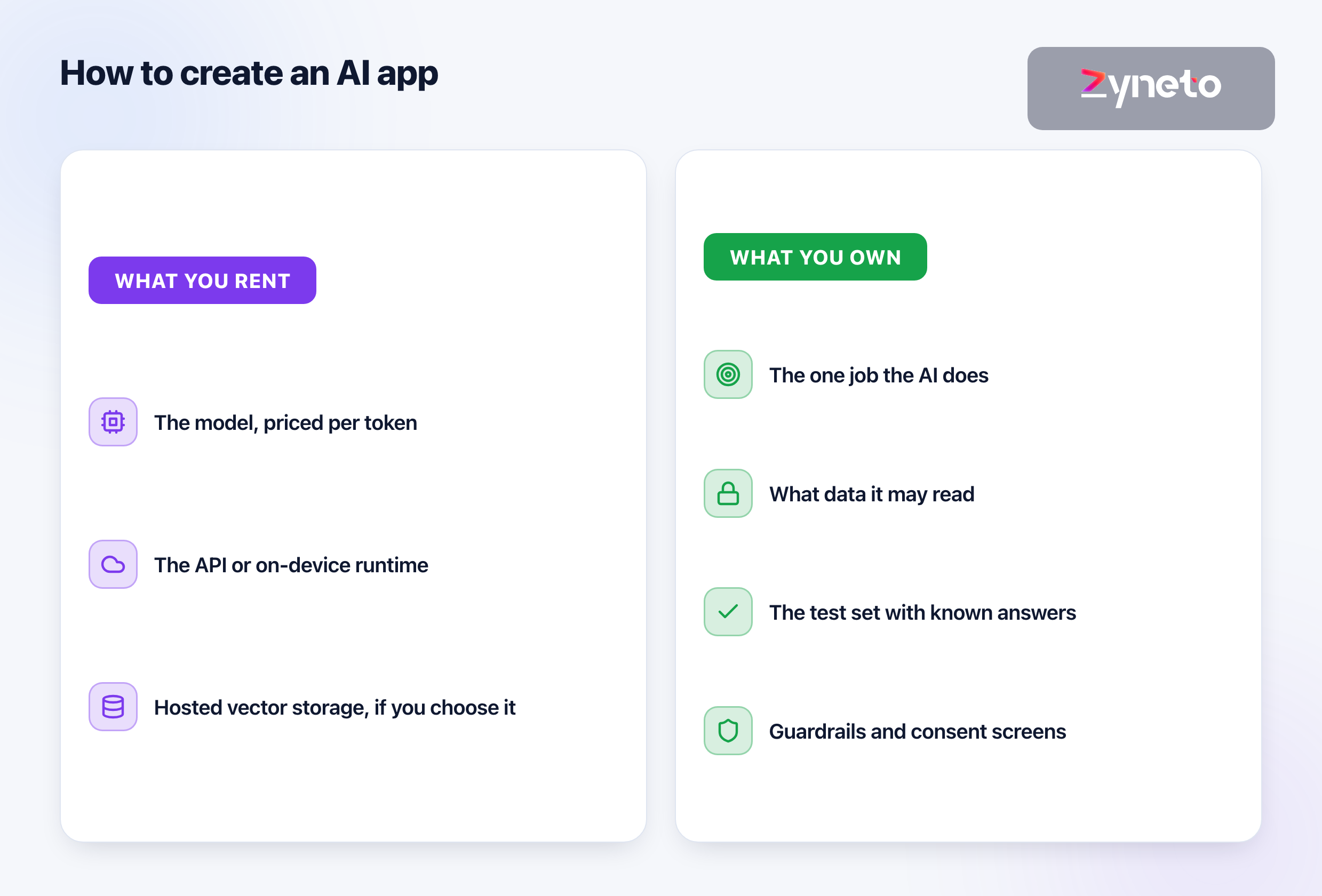
Creating an AI app comes down to 3 questions: what one job the AI does, what data it is allowed to read, and how you will know it is answering well. Everything else, from the model name to the chat bubble, hangs off those answers. Most founders start by choosing a model, and that is the wrong end: models are rented by the token and change every few months, while the job, the data and the test set are what you actually own. The ordinary failure is not a wrong answer on launch day. It is a prompt change in month 3 that fixes one case and quietly breaks nine others, because nobody kept a set of questions with known good answers.
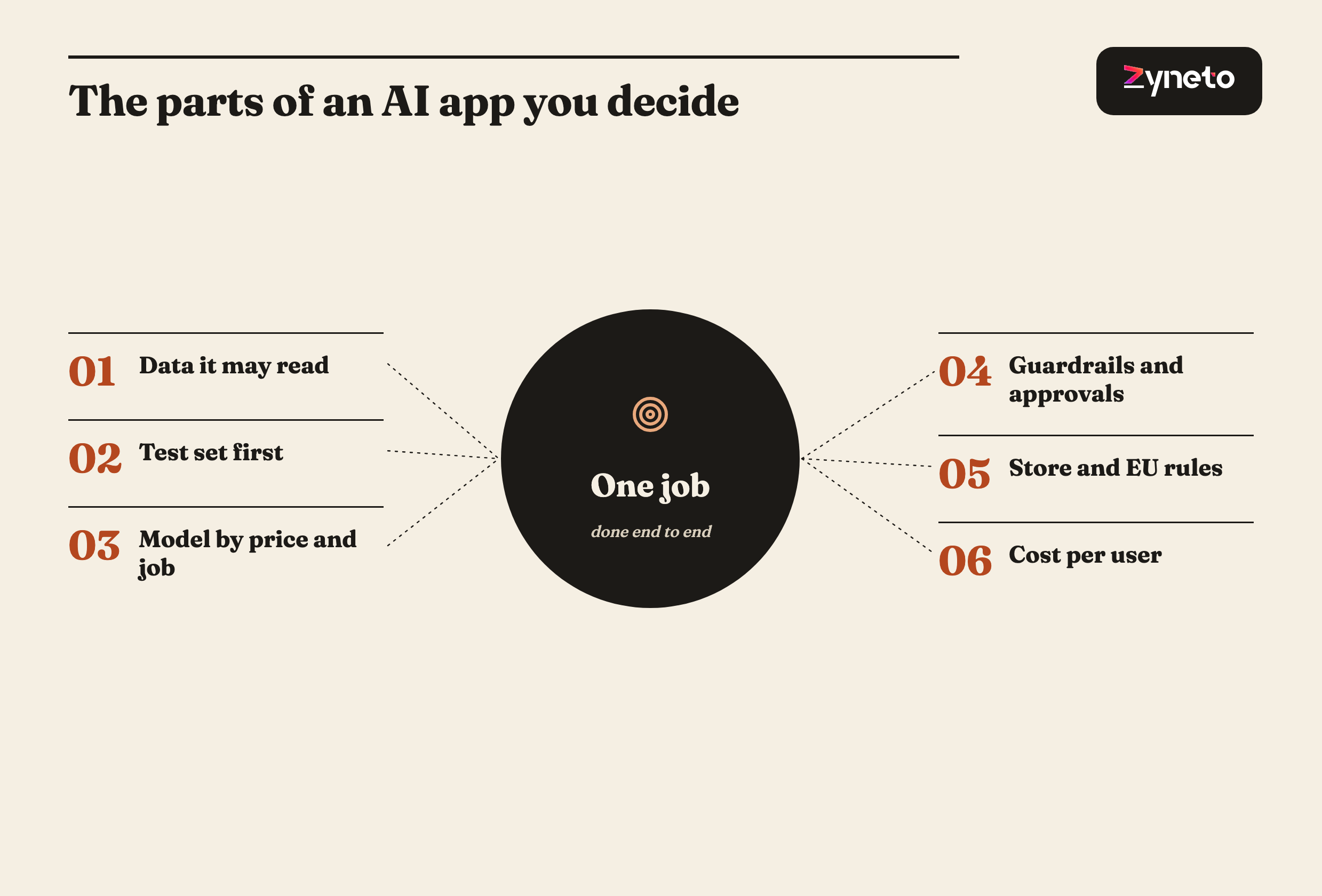
The steps are: pick one job the AI does end to end, scope the data it reads, write the evaluation set before the feature, choose a model by price and quality for that job, add guardrails, and meet the store and legal rules. Almost no app trains its own model; you call one through an API or run a small one on the phone. On current list prices, an assistant answering 20 questions per user per month costs from under 1 cent to about 90 cents per user, depending on the model.
Almost every AI app calls a model it did not train. OpenAI, Anthropic and Google rent their models through APIs priced per million tokens, and Apple and Google now give app developers small models that run on the phone itself. Training your own model is a research project; adding AI to a product is a software project with a model inside it.
The product work is the same work as any app, plus 3 new parts. You still build screens, accounts, payments and admin. The new parts are retrieval, which decides what the model can see; evaluation, which decides whether it answered well; and cost control, because every call has a price. Our AI development work starts from that split.
Kroolo is a worked example of the split. Kroolo is an AI work operating system on web, Android and iOS. Zyneto built its AI layer: prompt-to-project generation that writes tasks, owners and dates as real records, conversational retrieval over a workspace's own content, and an agent catalogue of more than 40 agents that write results back into the workspace. The Kroolo case study sets out the decisions behind it.
Pick a job the AI can finish, not a topic it can discuss. "Turn a written brief into a project plan with tasks and owners" is a job; Kroolo's generation does it in about 10 seconds. "An assistant for project managers" is a topic. A job has an input, an output and a way to say whether the output was right.
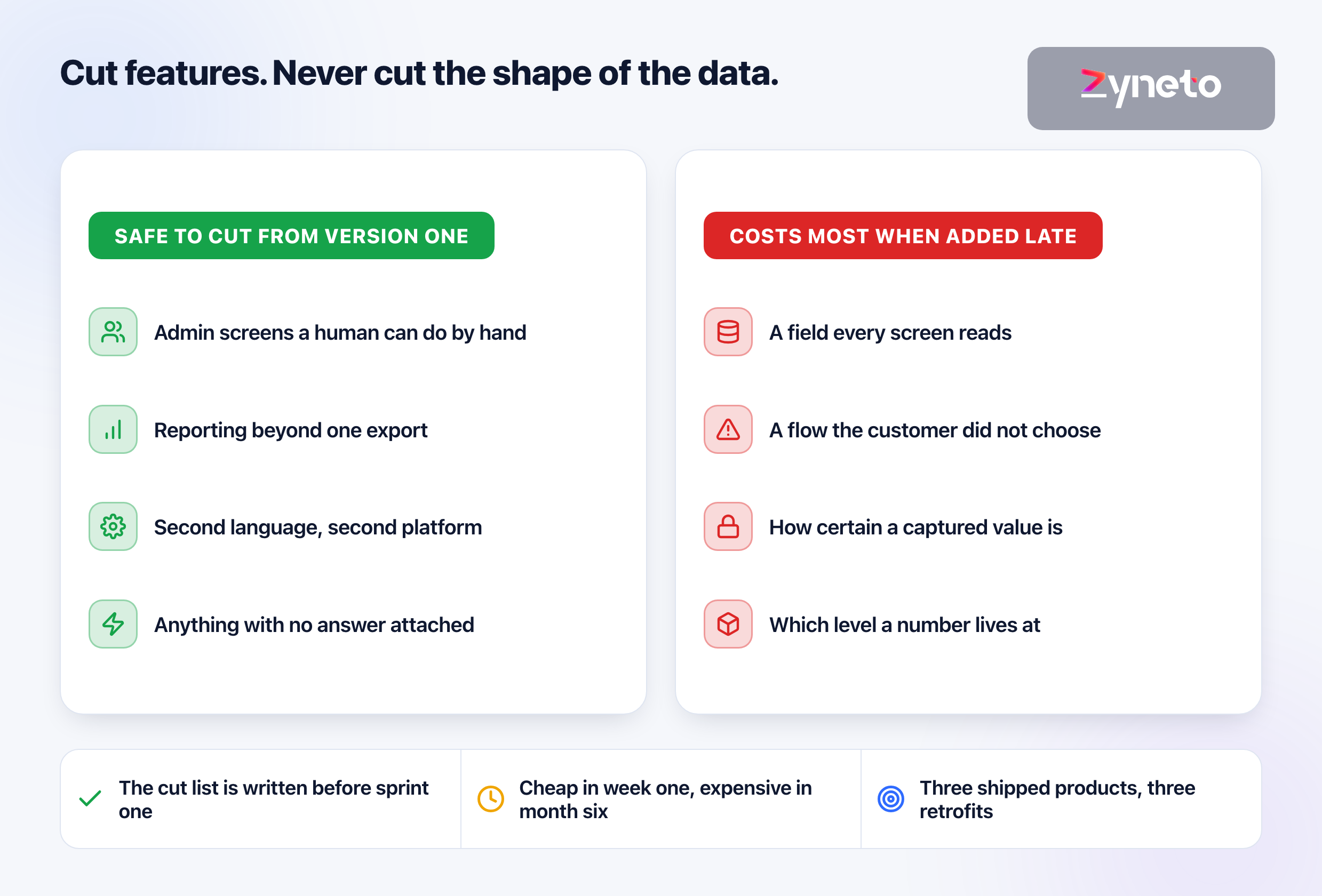
Write the evaluation set before the feature. A frozen set of real inputs with graded expectations, run on every release, is the only way to know whether a change improved the feature or moved the failures. Kroolo's case study names this as the thing we would do differently: we treated evaluation as something to add once the features settled, which is backwards, because the set is cheapest to build while a feature is new and people are still arguing about what a good answer looks like.
Collect the test set from real work. Use inputs your team has already handled, with the answer a careful person gave, rather than examples written to make the feature look good. Easy cases prove nothing; the awkward ones your support team still remembers are what the set exists for.
Score instead of asserting. An AI feature answers differently every time, so tests grade the output against expectations rather than matching a string. Add what users do next, such as edits, regenerations and abandoned answers, and store the prompt and model version with every answer, or a regression cannot be traced.
Retrieval decides what the model can see. Most useful AI features answer from your data: documents, records, past tickets. Retrieval finds the relevant pieces and hands them to the model with the question. It is also the most common place for an AI feature to leak.
In a product with many customers, filter during the search. Kroolo's case study puts it plainly: a customer filter applied to the results of a similarity search is weaker than one applied inside it, and document permissions should be checked again at query time rather than trusted from index time. A retrieval bug in a multi-tenant product is a disclosure, not a display fault.
Vector storage is cheap to start. pgvector adds vector search to PostgreSQL under the permissive PostgreSQL License, so an app already on Postgres may need no new database. Pinecone's hosted service has a free Starter tier with up to 2 GB of storage, a $20-a-month Builder tier, and a Standard tier from a $50 monthly minimum, with storage at $0.33 per GB per month.
Use the cheapest model that passes your test set. On OpenAI's price list, the largest current model costs 100 times the smallest per token. Most apps route routine work, such as extraction and classification, to a small model and keep a larger one for the steps where quality is visible to the user.
Model (vendor list price, read 7 October 2026) | Input per 1M tokens | Output per 1M tokens |
OpenAI | $0.10 | $0.50 |
Google Gemini 3.5 Flash-Lite | $0.30 | $2.50 |
Google Gemini 3.8 Flash (to 31 December 2026) | $0.75 | $3.75 |
Anthropic Claude Sonnet 5.5 | $2 | $10 |
Anthropic Claude Opus 5.5 | $4 | $20 |
OpenAI | $10 | $50 |
Read the small print on every price page. All 3 vendors halve prices for batch jobs that can wait. Cached input, text sent again and again such as a long system prompt, costs a tenth of the input price or less, though Google also charges for cache storage by the hour. Gemini 3.8 Flash's price doubles on 1 January 2027. Anthropic notes that Claude 4.7 and later models use a tokenizer that produces about 30 per cent more tokens for the same text, so a lower price per token is not always a lower price per answer.
Prices move in both directions. Anthropic's Opus tier went from $15 and $75 per million tokens on Opus 4.1 to $5 and $25 on Opus 4.5 in November 2025, and lists at $4 and $20 on Opus 5.5. Design so the model can be swapped: a provider-specific prompt format baked into every feature turns a price change into a migration project.
The worked example uses list prices and stated assumptions. Assume an assistant that answers 20 questions per user per month, each call sending 2,000 input tokens (the question plus retrieved context) and receiving 500 output tokens. That is 40,000 input and 10,000 output tokens per user per month. No caching or batch discounts are applied.
Model | Cost per user per month | Cost per 1,000 users per month |
OpenAI | $0.009 | $9 |
Gemini 3.5 Flash-Lite | $0.037 | $37 |
Gemini 3.8 Flash | $0.068 | $68 |
Claude Sonnet 5.5 | $0.18 | $180 |
Claude Opus 5.5 | $0.36 | $360 |
OpenAI | $0.90 | $900 |
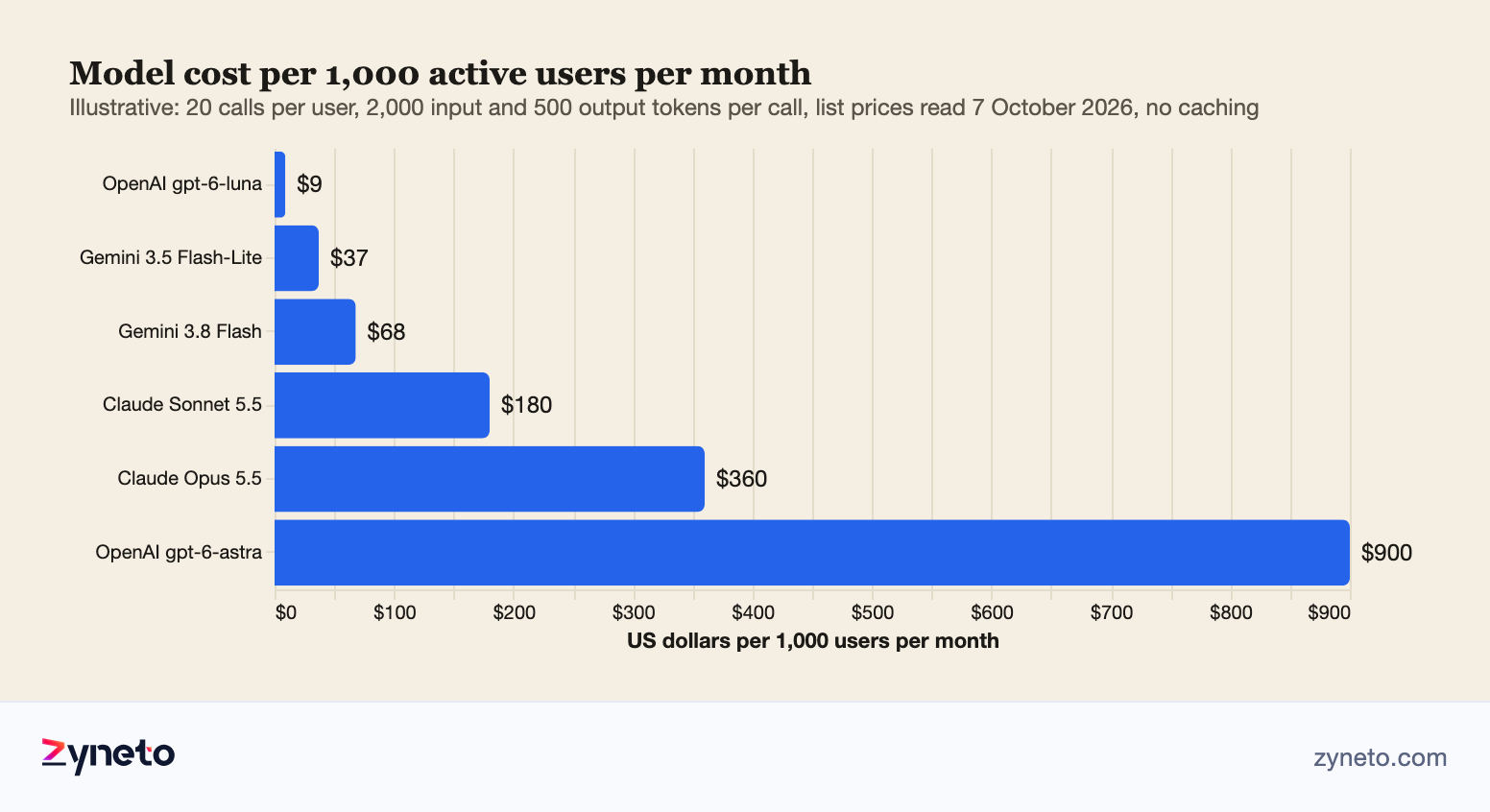
The arithmetic is the method, not the answer. Your calls per user, your context length and your mix of models decide the real figure. Kroolo's case study names the trap: one user action can fan out into several model calls, and spend per feature per customer is what pricing needs. Measure calls per active user in your pilot and multiply.
Price the AI into the product, not the overhead. If the feature runs on a mid-tier model at 18 cents per user per month and your plan is $10 a month, AI is under 2 per cent of revenue. On the flagship it is 9 per cent. That gap is why routing matters more than any single prompt.
Apple's Foundation Models framework puts a model in iOS 26. It gives Swift apps access to Apple's on-device model, and to a larger model on Apple's Private Cloud Compute, with guided generation into Swift types and tool calling. It needs iOS, iPadOS, macOS or visionOS 26 or later on a device that supports Apple Intelligence. Apple says members of its Small Business Program with fewer than 2 million first-year App Store downloads can use the Private Cloud Compute model at no cloud API cost.
Google offers Gemini Nano on Android through ML Kit. The ML Kit GenAI APIs run on AICore, an Android system service, and prompts run locally and work offline. Summarization, proofreading, rewriting, image description and a general Prompt API are in beta, they run only while the app is in the foreground, each app has inference and battery quotas, and support is limited to listed devices such as Pixel 9 and later and recent Samsung Galaxy phones.
On-device fits small, private, frequent tasks. Summarising a note, rewriting a sentence or tagging a photo on the phone costs nothing per call and sends no data off the device. It does not fit tasks that need your company's data, a large context or the same answer on every phone, so most apps use both.
Prompt injection is the first risk to design for. The OWASP Top 10 for LLM Applications, 2025 edition, ranks prompt injection first, ahead of sensitive information disclosure and supply chain risks. Any text the model reads, a document, an email, a web page, can carry instructions, so the model's output is untrusted until checked.
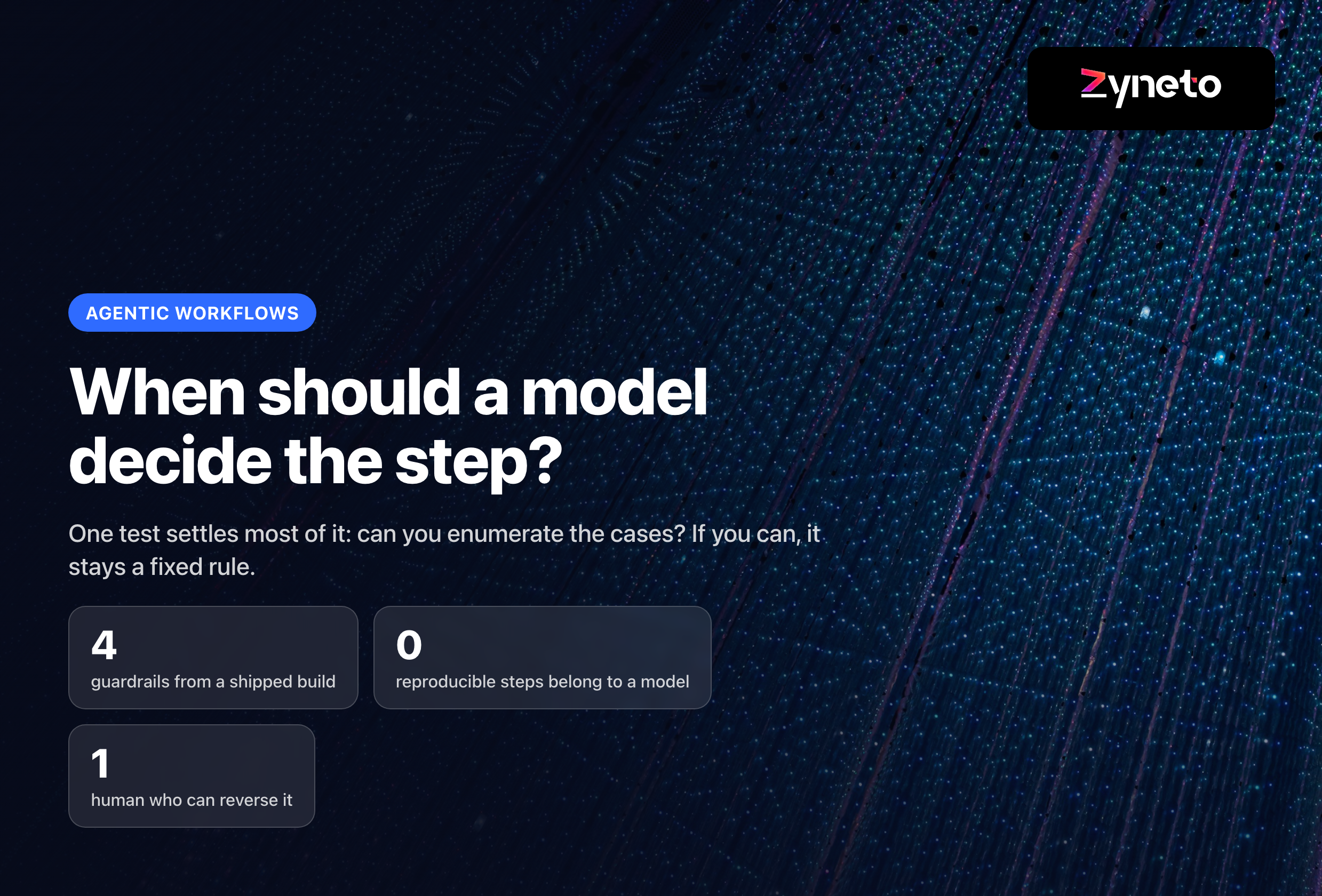
Give the AI the narrowest permissions that do the job. A feature that reads tickets should not be able to close them. Anything that spends money, contacts a customer or deletes data sits behind a human approval until your test set justifies loosening it. Our AI agent development page describes how we scope tool access and approval gates for agents that act rather than answer.
Validate the shape of every answer. Force structured output into a schema, check tool results before acting on them, and define what the AI says when it does not know. A support chatbot that admits it cannot answer and hands over to a person keeps more customers than one that guesses.
Apple requires consent before personal data reaches a third-party AI. Since its guideline update of 13 November 2025, App Review Guideline 5.1.2(i) names third-party AI explicitly: an app has to tell users plainly that their personal data goes to an outside AI provider, and has to have their explicit permission before it sends any. If your app sends a user's messages to a model API, the consent screen is a release 1 feature.
Google requires a way to report AI-generated content. Google Play's AI-Generated Content policy says apps that generate content with AI must let users report or flag offensive content without leaving the app. It covers chat apps where AI conversation is central and text, voice or image generators; apps that only summarise non-AI content or use AI to improve an existing productivity feature are out of scope.
The EU AI Act now applies in stages. The European Commission's page, updated 3 August 2026, lists prohibited practices from 2 February 2025, general-purpose AI obligations from 2 August 2025, and the Article 50 transparency rules from August 2026, which require people to be told when they are interacting with AI and AI-generated content to be marked. The AI Omnibus, in force since 27 July 2026, moved the Annex III high-risk obligations to 2 December 2027 and adds a ban on systems that generate non-consensual intimate content or child sexual abuse material from December 2026.
Rule | What it asks of an AI feature | Applies from |
Apple 5.1.2(i) | Disclose sharing with third-party AI; get explicit permission | Update of 13 November 2025 |
Google Play AI-Generated Content | In-app reporting or flagging of offensive AI output | Announced 25 October 2023 |
EU AI Act Article 50 | Tell users they are talking to AI; mark AI-generated content | August 2026 |
EU AI Act high-risk (Annex III) | Risk management, documentation, oversight for listed uses | 2 December 2027 (moved by the AI Omnibus) |
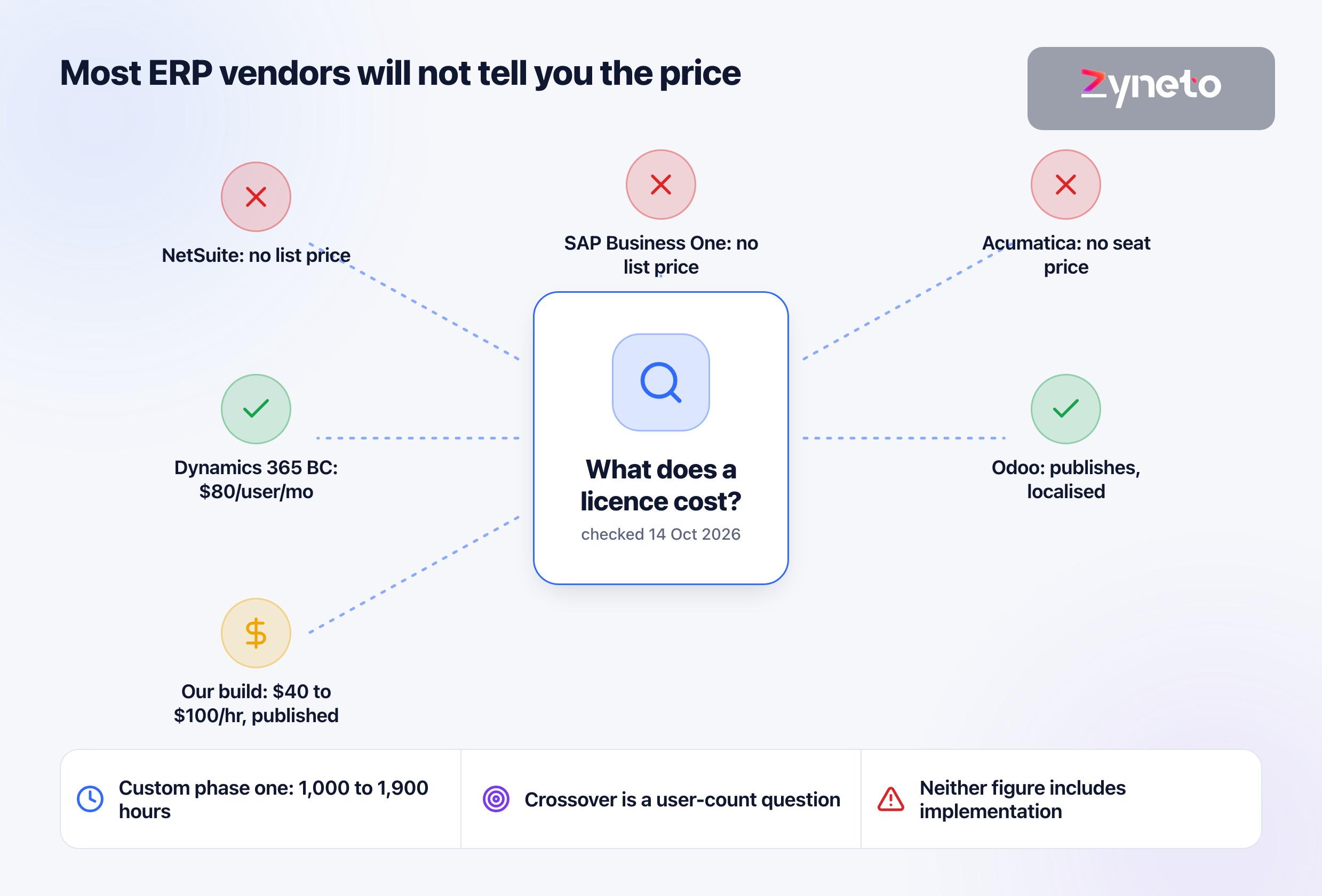
Discovery for an AI feature has to produce 3 numbers. The retrieval scope, the expected model calls per active user and the evaluation criteria. Without them, no fixed price is honest, which is why Zyneto does not give one before discovery. Our rates are $40 to $100 an hour by role, blending to $60 to $70 on a mixed team.
A narrow feature reaches a pilot in weeks. Our AI agent page puts a narrow agent on a well-scoped task with a few integrations at a working pilot in a few weeks, with production hardening, evaluation, guardrails and monitoring taking about as long again. Most product builds reach real users in 10 to 16 weeks on our MVP development page.
Keep the code, prompts and test set. Kroolo's product and store listings sit with Kroolo, and its Kubernetes deployment keeps it portable. Ask for the same: the code, the prompts, the evaluation set and the infrastructure configuration in your name, so changing models or teams is a decision rather than a rebuild.
The model is the part of an AI app you rent; the rest is yours. A team that owns a clear job, a scoped set of data, a test set and a consent screen can swap models when prices fall or quality rises, and its app keeps working. A team that started with the model has to start again each time the model changes.
Pick one job the AI does end to end, scope the data it may read, write an evaluation set of real inputs with graded expectations, choose the cheapest model that passes that set, add guardrails such as approval gates and schema checks, and meet the store and legal rules. Most AI apps call a model through an API or run a small one on the phone rather than training their own.
On list prices read in October 2026, an assistant answering 20 questions per user per month with 2,000 input and 500 output tokens per call costs about $0.009 per user on OpenAI's gpt-6-luna, $0.18 on Claude Sonnet 5.5 and $0.90 on OpenAI's gpt-6-astra. Calls per user, context length and caching change the real figure, so measure them in a pilot.
No. Almost every AI app uses a model from OpenAI, Anthropic or Google through an API, or an on-device model such as Apple's Foundation Models framework on iOS 26 and Gemini Nano through Google's ML Kit GenAI APIs on Android. The work that is yours is the job, the data access, the evaluation set and the guardrails around the model.
Apple's App Review Guideline 5.1.2(i), updated on 13 November 2025, covers third-party AI by name: an app that sends personal data to an outside AI provider has to say so plainly and get the user's explicit permission first. Chatbots also fall under guideline 4.7 and must follow Apple's privacy, content moderation and payment rules.
Google Play's AI-Generated Content policy requires apps that generate content with AI, such as chatbots where AI conversation is central and image or voice generators, to include in-app reporting or flagging so users can report offensive content without leaving the app. Apps that only summarise non-AI content or use AI to improve existing productivity features are out of scope.
Per the European Commission, prohibited practices apply from 2 February 2025, general-purpose AI obligations from 2 August 2025, and the Article 50 transparency rules, telling users they are interacting with AI and marking AI-generated content, from August 2026. High-risk obligations for Annex III uses were moved to 2 December 2027 by the AI Omnibus, which entered into force on 27 July 2026.
A narrow AI feature on a well-scoped task reaches a working pilot in a few weeks, and production hardening, covering evaluation, guardrails and monitoring, takes about as long again. A full product typically reaches real users in 10 to 16 weeks. Discovery comes first and must produce the retrieval scope, expected model calls per active user and the evaluation criteria.

Vikas has around fifteen years of experience building software and now builds generative AI systems at Zyneto. His work covers retrieval augmented generation, agentic AI, knowledge graphs, AI memory, and the evaluation and guardrails that decide whether any of it is safe to put in front of customers. He has shipped enterprise copilots, document AI, chatbots and predictive analytics for e-commerce, fintech and marketing teams, and works day to day in Python, JavaScript and SQL. He follows multimodal models, business process automation and enterprise AI security closely, and mentors engineers moving into AI. He writes about architecture, inference cost and the failure modes that only show up at production scale.
Share your details and we will talk soon.
Be the first to access expert strategies, actionable tips, and the trends actually shaping the digital world. No fluff - just practical insights delivered straight to your inbox.
Dive into our blog and stay ahead of the curve with expert perspectives, future-ready trends, and tech tips written for decision-makers and doers alike.