Mobile App Development Guide: The Process From Idea to Launch


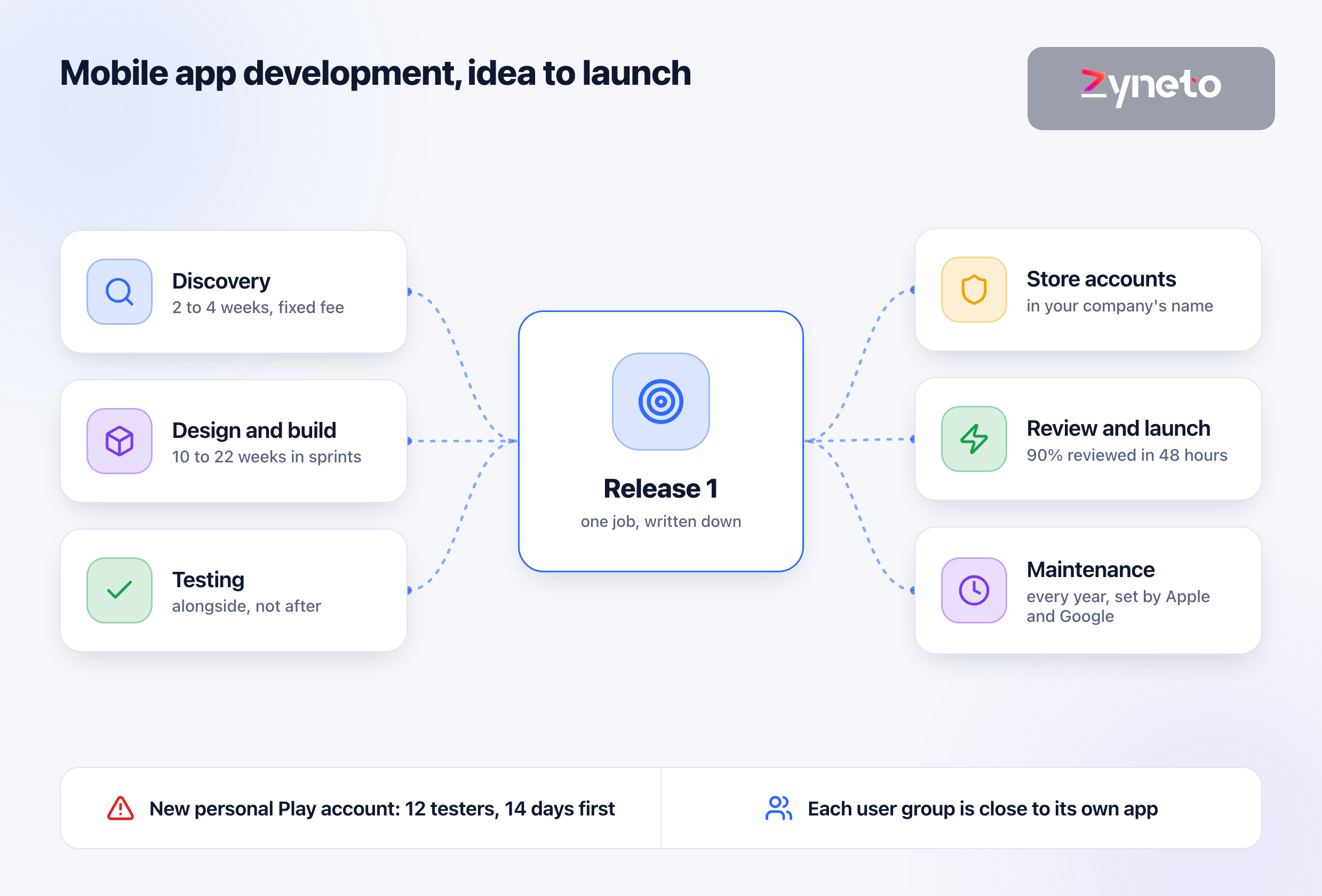
Commissioning a mobile app comes down to 3 questions: what the first release must do for the business, who uses each part of it, and what Apple and Google require before they let it into their stores. Everything else, from the framework to the screen designs, hangs off those answers. Most founders start with the screens, which is the wrong end: screens are the cheapest hours in a build, and the dates that slip sit behind them. The ordinary failure is not a crash. It is a launch that waits 14 days because a new personal Google Play account must run a closed test with at least 12 testers before it can publish, and nobody put that on the plan.
The process has 6 stages. Discovery takes 2 to 4 weeks at a fixed fee and ends with a module list, hours per module and a fixed price for release 1. Design and build run together in sprints: 10 to 16 weeks for a minimum viable product, 14 to 22 weeks for a fuller first phase. Testing runs alongside the build. Store submission takes a few days if your accounts are ready and weeks if they are not. Launch starts maintenance, because both stores raise their requirements every year.
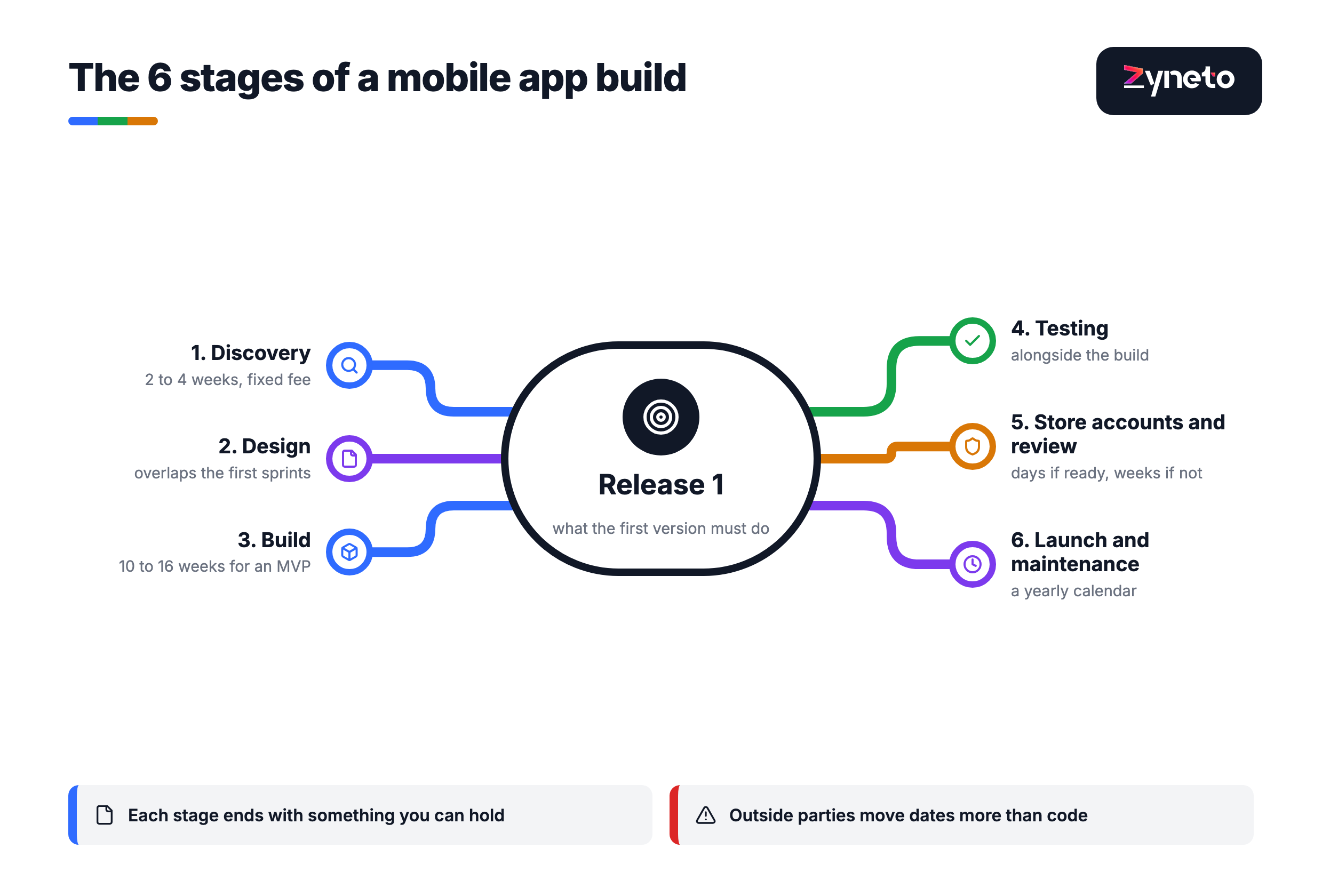
Each stage ends with something you can hold. If a stage ends with a feeling ("we are aligned") rather than an artefact, it has not ended. The table lists what each stage should hand you and the decision that is yours alone.
Stage | Typical length | What you decide | What you should receive |
1. Discovery | 2 to 4 weeks, fixed fee | The one job release 1 must do, and what is cut | Module list with hours, integration inventory, fixed price for release 1 |
2. Design | Overlaps the first sprints | Which flows matter most to your users | Clickable flows for the core journeys, not every screen |
3. Build | 10 to 16 weeks (MVP); 14 to 22 weeks (fuller phase one) | Priority order, sprint by sprint | A build you can install on your own phone at the end of every sprint |
4. Testing | Alongside the build | What "done" means for each feature | A test plan, defect list and regression set |
5. Store accounts and review | Days if ready, weeks if not | Whose name the apps are published under | Approved listings on the App Store and Google Play |
6. Launch and maintenance | Ongoing | What to fix, what to add, what to retire | A release calendar tied to Apple's and Google's deadlines |
The lengths are Zyneto's published figures, not industry averages. Discovery at 2 to 4 weeks for a fixed fee is on our fintech software development page. The 10 to 16 weeks to something real users touch comes from our MVP development page. The 14 to 22 weeks is the timeline for the 1,260-hour gym and studio app on our fitness app development page, built by a squad rather than one developer.
What moves a date is rarely the code. On that same fitness estimate, the page names access hardware and payment gateway certification as the things that move the launch, and neither is controlled by the development team. Your plan should list every outside party the app depends on, with a date by which each one has to say yes.
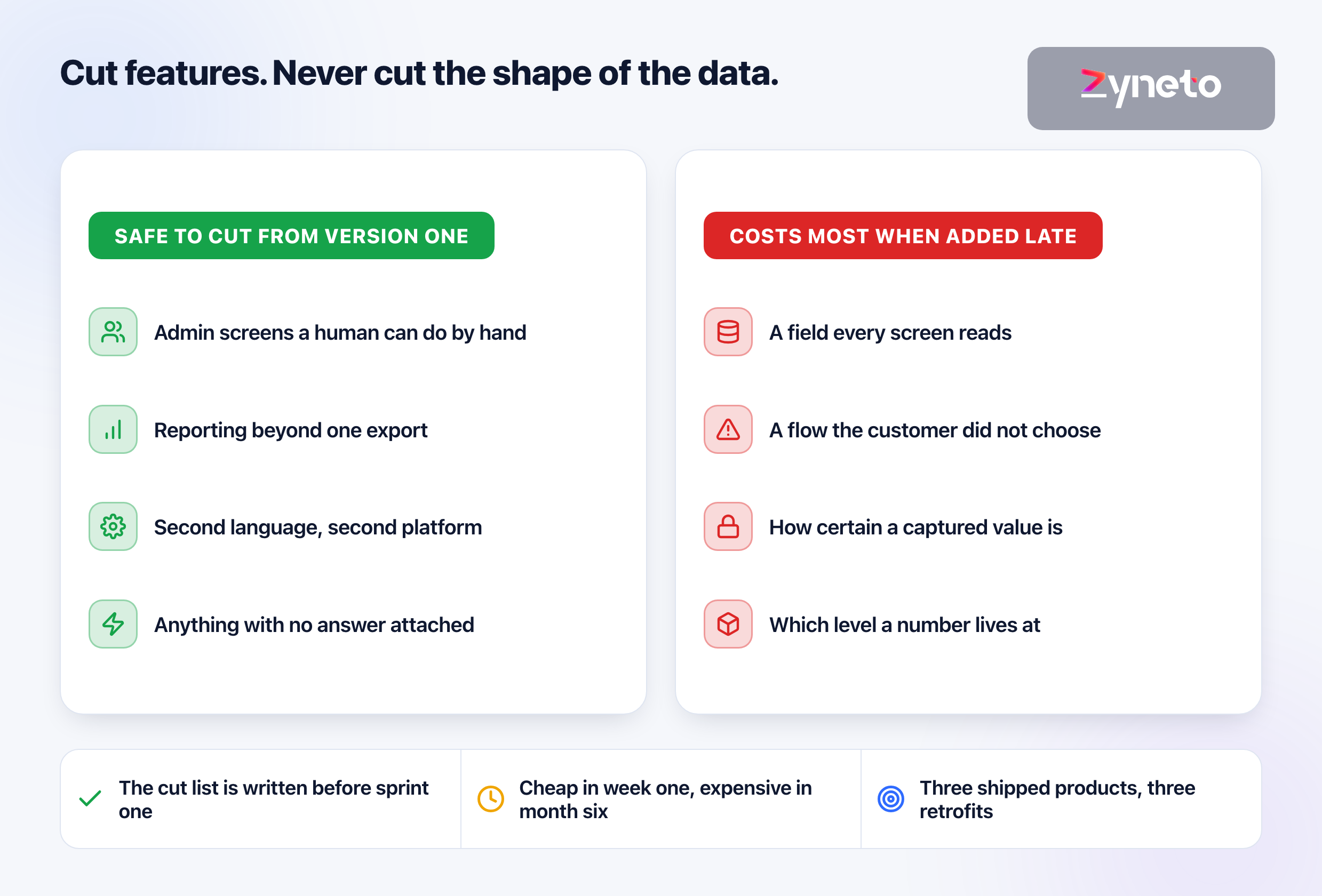
A one-sentence job for release 1. "Customers in Muscat can reorder last week's groceries in 3 taps" is a job. "A world-class grocery experience" is not. The sentence decides what gets cut, and cutting is where a first release is won or lost. Our MVP page makes the same demand: the cut list is written down on day one, so the argument about what is not in version 1 happens once, before the first sprint, rather than in the last one.
A list of the people who will use it. Customers are one group. The staff who pack orders, the drivers who deliver them and the manager who sets prices are others. Each group with different screens is close to a separate app. When we built for Al Amri Express, a grocery delivery business in Oman, that meant 2 applications on one backend: the storefront customers order from and the operations app the warehouse and delivery teams run on.
The systems the app must talk to. Payment provider, accounting package, stock system, delivery partner, loyalty scheme. Each integration is a small project with its own failure cases. Bring the names, and the login or contact for each if you have it.
Your company details for the stores. Apple and Google both ask an organisation for a D-U-N-S number, a 9-digit business identifier issued by Dun & Bradstreet. Apple also requires a legal entity that can sign contracts, not a trade name, and a public website on a domain that belongs to the business. If you do not have a D-U-N-S number, request it before discovery starts, not after the build finishes.
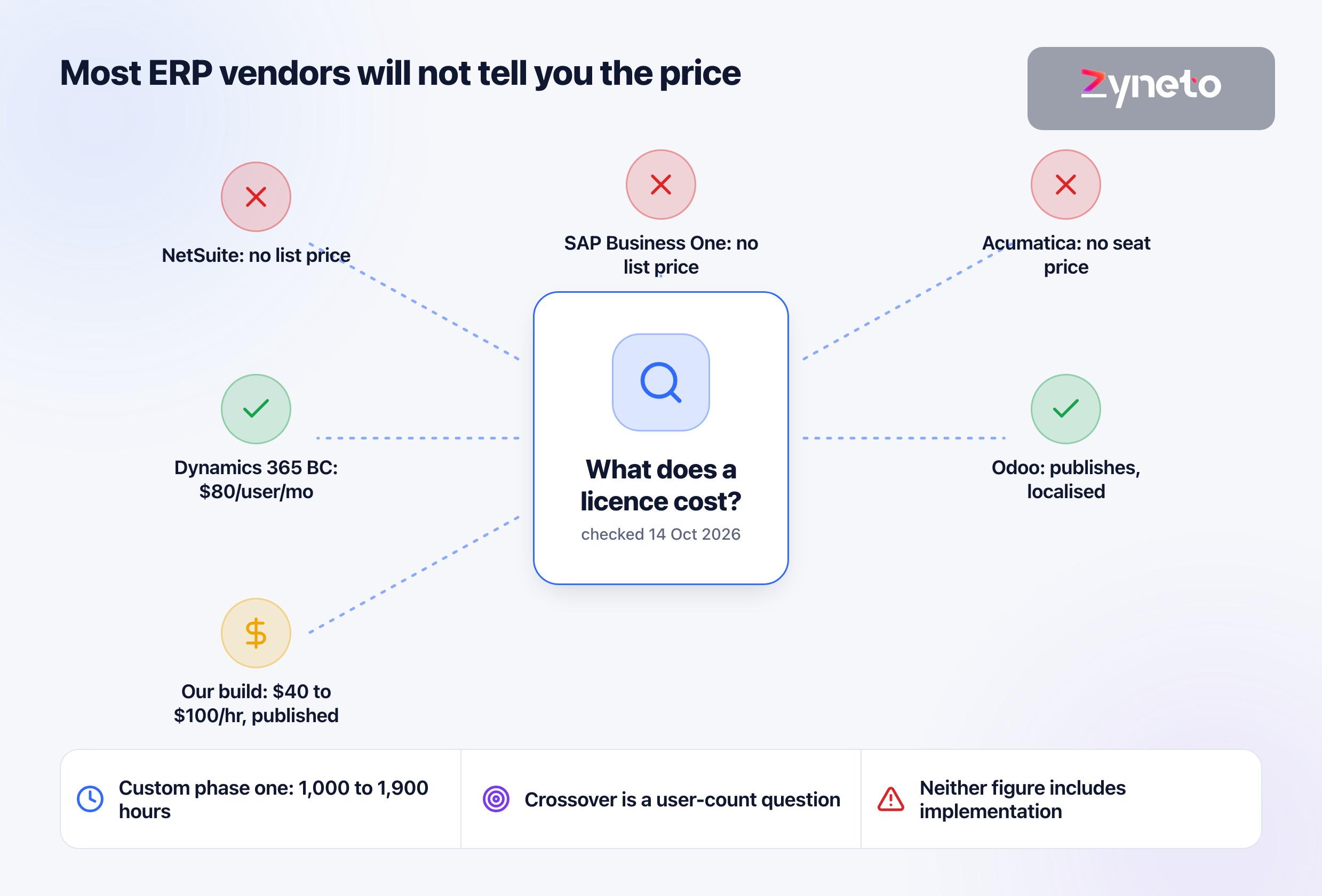
A module list with hours against each module. An estimate that arrives as a single number cannot be checked. Hours per module can: our fitness estimate shows recurring billing at 180 to 320 hours and the member app at 160 to 280, and you can argue about either line. Every Zyneto estimate is priced on the same published band of $40 to $100 an hour by role, and our mobile app development team works to it.
An integration inventory. Every outside system, what the app sends and receives, who owns the other side, and how it is tested. This is the document that stops week 9 from being the first time anyone opens the payment provider's sandbox.
A fixed price for release 1, and only then. We do not give a fixed price before discovery, because a number quoted before the cut list exists prices uncertainty rather than work. You get an hour band on the first call and a fixed price once the module list is written.
A document you own whether or not you continue. Our fintech page puts it plainly: the output is yours whether or not you build with us. Discovery that only makes sense if you hire the same team for the build is a sales step, not a deliverable.
The decisions that are hard to reverse, made early. Al Amri's case study names one it would make differently: design the substitution flow, what happens when an ordered item is out of stock, before checkout rather than after. Substitution is the only part of a grocery order the customer did not choose, and deciding it late forces the answer around code that already exists. Every app has a decision like that. Discovery is where you look for it.
Anything inside the app ships at app store speed. A change to the app itself means a new build, a new review and users updating. A change on the server reaches every user the moment it is deployed. This one rule decides more about how fast you can fix mistakes than any framework choice.
Put rules, prices and calculations on the server. When we built Tvam, an astrology app on iOS, Android and the web, the birth chart calculation runs as one server-side service that all 3 surfaces read. The alternative, a calculation library inside each app, was rejected: 2 native codebases would have to agree numerically forever, and every data correction would ship at app store review speed.
Put what must work without a signal on the phone. Offline catalogues, a saved basket, the last known state of an order, device features such as the camera and location. The trade-off is real: Tvam's main screen depends on a connection, so offline use needs deliberate caching. Decide which screens must work in a basement car park and which can show a retry button.
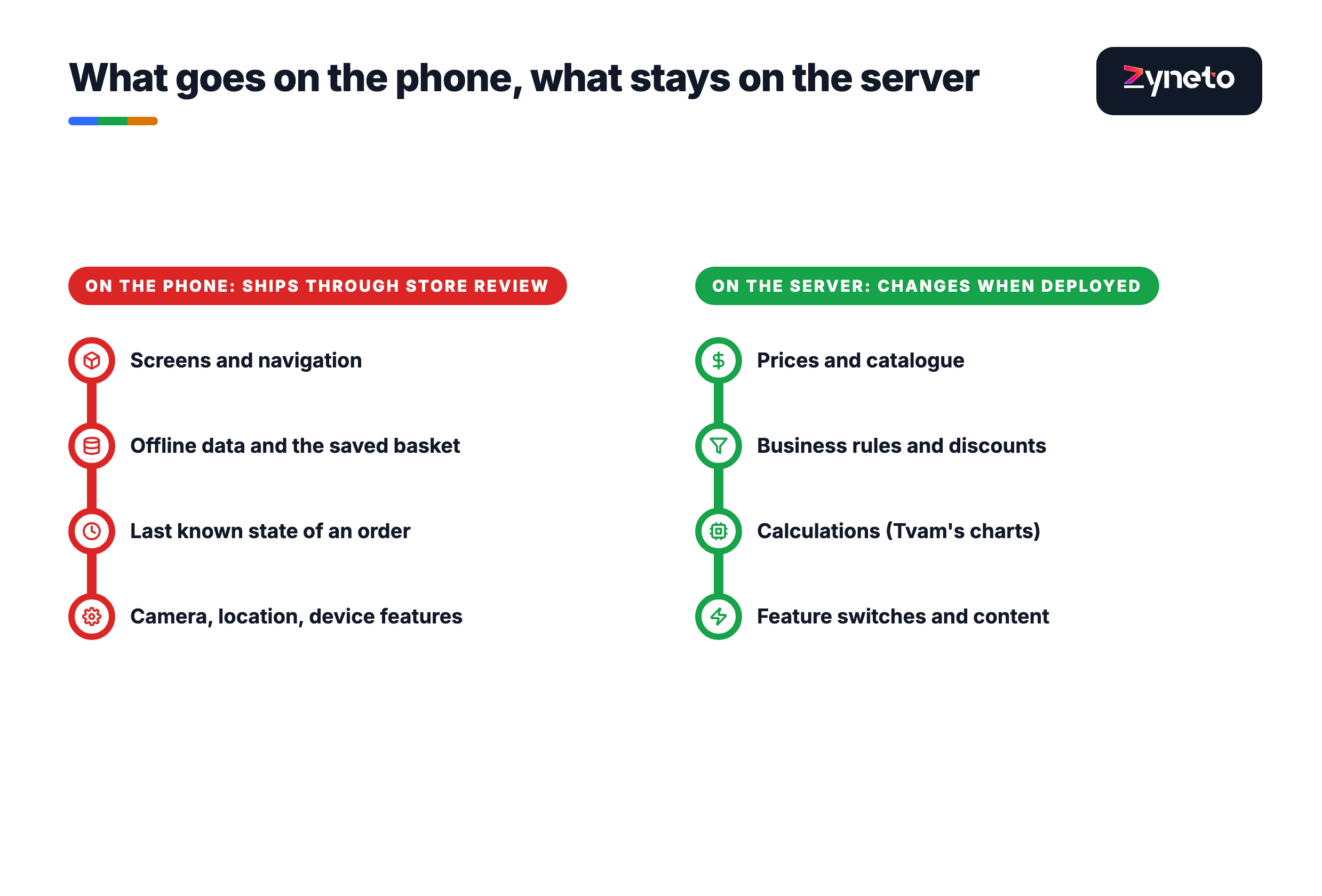
Ask your team where each feature lives before it is built. "Can we change this without a store release?" is a question a founder can ask in every sprint review, and the answer tells you how expensive your next mistake will be.
Your users' phones decide the first platform, not your own. StatCounter's September 2026 figures, which measure web page views rather than installed devices, put iOS at 53.59 per cent of mobile traffic in the United States and Android at 93.89 per cent in India. Android leads in the United Arab Emirates at 73.3 per cent; iOS leads in Saudi Arabia at 51.6 per cent and Android in the United Kingdom at 53.11 per cent. A grocery app in Muscat and a subscription app sold in the US start in different places.
Market (StatCounter, mobile, Sep 2026) | iOS | Android |
United States | 53.59% | 46.39% |
United Kingdom | 46.88% | 53.11% |
Saudi Arabia | 51.6% | 48.37% |
United Arab Emirates | 26.68% | 73.3% |
India | 6.05% | 93.89% |
One codebase for both is the default for most first releases. Al Amri's customer app runs on iOS and Android from one React Native codebase. Cross-platform frameworks cover most business apps; native code earns its cost when the app leans hard on the device, such as heavy graphics, background audio or unusual hardware. Tvam is native, Swift on iOS and Kotlin and Java on Android. Our React Native guide sets out what that framework commits you to over its first 2 years.
The framework is a 5-year decision, so ask about year 2. Every framework has an upgrade cycle, and every year Apple and Google raise the version an app must be built against. Ask any team how they handle the annual upgrade, and what it cost them last time.
Ask for a build on your own phone at the end of every sprint. Screenshots and recorded demos hide the things that matter on a phone: how long a screen takes to load on mobile data, whether a button sits under your thumb, what happens when a call interrupts checkout. Apple's TestFlight lets a team invite up to 10,000 external testers and up to 100 internal ones, and Google Play has internal and closed testing tracks for the same job. If you cannot install the app until the end, you are not seeing the app.
Know what the test builds cannot do. A TestFlight build expires after 90 days, and builds for external testers go through Apple's review before they reach them. Neither is a problem if the team plans for it; both are a surprise if it does not.
Design the 3 journeys that make money first. For a shop that is search, basket and checkout. For a booking app it is availability, booking and payment. Settings screens and profile pages can be plain in release 1. Polishing them first is the most common way a budget runs out before the core works.
Watch the scope in the sprint review, not the invoice. Every new request either replaces something in the plan or adds hours. A team that says yes to everything in the review and sends a larger invoice later has not managed scope; it has deferred the conversation to the moment you can least afford it.
Quality assurance should be its own line in the estimate. We price it at 20 to 25 per cent of build hours, as a separate line, on our published estimates. If a quote shows no testing hours, the testing is either hidden inside the build hours or not happening.
A regression set is what keeps release 10 as good as release 1. It is a fixed list of cases with known correct results, run before every release. For Tvam that means a fixed set of birth data whose charts are known to be right, because a wrong chart never looks like a crash. Your app has an equivalent: the order totals, the discount rules, the booking clashes that must always come out the same.
Test on the phones your customers own. The newest flagship on a designer's desk is not the phone a delivery driver uses. Ask which devices and operating system versions are in the test plan, and check the list against your market's data.
Open the developer accounts in week 1, in your company's name. Apple's Developer Program costs US$99 a year and Google Play charges a one-time US$25 registration fee. Both ask an organisation for a D-U-N-S number, and Apple will not accept a trade name. Al Amri Express and Tvam each hold their own store listings, so changing suppliers is a commercial decision, not a technical one. An app published under your agency's account belongs, in practice, to your agency.
A new personal Google Play account cannot publish straight away. Personal accounts created after 13 November 2023 must run a closed test with at least 12 testers who stay opted in for 14 consecutive days before applying for production access. Testers who leave early do not count. Plan the 14 days into the calendar, or publish under an organisation account.
Apple's review is usually fast, but plan for 2 days. Apple says it typically reviews at least 50 per cent of submissions in under 24 hours and 90 per cent in under 48 hours. An expedited review exists for critical bug fixes and event deadlines, and it is a request, not a right.
Store requirement | Apple App Store | Google Play |
Account fee | US$99 a year | US$25 once |
Organisation identity | D-U-N-S number, legal entity, company website | D-U-N-S number, organisation website |
Before first release | Review: 50% under 24 hours, 90% under 48 | New personal accounts: closed test, 12 testers, 14 days |
Account deletion | Required in the app if it supports account creation | In-app path plus a web link to request deletion |
Privacy declarations | Privacy manifest with reasons for listed APIs, including SDKs | Data safety form, required for nearly every app |
Build requirement now | Built with Xcode 26 and the iOS 26 SDK (since 28 April 2026) | Target Android 16, API 36, for new apps and updates (since 31 August 2026) |
Rejections are mostly avoidable, and they cost days. Apple's guidelines reject placeholder text and temporary content, and reject apps that are "a repackaged website" with nothing app-like about them. If your app lets people create an account, both stores require a way to delete it from inside the app; Google also requires a web page where users can ask for deletion. These are cheap to build in sprint 3 and expensive to discover at submission.
Privacy declarations are part of the build, not the paperwork. Since 1 May 2024, Apple has required apps to declare approved reasons for using certain system APIs, including the ones used by third-party SDKs. Google's Data safety form is required for virtually every app, even one that collects no data, and an inaccurate form can block updates. Your team needs a list of every SDK in the app to fill either in honestly.
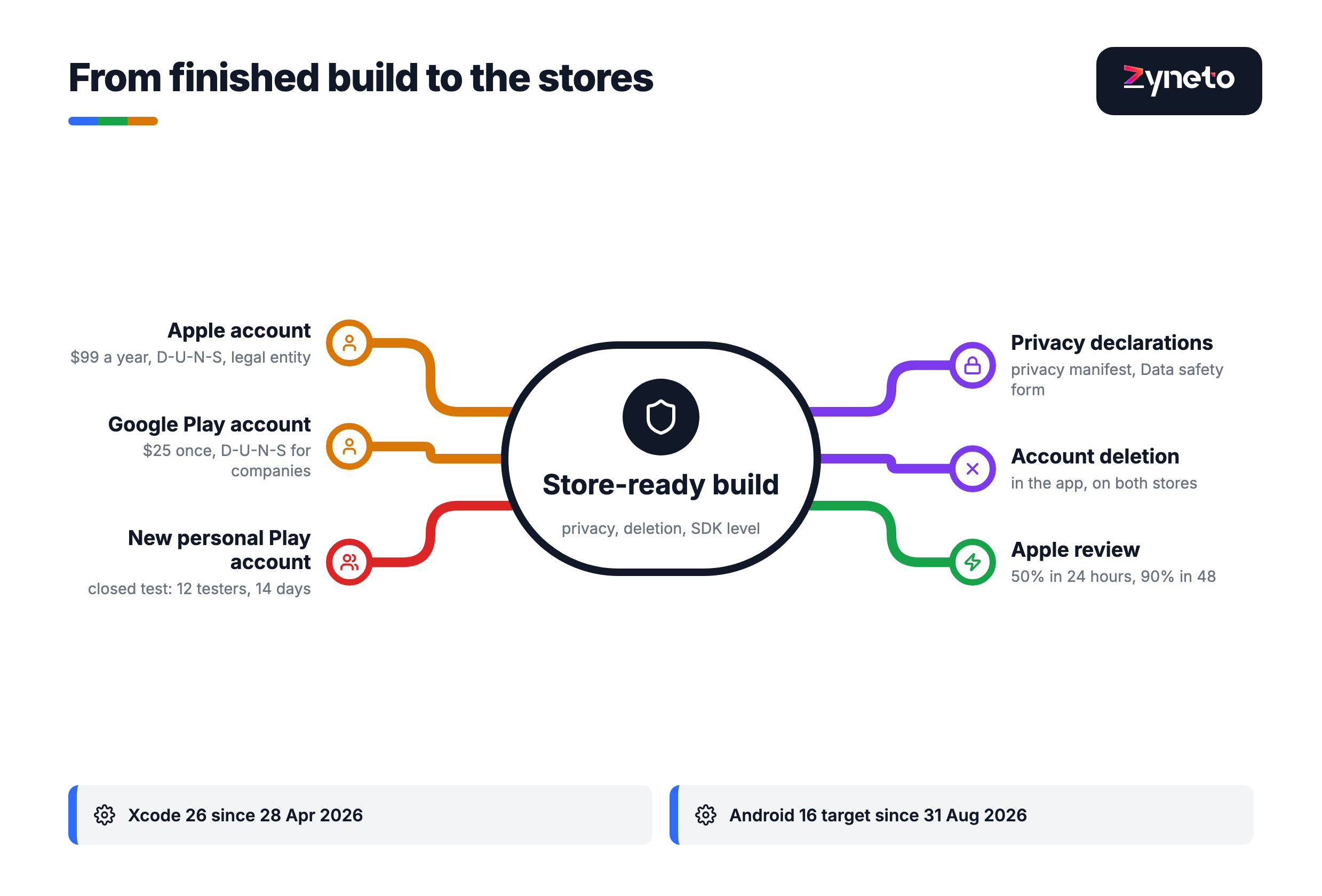
Launch is the start of a yearly cycle you do not control. Apple released iOS 27 on 14 September 2026 and Google released Android 17 on 16 June 2026; both ship a major version every year. Each one is followed by a deadline: since 28 April 2026 App Store uploads must be built with Xcode 26, and since 31 August 2026 new Google Play apps and updates must target Android 16. On Google Play, an existing app that falls below Android 15 stops being shown to new users on newer Android versions.
Ship the most important app first, then the next. Al Amri's customer app went live first and the operations app followed, so each entered production against something already stable. A first release that tries to launch every app, every role and every market on the same day multiplies the ways launch day can go wrong.
Measure the job release 1 was built for. If the sentence was "customers reorder in 3 taps", the first report after launch should say how many reorders happened and how many taps they took. Analytics defined against that question from day one is what turns a launch into a test rather than a hope.
Budget for the second year before you sign for the first. Every app needs a block of hours each year for the operating system releases, the store deadlines and the fixes real users find. The founders who do well treat that as part of the product's cost from the first conversation, and choose the platforms, the framework and the split between phone and server with year 2 in mind. The process above is how you make those choices while they are still cheap.
Mobile app development has 6 stages: discovery, design, build, testing, store accounts and review, and launch with ongoing maintenance. Discovery defines what release 1 must do and prices it module by module. Design and build overlap in sprints, testing runs alongside the build rather than at the end, store submission depends on developer accounts and privacy declarations being ready, and maintenance follows Apple's and Google's yearly requirement changes.
At Zyneto, discovery takes 2 to 4 weeks, a minimum viable product takes 10 to 16 weeks to reach real users, and a fuller first phase such as a 1,260-hour gym membership app takes 14 to 22 weeks with a squad. Add a few days for Apple's review, where 90 per cent of submissions are reviewed in under 48 hours, and 14 days if you publish from a new personal Google Play account that must run a closed test first.
Bring 4 things: a one-sentence job for the first release, a list of everyone who will use the app (customers, staff, drivers, managers), the outside systems it must connect to, and your company details for the app stores. Apple and Google both ask organisations for a D-U-N-S number, and Apple requires a legal entity and a public company website, so request a D-U-N-S number early if you do not have one.
Launch first where your users are. StatCounter's September 2026 mobile figures show iOS at 53.59 per cent in the United States and Android at 93.89 per cent in India, 73.3 per cent in the UAE and 53.11 per cent in the UK. Most business apps can launch on both at once from one cross-platform codebase, such as React Native or Flutter, which removes the need to choose for the first release.
Apple says it typically reviews at least 50 per cent of App Store submissions in under 24 hours and 90 per cent in under 48 hours, and offers expedited review for critical bug fixes and events. On Google Play, personal developer accounts created after 13 November 2023 must first run a closed test with at least 12 testers opted in for 14 consecutive days before they can apply for production access.
Your company should. Open the Apple Developer Program and Google Play developer accounts in your organisation's name, and give your development team access rather than letting them publish under their own accounts. An app listed under an agency's account is, in practice, controlled by that agency, and moving it later is slow. Apple charges US$99 a year and Google Play US$25 once.
After launch the app enters a yearly maintenance cycle. Apple ships a major iOS release every September and Google a major Android release in recent Junes, and both then raise the version an app must be built against: App Store uploads need Xcode 26 since 28 April 2026, and Google Play apps need to target Android 16 since 31 August 2026. Budget a block of hours every year for these updates, fixes and improvements.

Vikas has around fifteen years of experience building software and now builds generative AI systems at Zyneto. His work covers retrieval augmented generation, agentic AI, knowledge graphs, AI memory, and the evaluation and guardrails that decide whether any of it is safe to put in front of customers. He has shipped enterprise copilots, document AI, chatbots and predictive analytics for e-commerce, fintech and marketing teams, and works day to day in Python, JavaScript and SQL. He follows multimodal models, business process automation and enterprise AI security closely, and mentors engineers moving into AI. He writes about architecture, inference cost and the failure modes that only show up at production scale.
Share your details and we will talk soon.
Be the first to access expert strategies, actionable tips, and the trends actually shaping the digital world. No fluff - just practical insights delivered straight to your inbox.
Dive into our blog and stay ahead of the curve with expert perspectives, future-ready trends, and tech tips written for decision-makers and doers alike.