ZATCA Fatoora Integration: Wave 25 Halves The Threshold, And The Date Is 1 February 2027


On 24 July 2026, ZATCA published the criteria for Wave 25 of the Integration Phase and halved the revenue threshold from SAR 375,000 to SAR 187,500. Businesses whose VAT-subject revenues exceeded that figure in any of 2022, 2023, 2024 or 2025 have to integrate with the Fatoora platform by 1 February 2027.
That single change pulls a large population of smaller businesses into ZATCA Fatoora integration for the first time, and most of them are reading guidance written for Wave 24, which closed on 30 June 2026. If an article you are reading does not name Wave 25 and the February date, it is describing a deadline that has already passed.
Verify your own position against ZATCA before contracting. Thresholds and dates in this area have moved before and the criteria are published per wave.
The test is revenue, and it looks backwards across several years rather than at your current turnover.
|
|
Wave 24 |
Wave 25 |
|
Threshold |
SAR 375,000 |
SAR 187,500 |
|
Revenue years assessed |
2022, 2023, 2024 |
2022, 2023, 2024, 2025 |
|
Announced |
earlier |
24 July 2026 |
|
Integration deadline |
30 June 2026, passed |
1 February 2027 |
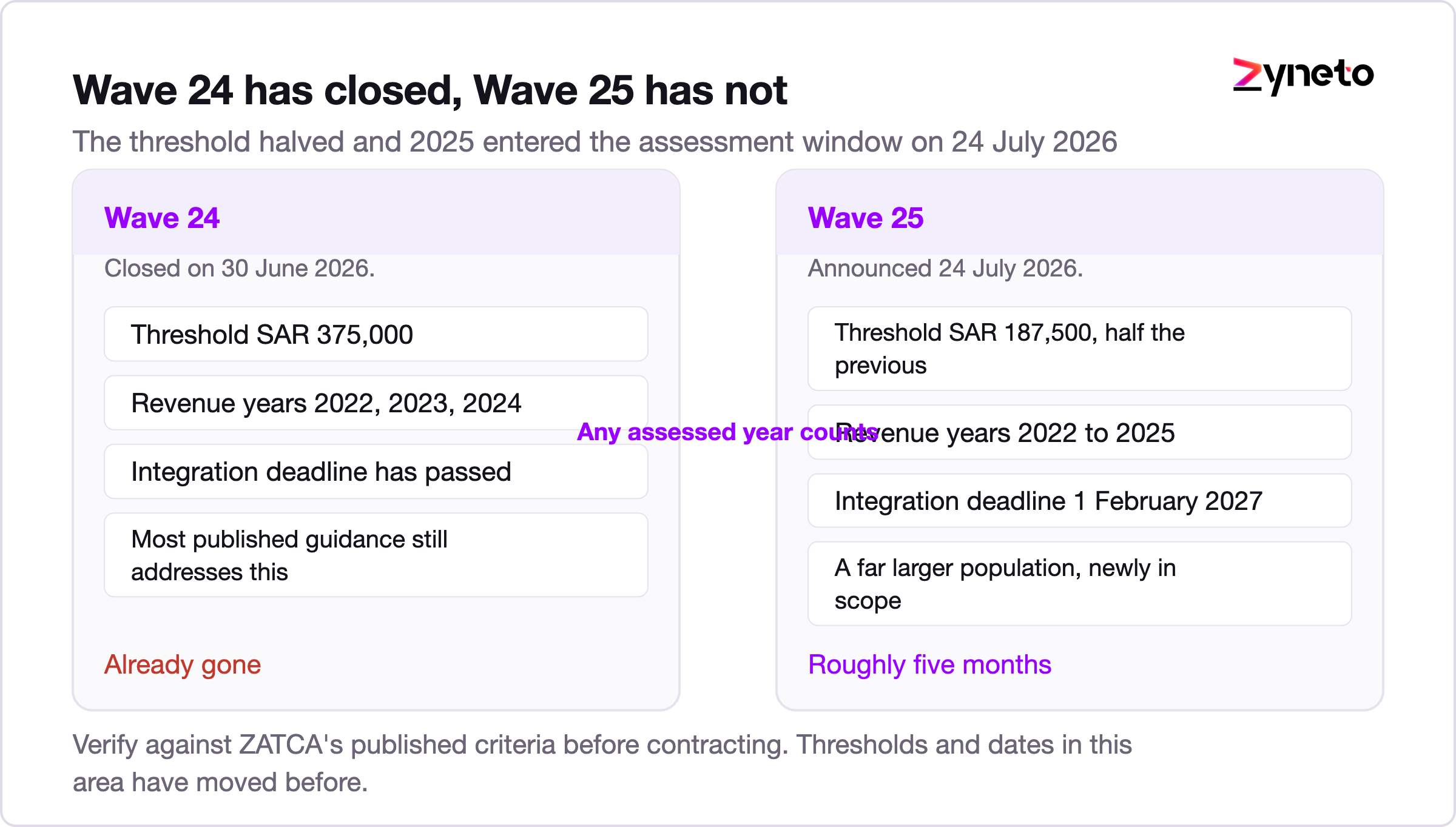
Two details catch people out. The test is any of the assessed years, so a business that exceeded the threshold in 2023 and has shrunk since is still in scope. And 2025 is newly in the assessment window for Wave 25, which catches businesses that grew recently and assumed they had escaped earlier waves.
ZATCA notifies taxpayers in scope, and the notification is not the trigger. The criteria are. If your revenue in any assessed year clears SAR 187,500, plan on the assumption that you are in, and do not wait for a letter to start an inventory that takes weeks.
Phase 1, the Generation Phase, has applied since 4 December 2021 and asked for structured electronic invoices with the required fields, a QR code on simplified invoices, and no handwritten or freely edited documents. Most businesses solved that with an accounting package update.
Phase 2, the Integration Phase, is a different kind of project. Your invoicing system now has to talk to ZATCA for every invoice, receive a response, and behave correctly based on it. That is a live external dependency inside your sales flow, and it changes the software rather than the paperwork.
Teams that treat Phase 2 as an extension of Phase 1 underestimate it, because Phase 1 was a format change and Phase 2 is an integration with an availability question attached.
This is the distinction that decides your design, and a surprising amount of published guidance blurs it.
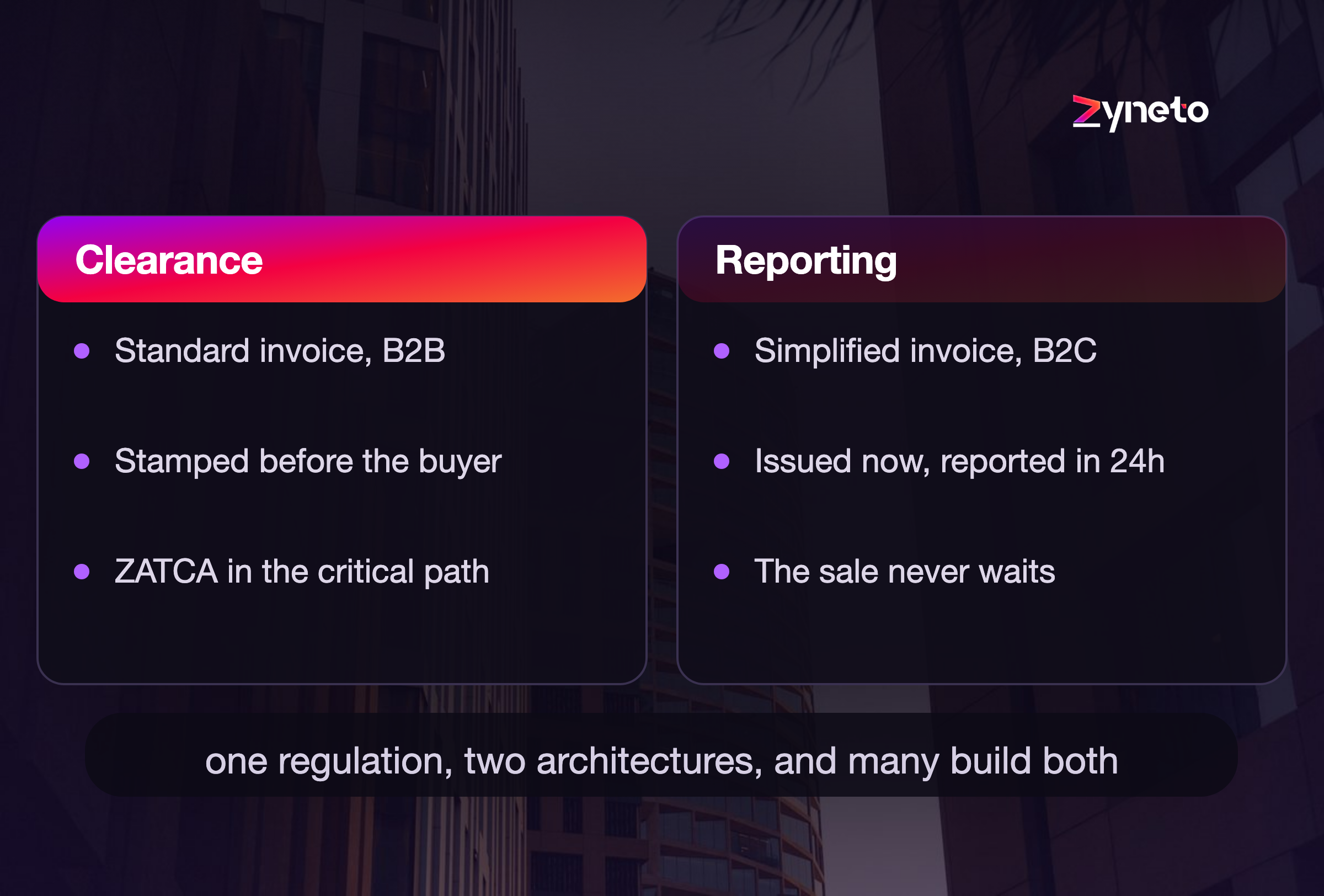
Standard tax invoices, meaning B2B, use the clearance model. The invoice goes to ZATCA first. ZATCA validates it and returns a cryptographic stamp, and only then is it a valid invoice you can give the buyer. ZATCA is in the critical path of issuing the document.
Simplified invoices, meaning B2C, use the reporting model. You issue the invoice to the customer immediately and report it to ZATCA within 24 hours. ZATCA is not in the critical path.
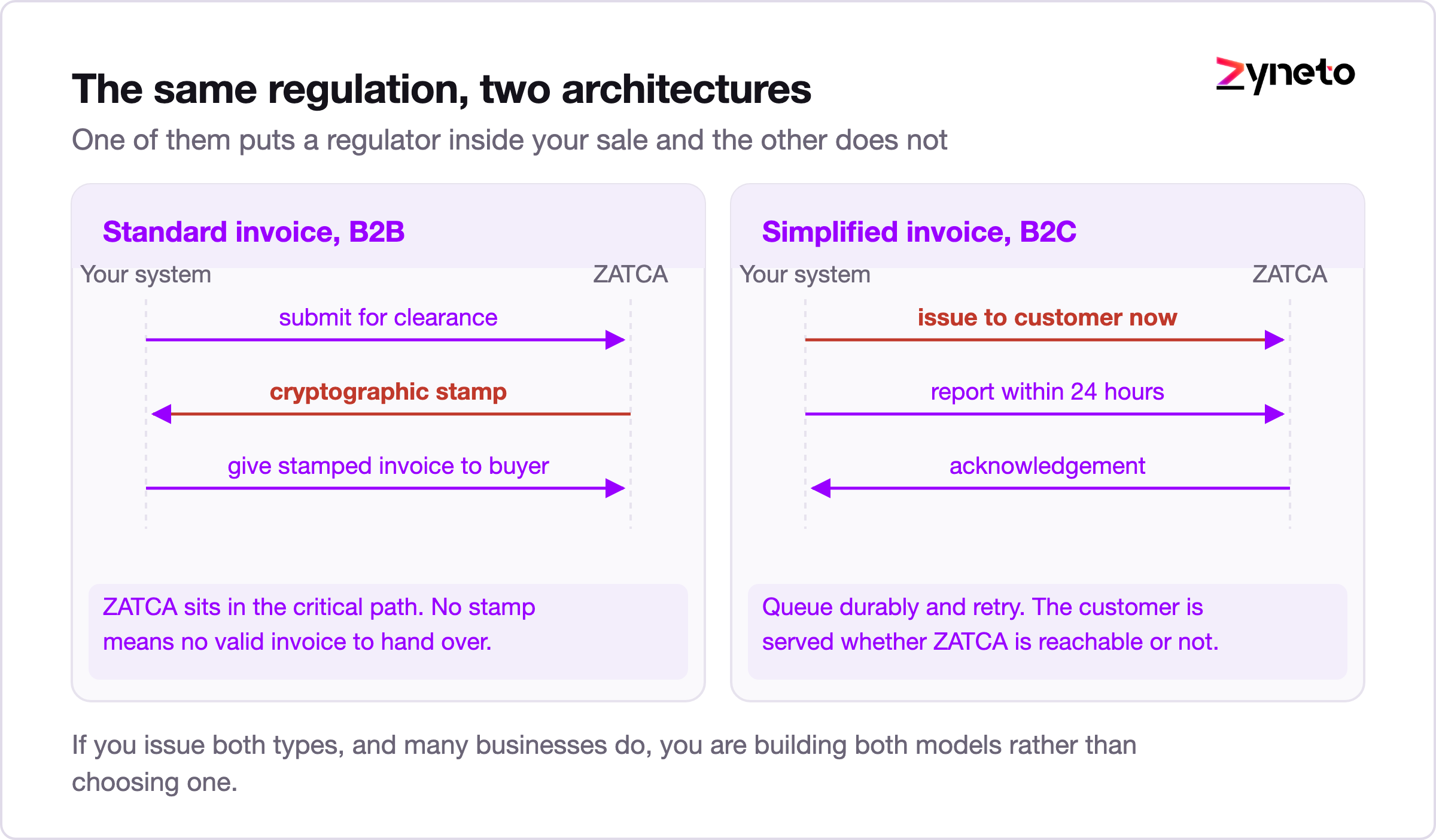
The consequences are not symmetrical. A retailer selling to consumers can keep serving customers if the connection drops and catch up inside the day. A B2B supplier issuing standard invoices cannot hand over a valid invoice at all while clearance is unavailable, which is why the failure design in the section below matters far more to some businesses than to others.
If you issue both types, and many do, you are building both models rather than choosing one.
The document format is specified rather than suggested.
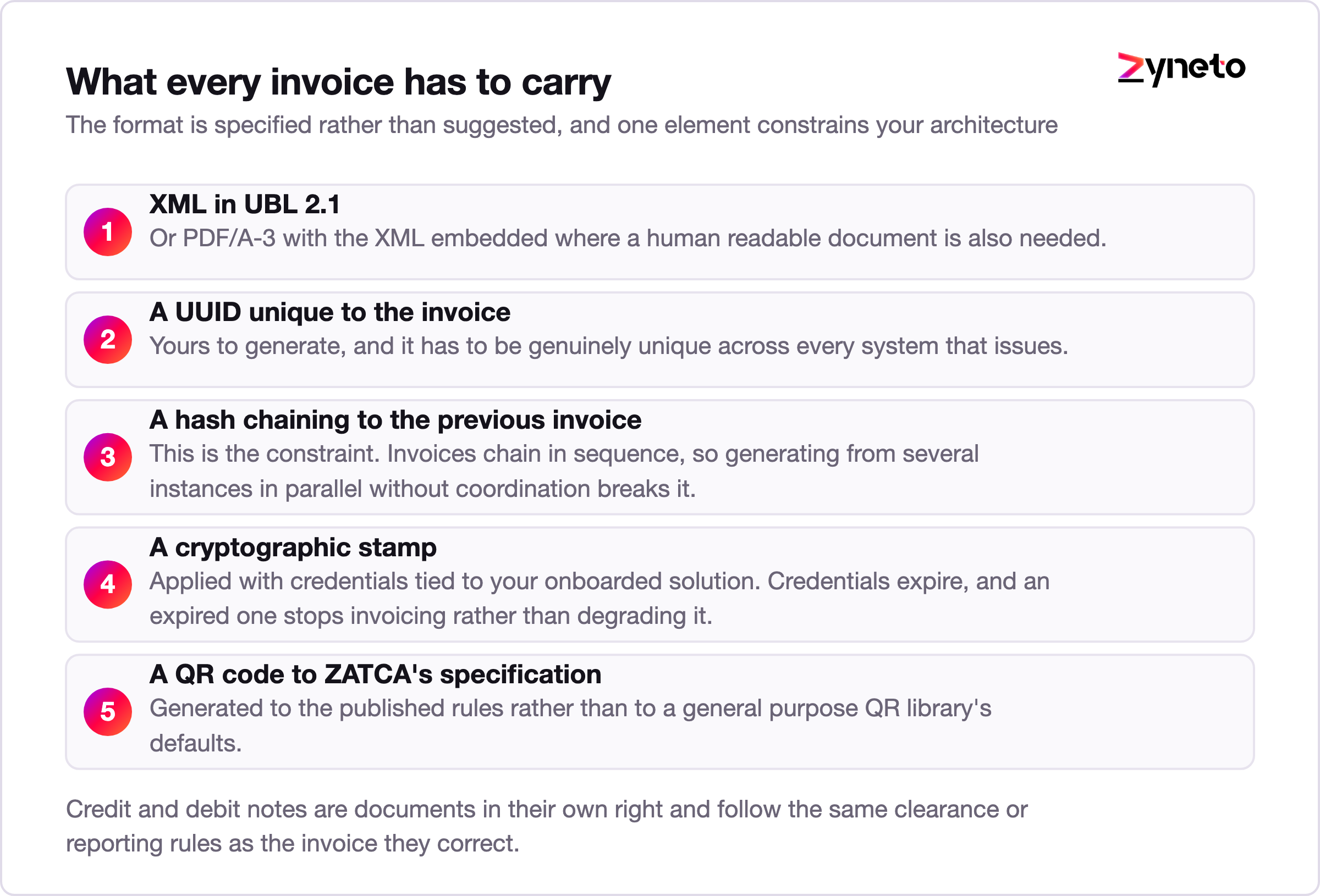
The hash chain is the part that quietly constrains your architecture. Invoices are chained in sequence, which means the order of issuance matters and a gap or a reordering is visible. If you were planning to generate invoices from several instances in parallel without coordination, that plan needs revisiting before it meets production.
Field-level validation is stricter than most accounting exports. VAT categories, exemption reasons, buyer identifiers on standard invoices and rounding behaviour all have defined rules, and a document that passes your own system's checks can still be rejected. Expect a validation cycle rather than a single successful test.
Rounding deserves its own paragraph because it produces the most tedious class of rejection. A system that rounds at the line and a system that rounds at the total will disagree by small amounts on multi-line invoices, and the arithmetic has to be consistent between what you compute, what you print and what you submit. Fix the rounding rule once, in one place, and make every surface read it. Teams that leave the storefront, the accounting package and the submission layer each doing their own arithmetic spend the last fortnight before their deadline chasing halalas.
Credit and debit notes are the other place estimates go wrong. They are documents in their own right, they reference the original invoice, and they follow the same clearance or reporting rules as the document they correct. A build scoped only to invoices discovers this during testing and adds a week.
Before any invoice moves, each invoicing solution or device has to be onboarded to obtain its stamping credentials through the Fatoora portal. This is a one-off per solution, and it is where projects stall.
Three practical points that cost teams weeks.
Onboarding is per solution instance, not per company. A business running 3 point-of-sale terminals, an ecommerce checkout and an ERP is onboarding 5 things, each with its own credentials and its own renewal.
Credentials expire. Renewal has to be automated and monitored, because an expired credential stops invoicing rather than degrading it. Put the expiry date into whatever alerts your team actually reads.
The sandbox is not production. Compliance checks in the simulation environment are a gate you pass before production onboarding, and a solution that passes simulation can still fail on real data because the real data contains cases the test set did not.
The most useful thing you can do in the simulation environment is stop using its sample data. Take a few hundred real invoices from the last quarter, including the awkward ones with mixed VAT categories, exempt lines, foreign currency and long free-text descriptions, and push those through validation instead. Every project we see that ran only clean test data through simulation discovers its real rejection reasons in production, at a point when the deadline no longer leaves room for a rewrite.
Device and till inventory is the companion trap. Retailers routinely discover a terminal in a second location, a mobile invoicing app somebody bought on a card, or a legacy system still issuing manual invoices for a handful of B2B accounts. Each of those is a solution instance that needs onboarding, and each one found in January rather than September is a small crisis rather than a task.
The section nobody writes and every operations team eventually needs.
For reporting model invoices, the answer is a queue. Issue to the customer, persist the invoice locally, retry until reported, and monitor the backlog against the 24 hour requirement. This is ordinary durable queue work and it should be designed in, not bolted on.
For clearance model invoices, the answer is harder because the document is not valid until it is stamped. The design has to decide, explicitly and in advance, what a salesperson does when clearance is unavailable. Whatever you choose, the system needs a defined state for a cleared-pending invoice, a retry path, and a visible queue somebody owns.
Three mechanics that are not optional:
Build the reconciliation before the first live invoice. Teams that defer it reach month 3 with a backlog nobody can explain, which is the same failure pattern as any other integration that moves documents somebody audits.
Retention is the quiet obligation behind all of it. You have to be able to produce the submitted XML, its acknowledgement and its stamp for any invoice, years later, on request. Storing a rendered PDF is not the same thing as storing the submitted document, and a system that keeps only the human readable output has kept the wrong artefact. Decide the storage format and the retention period during design, and test the retrieval path at least once with a real invoice from six months earlier before anyone calls the project finished.
Three routes and most businesses should take the first.
Connect what you already run. If your ERP or accounting system is SAP, Odoo, NetSuite, Business Central, Zoho or a mainstream Saudi package, an e-invoicing capability or a certified connector very likely exists. Using it is cheaper, faster and lower risk than writing your own stamping and submission layer, and the work becomes configuration, mapping and testing.
Integrate through a middleware layer when your estate is genuinely mixed: several sales channels, a homegrown system, or a point-of-sale fleet that will never speak UBL. One service owns generation, stamping, submission and reconciliation, and every channel posts to it. This is the right answer for multi-channel retailers and it is also the design that survives the next regulatory change.
Build end to end only when the invoicing system is your own product, for example if you sell software that issues invoices on behalf of others. Then the compliance surface is a feature and you are building it once for many customers.
Replacing your accounting system to solve this is almost always the wrong project. A replatform under a regulatory deadline is how businesses end up doing two hard things at once and finishing neither.
One caveat on connectors, because the word carries more confidence than it deserves. A connector solves generation, stamping and submission. It does not usually solve your data quality, and ZATCA validates fields your accounting system has been tolerating for years: incomplete buyer identifiers on B2B invoices, missing VAT registration numbers, exemption reasons recorded as free text. The mapping and cleansing work survives every route, which is why it sits on the cost table below regardless of which one you pick. Ask any vendor promising a two week implementation what happens to invoices their connector rejects, and who fixes the source data.
There is also a governance question worth settling early. If a third party generates and stamps invoices on your behalf, you remain the taxpayer and the records remain your obligation. Make sure you can extract your own submitted documents and their acknowledgements in bulk, in a format you can read without that vendor, because a compliance record you cannot retrieve is not a record you hold.
Published rates, published hours, arithmetic you can argue with.
|
Component |
Hours |
Note |
|
Invoice model mapping to UBL 2.1 |
90 to 200 |
Your data model rarely matches the schema |
|
Stamping, hashing and QR generation |
80 to 170 |
Or configuration only if a connector exists |
|
Clearance submission and response handling |
100 to 220 |
Includes the pending state |
|
Reporting submission and 24 hour queue |
70 to 150 |
Durable queue, retries, backlog monitoring |
|
Onboarding and credential lifecycle |
50 to 110 |
Per solution, plus renewal automation |
|
Reconciliation and exception queue |
120 to 260 |
Build before the first live invoice |
|
Each additional sales channel |
40 to 120 |
Point-of-sale, ecommerce, B2B portal |
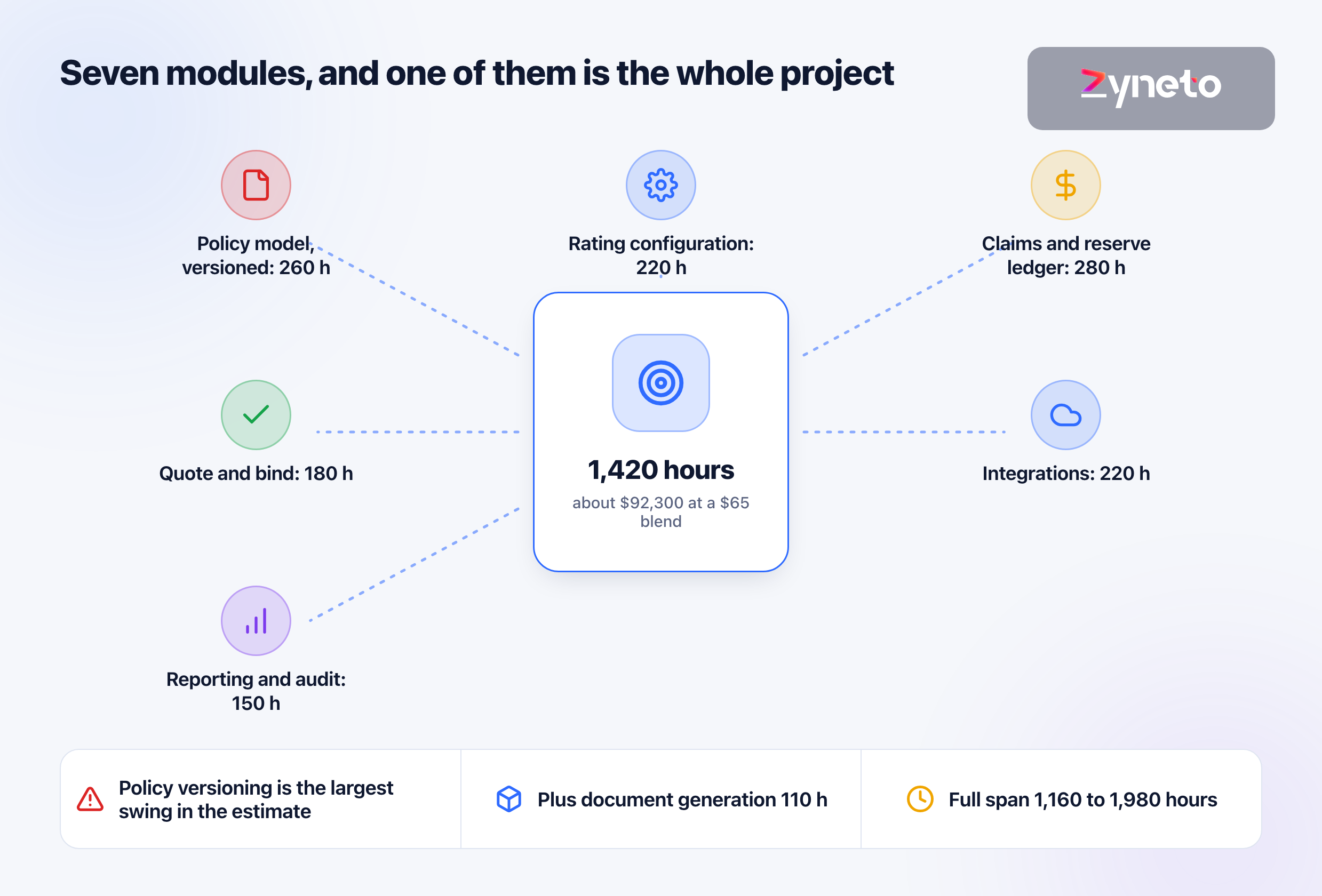
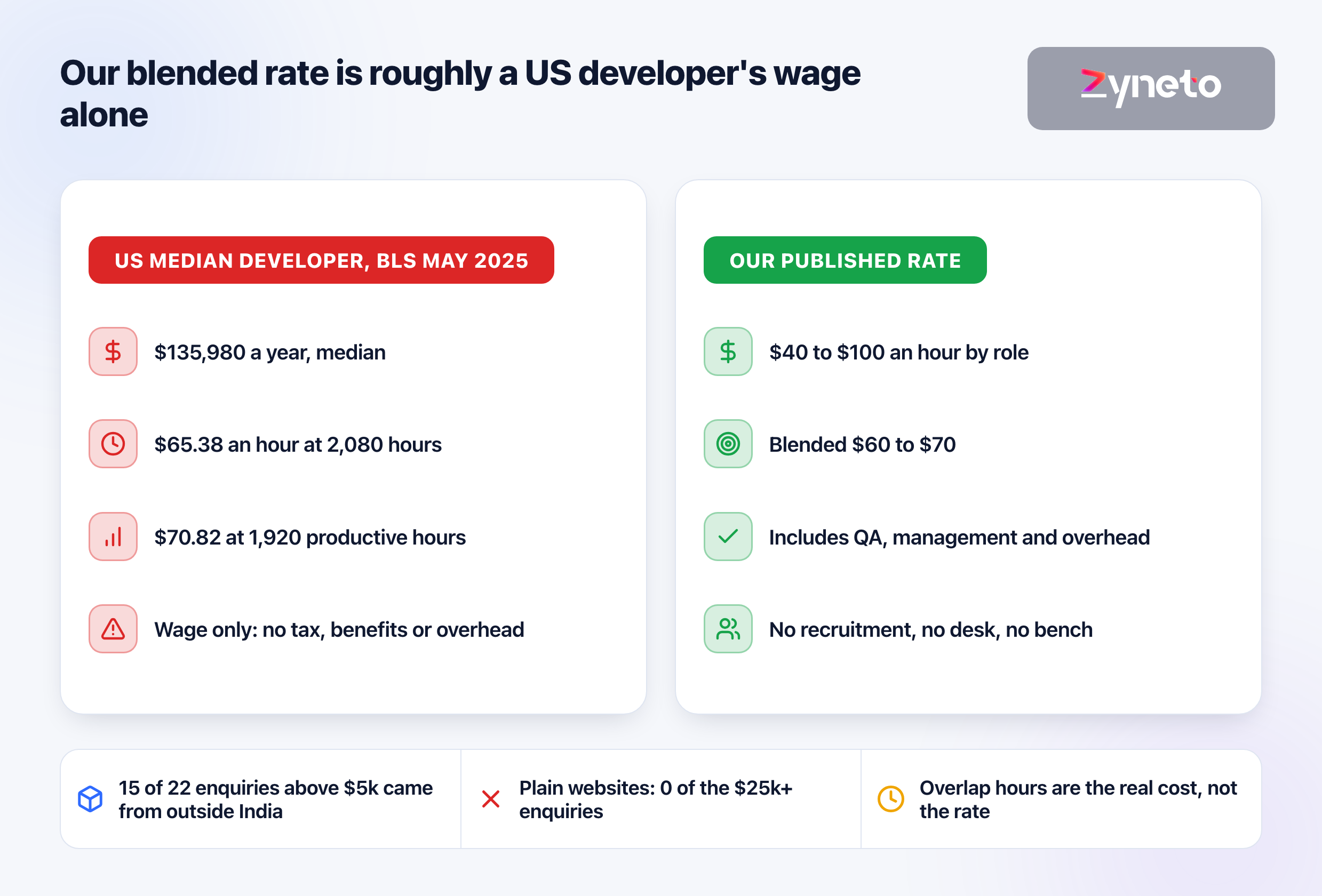
At $40 to $100 per hour by role, blending to $60 to $70, a single-channel integration onto an existing ERP lands near 510 to 1,110 hours, so roughly $33,000 to $72,000 at a $65 blend. A multi-channel retailer with 3 additional channels adds 120 to 360 hours on top. Where a certified connector exists for your platform, the mapping and testing work remains and the stamping and submission lines shrink considerably.
Counting backwards from 1 February 2027, with September as the starting point.
Two scheduling realities worth planning around rather than discovering. Accredited providers and ERP partners in Saudi Arabia get busy in the run-up to every wave deadline, and a halved threshold means Wave 25 brings a far larger population than the waves before it. Booking implementation help in September costs less and moves faster than booking it in December. And your finance team's own calendar matters: a go-live scheduled across a month end or a VAT filing period puts the same people on two critical paths at once.
Two facts decide your project: which wave you are in, and how many systems in your business issue an invoice. The first is a lookup against the criteria. The second is an inventory almost nobody has done, and it is usually a larger number than the finance team expects.
Wave 25 covers taxpayers whose VAT-subject revenues exceeded SAR 187,500 in any of 2022, 2023, 2024 or 2025, with an integration deadline of 1 February 2027. That threshold is half Wave 24's SAR 375,000, and Wave 24's deadline of 30 June 2026 has passed. The test looks at any assessed year, so a business that has shrunk since 2023 can still be in scope. Verify against ZATCA's published criteria.
Standard tax invoices, meaning B2B, use clearance: the invoice goes to ZATCA first and is not valid until it returns stamped, so ZATCA sits in the critical path of issuing the document. Simplified invoices, meaning B2C, use reporting: you issue to the customer immediately and report within 24 hours. If you issue both types you build both models.
XML in UBL 2.1, or PDF/A-3 with the XML embedded where a human readable document is also needed. Each invoice carries a UUID, a hash chaining it to the previous invoice, a cryptographic stamp from onboarded credentials, and a QR code to ZATCA's specification.
For reporting model invoices, queue durably and retry inside the 24 hour window. For clearance model invoices the document is not valid until stamped, so the design has to define in advance what happens at the point of sale, with a pending state, a retry path and a visible queue somebody owns. Every submission needs an idempotency key, because a timeout tells you nothing about whether ZATCA received it.
Almost certainly not, and doing it under a regulatory deadline means doing two hard things at once. If you run SAP, Odoo, NetSuite, Business Central, Zoho or a mainstream Saudi package, a capability or certified connector very likely exists and the work becomes mapping, configuration and testing.
A single-channel integration onto an existing ERP runs about 510 to 1,110 hours, roughly $33,000 to $72,000 at a $65 blended rate. Each additional sales channel adds 40 to 120 hours. Where a certified connector exists the stamping and submission lines shrink, and the mapping and testing work does not.
Onboarding is per invoicing solution rather than per company, so a business with 3 tills, an ecommerce checkout and an ERP onboards 5 things. Each needs its own credentials and its own renewal automation, because an expired credential stops invoicing rather than degrading it. Passing the simulation environment is a gate before production onboarding.

Vikas has around fifteen years of experience building software and now builds generative AI systems at Zyneto. His work covers retrieval augmented generation, agentic AI, knowledge graphs, AI memory, and the evaluation and guardrails that decide whether any of it is safe to put in front of customers. He has shipped enterprise copilots, document AI, chatbots and predictive analytics for e-commerce, fintech and marketing teams, and works day to day in Python, JavaScript and SQL. He follows multimodal models, business process automation and enterprise AI security closely, and mentors engineers moving into AI. He writes about architecture, inference cost and the failure modes that only show up at production scale.
Share your details and we will talk soon.
Be the first to access expert strategies, actionable tips, and the trends actually shaping the digital world. No fluff - just practical insights delivered straight to your inbox.
Dive into our blog and stay ahead of the curve with expert perspectives, future-ready trends, and tech tips written for decision-makers and doers alike.