AI Agents for Business: What They Are, How They Work, and Where They Help


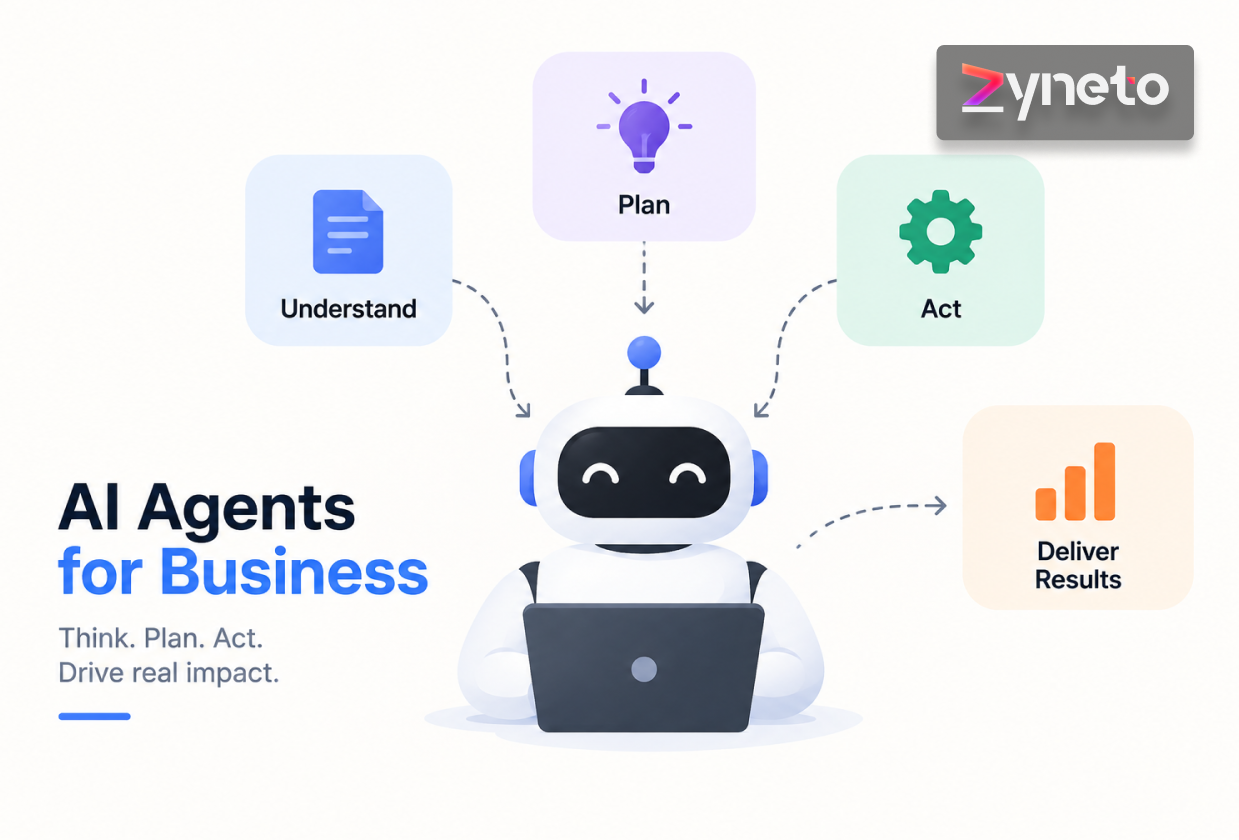
An AI agent is software that pursues a goal on its own by planning steps, using tools, and taking action, checking in with a person at the points that matter. Unlike a chatbot that answers questions or a copilot that assists while you work, an agent can carry out a whole task from start to finish. That makes AI agents for business powerful and, handled carelessly, risky. This guide explains what agents are, how they work, where they earn their keep, why so many stall before production, and how to use them safely.
A regular program does exactly what it was coded to do. An AI agent is given a goal and works out how to reach it. Told to "resolve this refund request," it can read the ticket, check the order, apply the policy, issue the refund, and reply to the customer, deciding each step as it goes rather than following a fixed script.
The difference shows up the moment something unexpected happens. A script hits a case it was not written for and stops. An agent looks at what it found, reconsiders, and picks a different route, or decides it should ask a person. That flexibility is the whole point, and it is also the reason agents need boundaries.
Every working agent is built from the same four pieces, and knowing them makes the rest of this article easier to follow.
A model that reasons. Usually a large language model. It reads the situation, plans, and decides what to do next. This is the part people focus on, and it is rarely the part that fails.
Tools it can call. Your CRM, a database, an email system, a search index, an internal API. Tools are how an agent affects the real world. An agent with no tools is just a chat window.
Memory. What has happened so far in this task, and sometimes what happened in previous ones. Without memory an agent repeats itself and loses the thread on anything long.
A loop. The part that makes it an agent rather than a single answer. Act, observe the result, decide again. The loop runs until the goal is met or the agent decides it needs help.
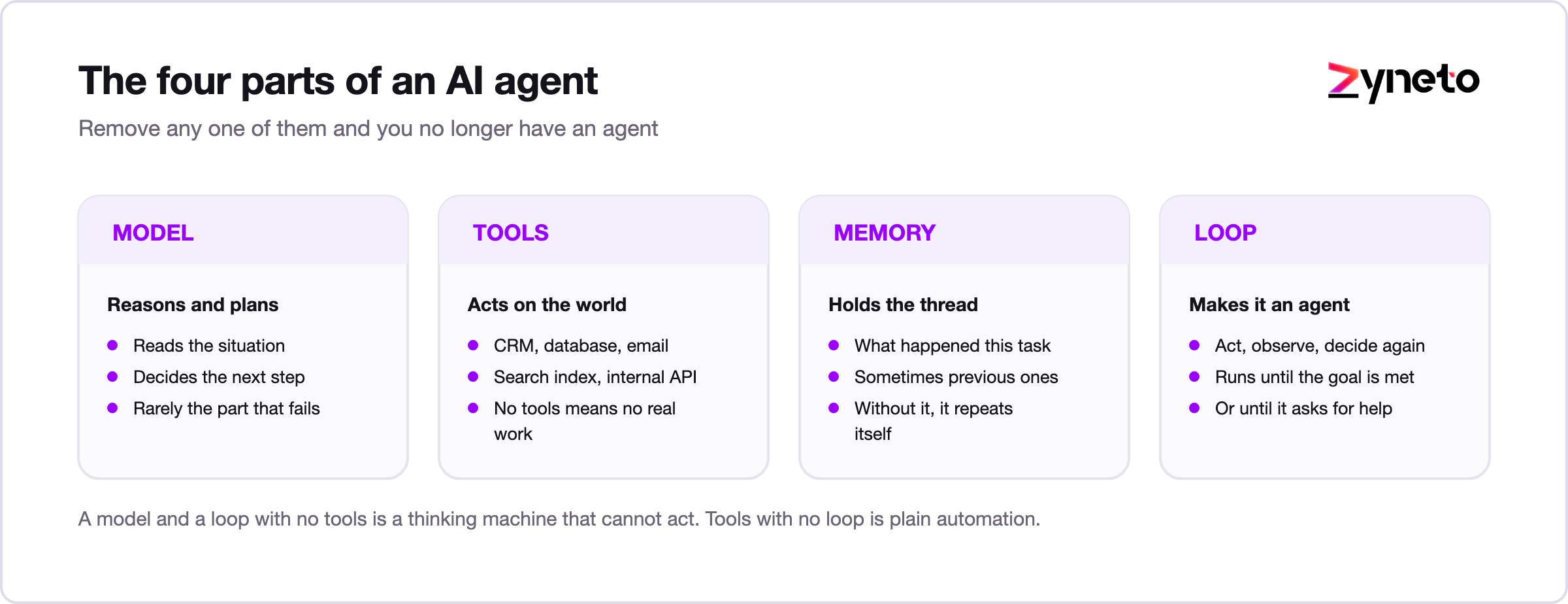
Strip any of the four out and you have something else. A model plus a loop with no tools is a thinking machine that cannot act. Tools with no loop is plain automation with a language model bolted on.
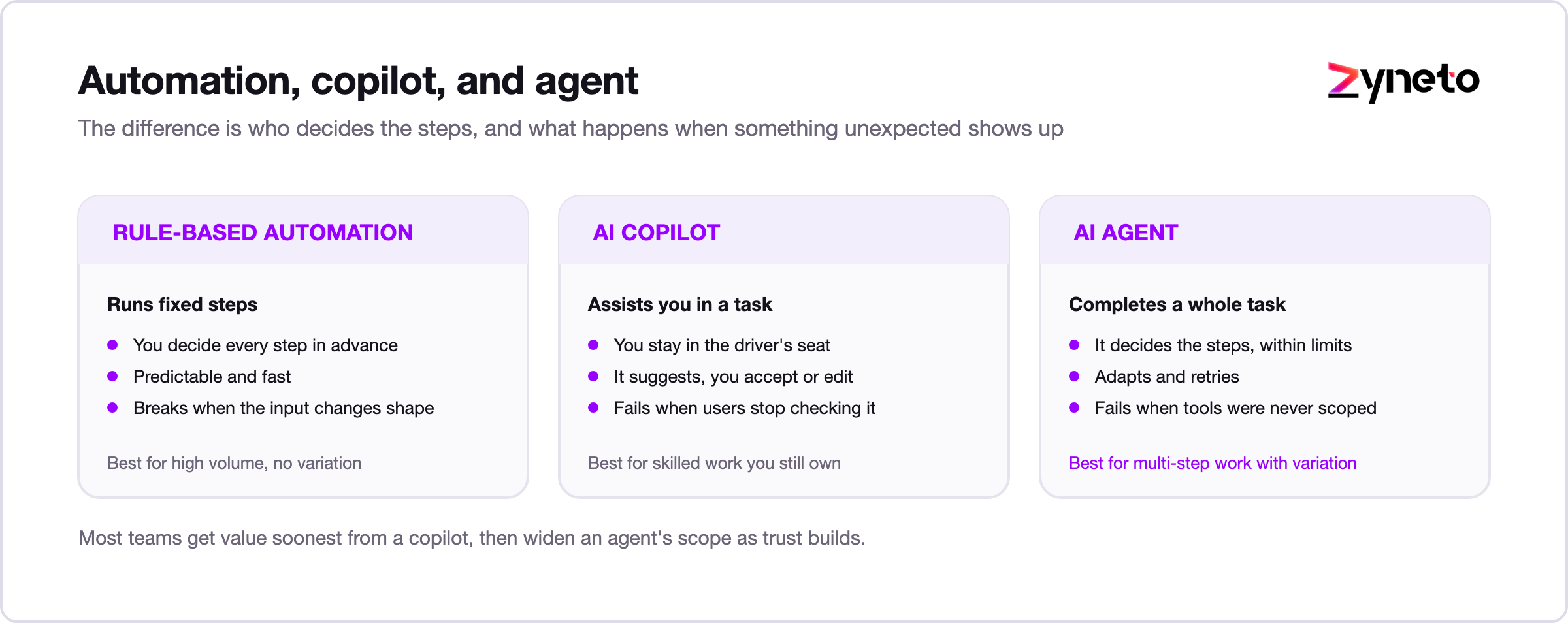
These three get blurred together, and the difference decides what you should build.
|
|
Rule-based automation |
AI copilot |
AI agent |
|---|---|---|---|
|
What it does |
Runs fixed steps |
Assists you in a task |
Completes a whole task |
|
Who decides the steps |
You, in advance |
You, with suggestions |
The agent, within limits |
|
Handles the unexpected |
Breaks |
Suggests, you decide |
Adapts and retries |
|
Human role |
Set it up |
Accept or edit |
Set the goal and supervise |
|
Best for |
High volume, no variation |
Skilled work you still own |
Multi-step work with variation |
|
Fails when |
Inputs change shape |
The user stops checking |
Tools and limits were never scoped |
Rule-based automation is predictable but brittle. A copilot keeps you in the driver's seat. An agent takes the wheel for a stretch and reports back.
There is a practical sequence hiding in that table. Most teams get value soonest from copilots and narrow agents, then widen the agent's scope as trust builds. Skipping to a broad autonomous agent on day one is how projects end up in the stalled pile. For the copilot side of this, see our guide to AI copilots for business.
A working agent usually follows the same loop, whatever the task.
The two parts that make or break an agent are tools and checks. Without the right tool access, the agent cannot do the job. Without checkpoints, it can do the wrong job confidently. Good agents are designed around both from the start.
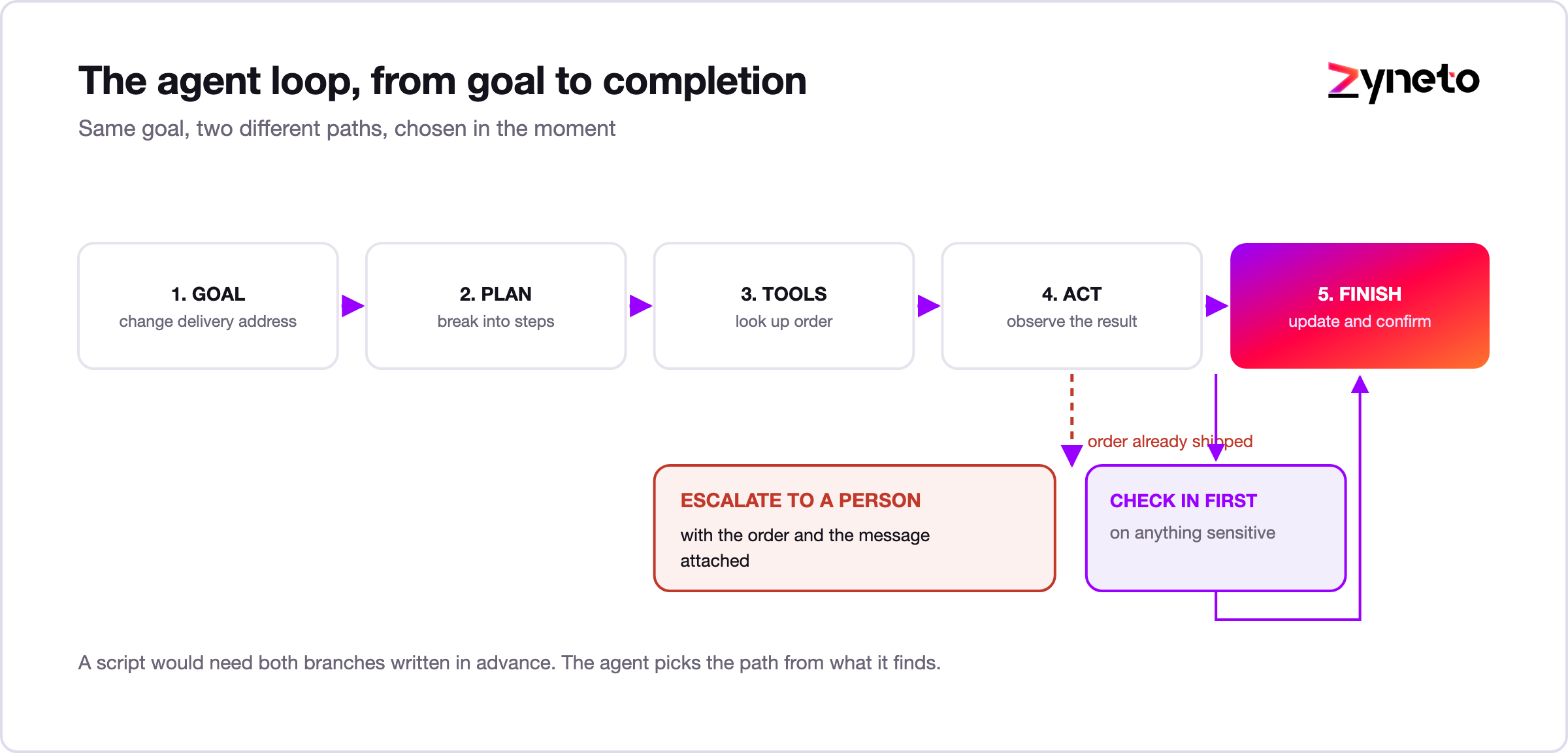
Here is a hypothetical to make the loop concrete. A customer emails asking to change the shipping address on an order.
The agent reads the email and works out what is being asked. It looks up the order. It checks whether the order has shipped. It has not, so the agent updates the address and replies to confirm, then logs what it did.
Now change one fact. The order shipped yesterday. The agent finds that out at step three, and the plan it made no longer works. It does not guess and it does not invent a policy. It flags the case to a support person with the order details and the customer's message attached, so the human starts from a half-solved problem instead of a raw ticket.
Same goal, two different paths, chosen in the moment. A script would have needed both branches written in advance. That is the practical difference an agent buys you.
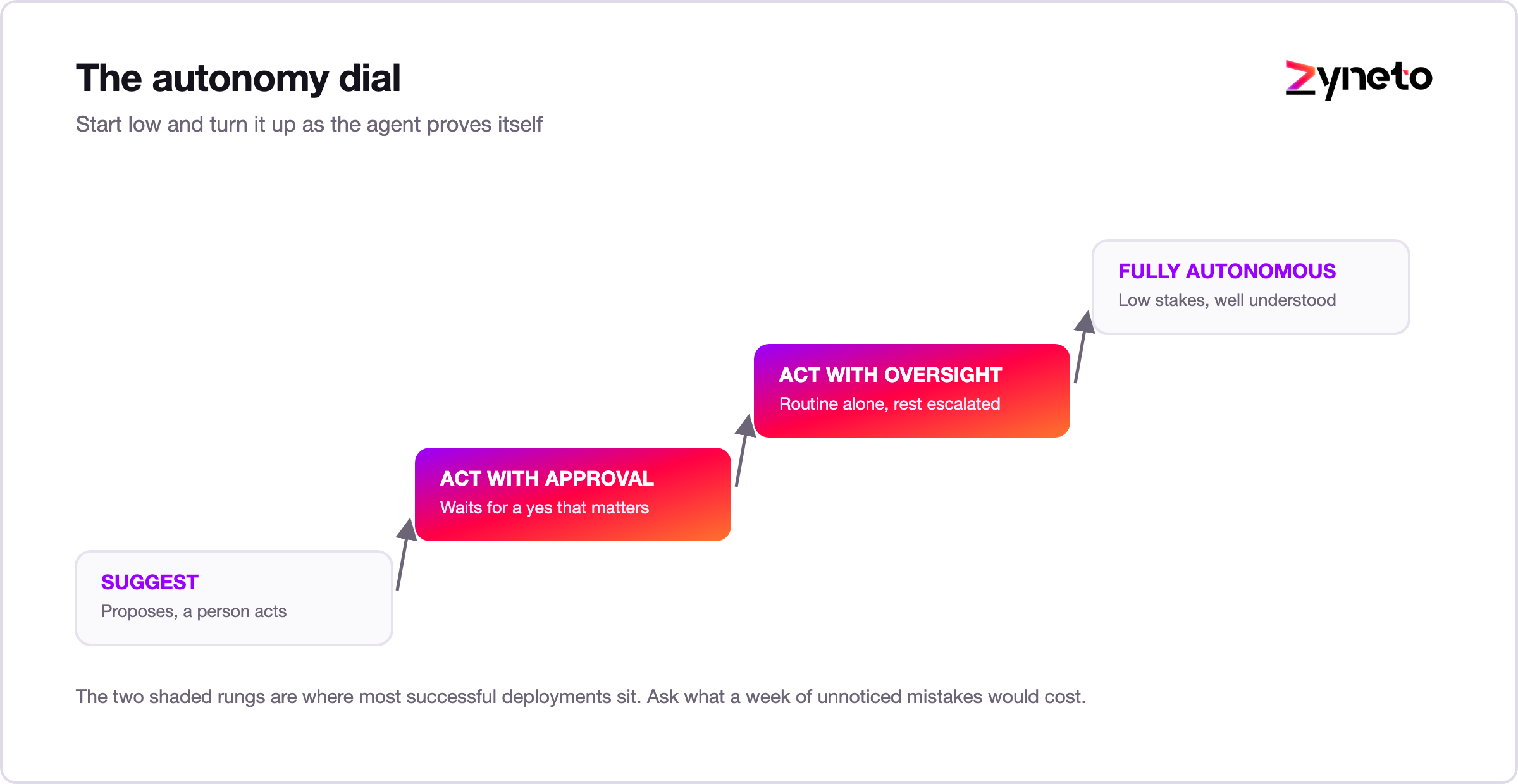
Autonomy is not all or nothing. It is a dial, and the safe move is to start low and turn it up.
Most successful deployments live in the middle two. The agent handles the routine, and people handle the exceptions and the high-stakes calls. A useful test for where to set the dial: if the agent got this step wrong and nobody noticed for a week, how bad would it be? Answer that honestly and the right level is usually obvious.
Agents pay off where a task is multi-step, repetitive, and today bounces between people and systems.
An agent reads an incoming ticket, pulls the customer's history, applies policy, drafts or issues a resolution, and escalates anything unusual to a human with a summary attached. Simple cases close on their own; hard ones reach an agent already half-solved.
The measurable change is not just deflection. It is that the tickets a person does handle arrive with context already gathered, so handling time drops even on the escalations.
An agent enriches a new lead, scores it, updates the CRM, and schedules the right follow-up, so records stay clean and nothing slips through the cracks between tools. Revenue teams lose a surprising amount of pipeline to data that was never entered, and this is exactly the gap an agent closes.
An agent handles access requests, password resets, and routine service tickets end to end, following your rules and escalating what does not fit. Access requests are a good first candidate because the policy is usually already written down, which means the agent has something concrete to follow.
An agent gathers information from several sources, checks it, and assembles a summary or a dataset, turning hours of manual collection into a reviewed draft. The output is a starting point for a person, not a finished answer, and framing it that way keeps expectations right.
An agent processes invoices, matches them to purchase orders, flags mismatches, and routes clean ones for payment, handling the variation in formats that trips up rule-based tools. Month-end work that used to mean hours of matching becomes a reviewed queue, and a person checks the exceptions instead of every line.
The return on an agent comes from three places: time returned to your team, faster cycle times for customers, and fewer errors in the routine work that people rush through.
To build the case, pick one multi-step process that eats staff time today. Measure how long it takes and how often it goes wrong. Then estimate how much of it an agent can carry, keeping people on the exceptions. Start with a process painful enough to matter but contained enough to finish. One clear win funds the next.
This is where business cases usually go wrong, so it is worth being blunt about it.
An agent bills per step. Each pass through the loop can call a model, and often a tool as well. A task that takes twelve steps costs roughly twelve times a task that takes one. That is a different shape from traditional software, where the cost is mostly fixed and the marginal run is close to free.
Three consequences follow. First, you need a measured cost per task before you scale, not an estimate. Second, a chatty agent that reasons its way around in circles is not just slow, it is expensive, so step count is a metric worth watching. Third, the comparison that matters is cost per task against the fully loaded cost of a person doing the same work, including the time they spend switching between systems.
Teams that skip this are surprised by the bill in month two. Teams that measure it early can usually cut cost substantially by narrowing the agent's scope and giving it better tools, so it needs fewer steps to reach the same result.
The first agent should be chosen for how easy it is to judge, not for how impressive it sounds. Four criteria:

Plenty of agents demo beautifully and then never reach production. The gap is rarely the model. It is the engineering around it.
The fix is to treat an agent like production software, not a clever prompt. Scope the tools, test the behavior, watch the cost, put humans at the risky points, and give it an owner.
An agent is not always the answer. If a task is a single fixed step, a plain automation is cheaper and more reliable. If it happens rarely, the build will not pay back. If a mistake carries heavy legal, financial, or safety weight, keep a person firmly in charge rather than handing over control. And if nobody can describe the process end to end, an agent will only automate the confusion.
Reach for an agent when a task is multi-step, well understood, frequent, and safe to supervise rather than perform. When it fails those tests, the honest recommendation is usually a copilot or a plain workflow, and saying so early saves a quarter.
Safety is a design choice, not an afterthought.
Keep a human in the loop for anything sensitive, and make the agent ask before it acts on high-stakes steps. Give it only the permissions it needs, so it can never reach data or actions outside its job. Log what it does, so you can review and audit. Test it with a suite of real cases before and after any change. And start narrow, with one task and clear limits, before you widen its scope.
Done this way, an agent earns trust the same way a new employee does, by proving itself on small things first.
Before an agent touches production, you should be able to answer yes to all of these.
That last one matters more than it looks. The ability to stop an agent instantly, without a deploy, is what makes the rest of the list safe to rely on.
The clear direction is toward multi-agent systems, where several specialized agents coordinate on a larger job, one gathering data, another drafting, another checking, with people approving at the key points. Tool access is also standardizing, which makes agents easier to connect to real systems and less dependent on custom glue for every integration.
Expect the practical bar to keep moving from "can it do the task" to "can you prove it did the task correctly." Evaluation, logging, and cost control are becoming the interesting parts of the problem, because the reasoning is already good enough for a lot of routine work.
The near future is not agents replacing teams. It is agents handling more of the routine chain of work while people set the goals and own the judgment.
An AI agent takes a goal and carries out the steps to reach it, using tools and checking in with people on the parts that matter. It sits beyond automation, which runs fixed steps, and beyond a copilot, which assists while you work.
Agents pay off on multi-step, repetitive work in support, sales, IT, research, and finance. They fail when teams treat them as a clever prompt rather than production software with scoped tools, tests, cost visibility, guardrails, and a named owner. Cost per task is the number most business cases forget, and it is the one that decides whether the thing survives contact with scale.
Start narrow, keep humans on the risky steps, measure what each task costs, and widen scope as trust grows. The teams that win treat an agent like a new hire, letting it earn autonomy by proving itself on small tasks first.
Thinking about putting an agent to work? Zyneto builds production-ready AI agent development with the tool access, testing, and guardrails that keep agents working after the demo. Book a free consultation to scope your first one.
It is software that is given a goal and works out how to reach it, taking multiple steps and using tools along the way, instead of following a fixed script. It checks in with a person for anything important.
Automation runs fixed steps you defined in advance and breaks when something unexpected happens. An agent decides the steps itself and adapts, within limits you set.
A copilot assists while you stay in control of each step. An agent completes a whole task on its own and reports back, checking in at the points that matter.
Handle multi-step work like resolving support tickets, enriching and routing leads, managing routine IT requests, gathering and summarizing research, and matching invoices to purchase orders, with people supervising.
Yes, when designed with limits: least-privilege permissions, human approval on high-stakes steps, logging, and testing. Safety comes from the guardrails around the agent, not from the model alone.
It varies by task, because each step can call a model and tools. A twelve-step task costs roughly twelve times a one-step task. Measure cost per task before scaling and keep it well below the cost of doing the work manually.
Pick one that is written down, happens often, has recoverable mistakes, and can be judged automatically. Impressiveness is the wrong criterion for a first build.

Vikas has around fifteen years of experience building software and now builds generative AI systems at Zyneto. His work covers retrieval augmented generation, agentic AI, knowledge graphs, AI memory, and the evaluation and guardrails that decide whether any of it is safe to put in front of customers. He has shipped enterprise copilots, document AI, chatbots and predictive analytics for e-commerce, fintech and marketing teams, and works day to day in Python, JavaScript and SQL. He follows multimodal models, business process automation and enterprise AI security closely, and mentors engineers moving into AI. He writes about architecture, inference cost and the failure modes that only show up at production scale.
Share your details and we will talk soon.
Be the first to access expert strategies, actionable tips, and the trends actually shaping the digital world. No fluff - just practical insights delivered straight to your inbox.
Dive into our blog and stay ahead of the curve with expert perspectives, future-ready trends, and tech tips written for decision-makers and doers alike.