Business Process Automation: A Practical Guide to BPA


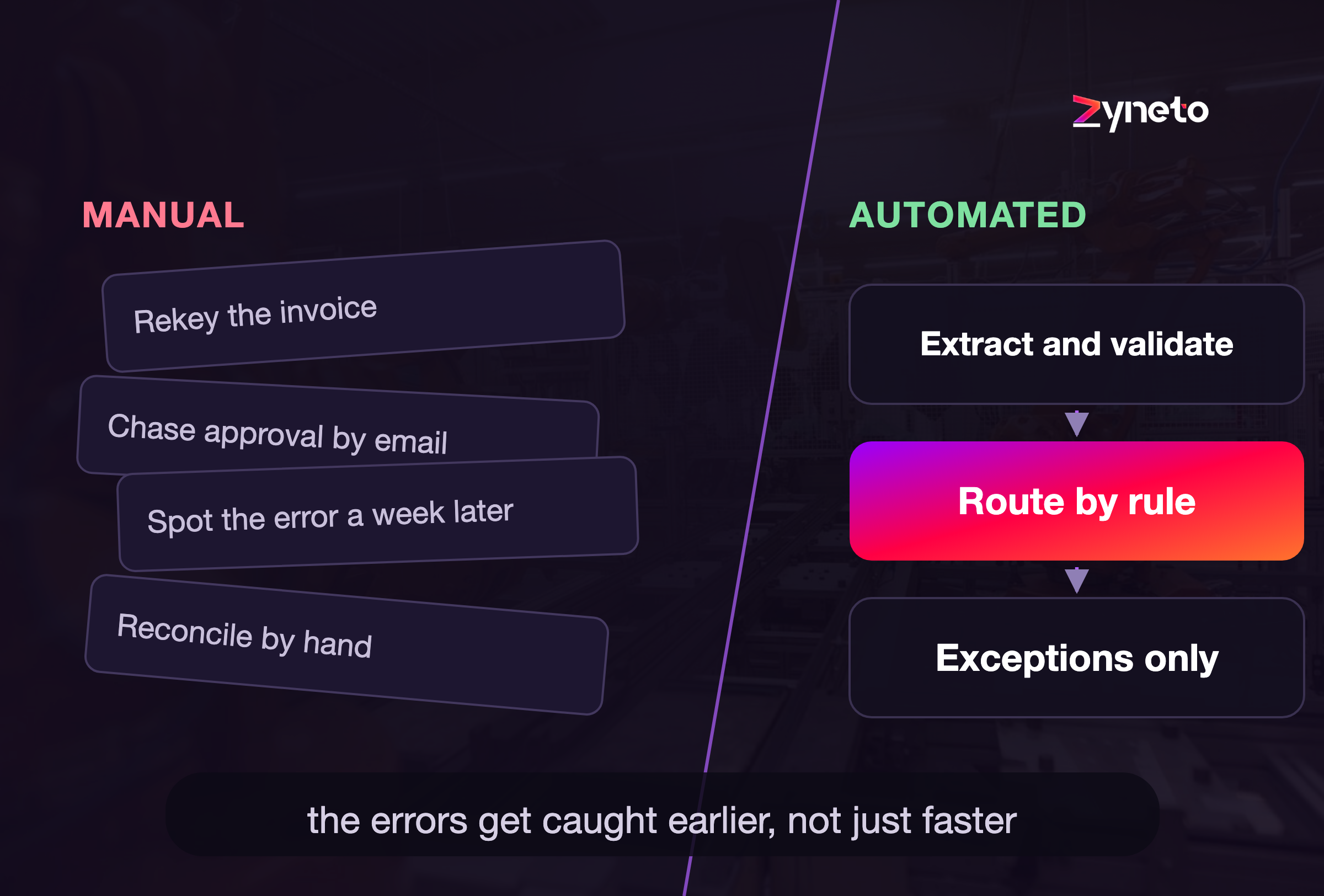
Every business runs on processes. The invoice that needs approving, the new hire who needs accounts, the order that moves from cart to shipped. Most of them still limp along on manual steps, copy-paste, and emails that sit unread in someone's inbox. Business process automation, or BPA, is using technology to run those processes with far less manual effort, so work moves faster, errors drop, and your people stop doing the parts a machine could handle. This guide covers what BPA really is, where it pays off, how to pick the right processes, and how to roll it out without the disruption that sinks so many automation projects.
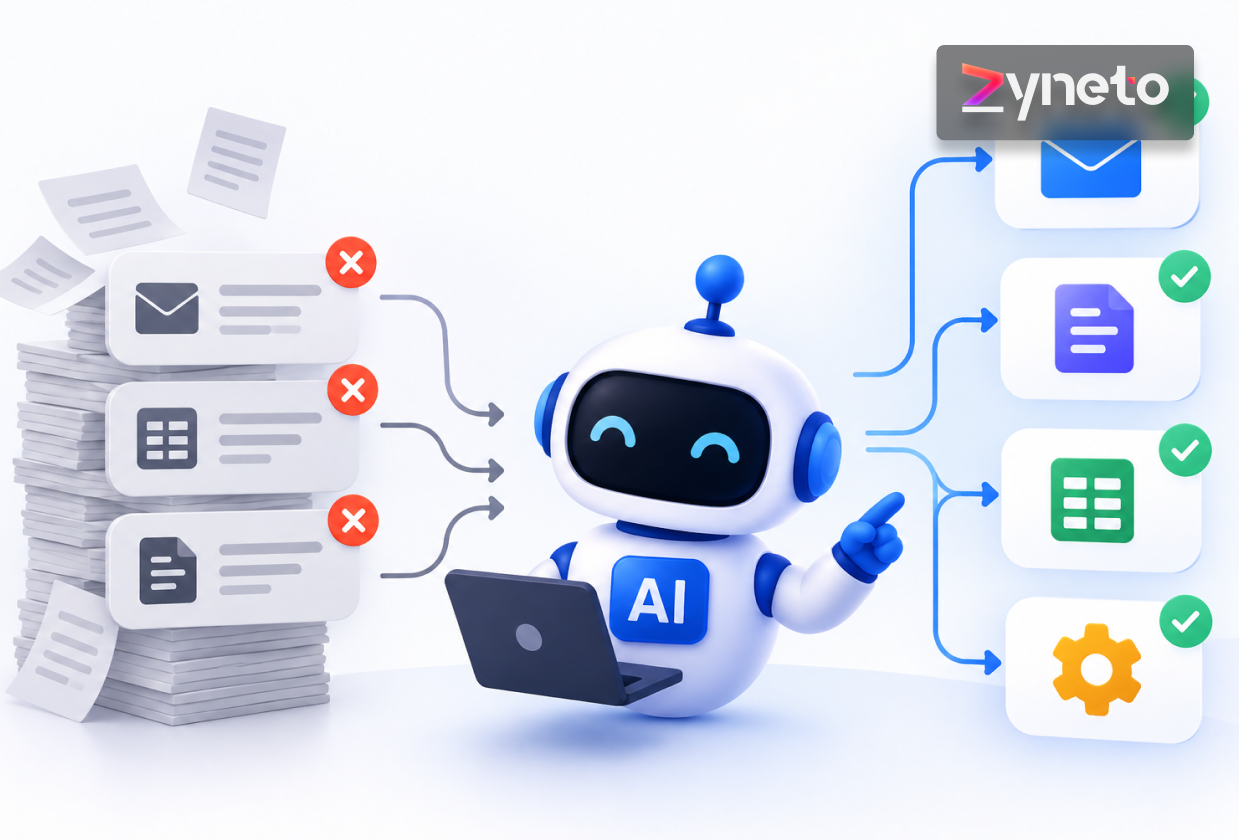
Business process automation is the use of technology to handle repeatable business processes with minimal human effort. Instead of a person shuttling a task between systems and people, software does the routing, the data entry, the checks, and the handoffs, and pulls in a human only where judgment is genuinely needed.
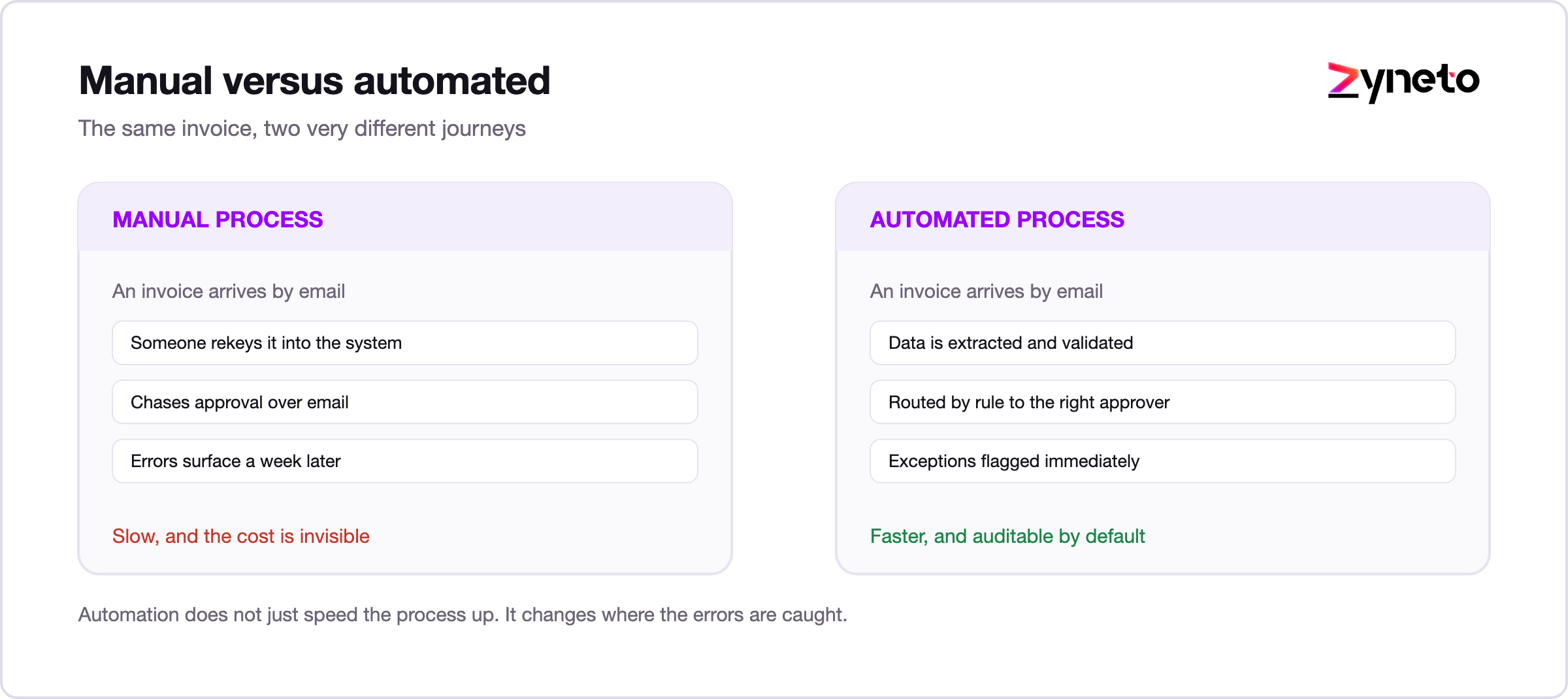
The key word is process. BPA is not about automating a single click. It is about automating a whole flow, from the trigger that starts it to the outcome that ends it. An invoice arrives, gets matched to a purchase order, flagged if something looks off, and paid if it is clean, without a person touching the routine ones. That entire journey, handled, is BPA. Automating one keystroke is a shortcut. Automating the journey is the point.
These terms get thrown around as synonyms, and untangling them helps you buy the right thing.
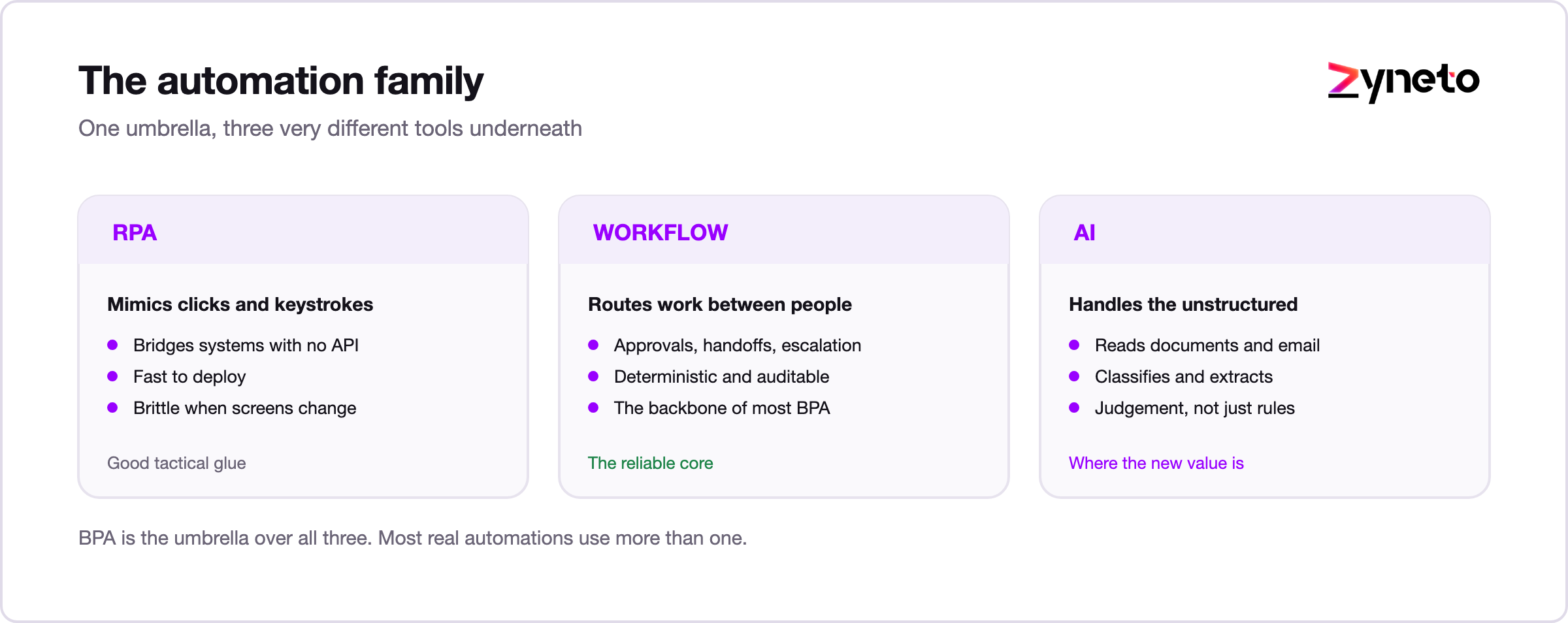
Business process automation is the umbrella, automating whole processes end to end. Robotic process automation, or RPA, is one tool inside that umbrella: software bots that mimic a person clicking through screens and moving data between systems, handy when your apps refuse to talk to each other. Workflow automation is about automating a sequence of tasks and the handoffs between them. And AI automation, sometimes called AI workflow automation, adds a brain: the ability to read unstructured inputs like emails and documents, make judgment calls, and handle the messy cases that rules alone cannot.
The simple way to hold it in your head: BPA is the goal, RPA and workflow tools are ways to reach it, and AI is what lets automation handle the parts that used to need a person. We go deeper on that side in the guide to AI workflow automation.
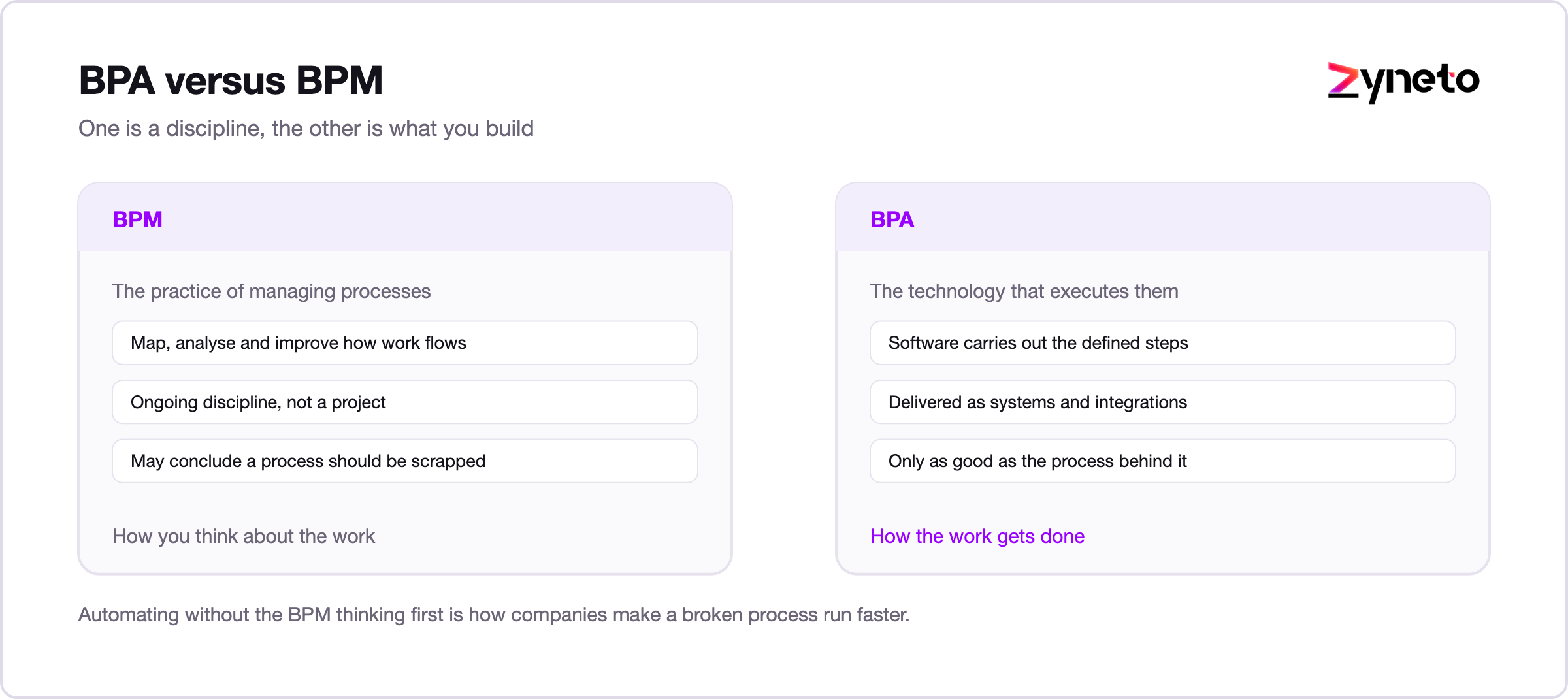
One more pair of initials, because they trip people up constantly. BPM, business process management, is the broader discipline of designing, analyzing, and improving how work flows through a company. BPA, business process automation, is the part where you hand the repetitive steps to technology. Think of BPM as working out the best way to run a process, and BPA as automating that better way once you have it. BPM even has a notation for writing a process down: BPMN 2.0, published by the Object Management Group in January 2011. DMN arrived in 2015 for the decision logic that sits inside those processes. The order matters more than it sounds. Automate first, without the thinking BPM asks for, and you often just cement a clumsy process into software, which makes it faster but no smarter. Understand the process, improve it, then automate it. The tool is the last decision, not the first.
The wins cluster where work is high-volume, repetitive, and bounces between people and systems.
Invoice processing, expense approvals, and vendor onboarding are classic BPA territory. Invoices arrive in every format imaginable, get matched to purchase orders, and the clean ones route straight to payment while the mismatches get flagged for a person. Month-end stops being a scramble.
A new hire triggers a cascade: accounts, equipment, access, training, paperwork. Automated, it all fires from one event instead of a dozen separate tickets, so someone's first day actually works instead of being a scavenger hunt.
Incoming tickets get read, categorized, and routed, with the routine ones answered automatically and the hard ones handed to a person who arrives already briefed on the history.
Quotes, approvals, order processing, and invoicing move on their own, so deals do not stall for two days waiting on someone to push them to the next step.
Access requests, password resets, provisioning, and routine service tickets follow set paths without a person in the loop for every single one, which frees IT for the work that actually needs them.
The pattern never changes. A process that repeats, follows rules most of the time, and loses its hours to handoffs and waiting.
Here is the part that decides everything, because you cannot automate all of it and should not try.
Look for processes that are high-volume and repetitive, follow clear rules most of the time, are prone to human error, and cross several systems or people. Then look harder at where the time actually goes. Most of the time a process wastes is not spent working. It is spent waiting, in an inbox, in a queue, on somebody who is in a meeting. Speeding up the individual steps barely moves the needle. Amdahl's law puts a hard ceiling on it. If 25% of a case still waits on a person, the process can never run more than 4 times faster, because 1 divided by 0.25 is where the arithmetic stops. That holds however good the automation on the other 75% gets. Removing the handoffs between them changes the whole shape of it. So map the process as it really runs, mark every place it stalls, and automate the waiting away first.
A good first candidate is painful enough to matter and small enough to finish. Resist the pull toward your most complex, most political process. Start where a clean win is likely, and use that win to earn the right to the next one.
Under the hood, most automations are made of the same few parts.
A trigger starts the process: a new email, a form submission, a record change. Rules and logic decide what happens next. Integrations connect the systems so data moves without copy-paste, usually through APIs. Human steps sit at the points that need judgment or a sign-off. Exception handling catches the cases that do not fit and routes them to a person instead of guessing. And monitoring tells you the whole thing is still working. Get those pieces right and an automation runs quietly for years. Skimp on the exception handling or the monitoring, and it breaks in ways nobody notices until something important has already gone wrong.
To make the pieces concrete, follow one invoice through an automated accounts-payable process.
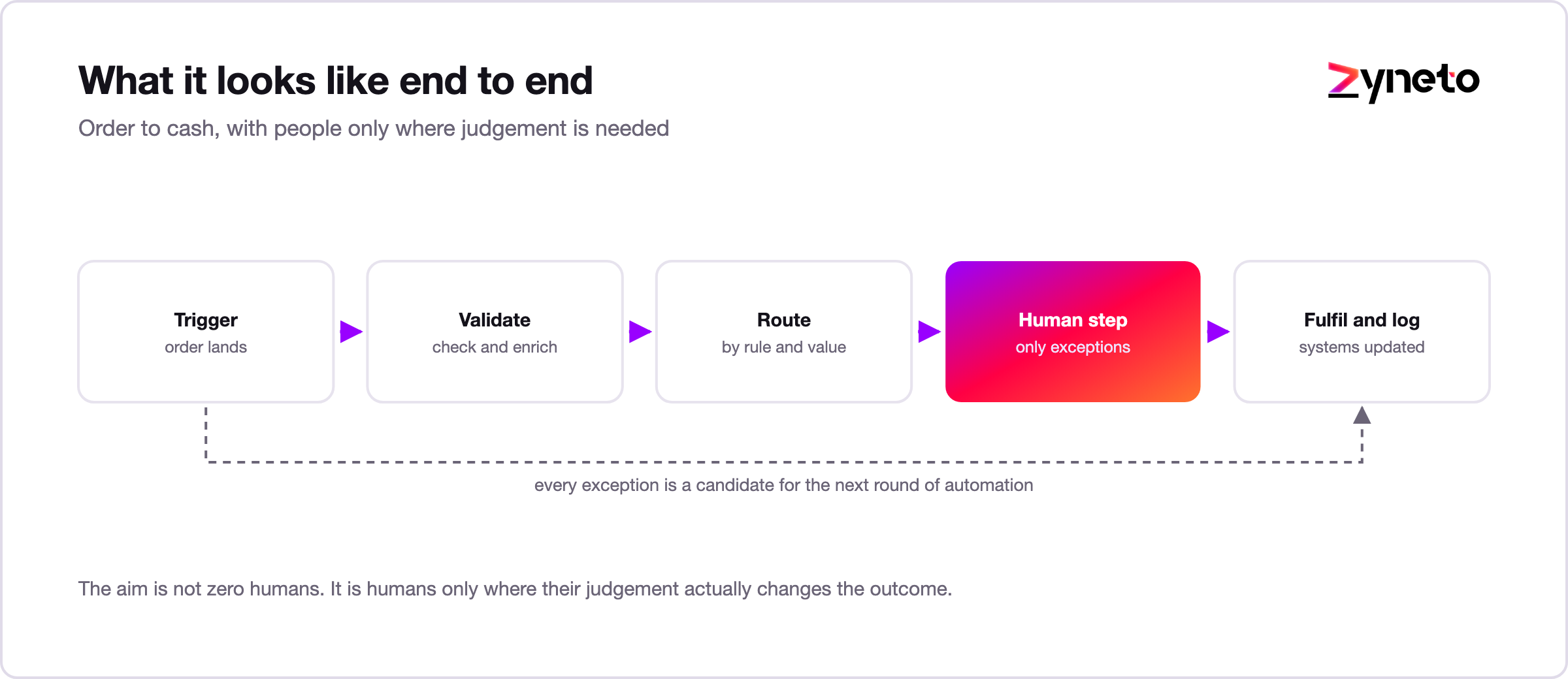
An invoice lands in a shared inbox, which is the trigger. The system reads it, pulls out the vendor, amount, and line items, and matches them against the purchase order on file. If everything agrees and it sits under the approval threshold, it routes straight to payment and files itself, with no human touch at all. If the totals do not match, or it is a new vendor, or the amount is unusually large, it stops and hands the case to a person with the discrepancy already highlighted. Every step is logged, so finance can see exactly what happened and when. On a good month, the routine 80 percent flow through untouched, and the team spends its hours on the 20 percent that genuinely needed a human. That is BPA doing its job: quiet on the routine, precise on the exceptions.
The difference between automation that helps and automation that becomes shelfware is discipline.
Good automation is measured against your real manual baseline, not an ideal one, so you genuinely know whether it helped. It keeps humans on the exceptions and the high-stakes calls rather than chasing full autonomy on day one. It is monitored, so a break gets caught fast. And it is built on a process that was worth doing in the first place, because automating a bad process just makes the mess run faster and with more confidence. The best automations are quiet. They handle the routine 80 percent without fuss and put human attention exactly where it earns its keep.
A calm rollout beats a big bang every time.
Start by finding the friction: ask teams where they lose time to repetitive work, and the best first project is usually obvious inside a few minutes. Map the current process honestly, the way it really happens, not the way the manual claims it does. Pick one workflow and pilot it, with clear success metrics and humans still reviewing the output. Integrate with the systems you already have rather than ripping them out. Measure against the baseline you captured before you started. Then expand from proof, using the pilot's numbers to fund the next automation. Most teams see a real result within weeks when they scope it this tightly, and the point of a pilot is not perfection. It is proof you can point to.
The technology is only half the job. The other half is people, and it is the half most projects underestimate.
An automation changes how someone's work feels, and if they do not understand it or trust it, they will quietly route around it, and your shiny new process dies in the shadows. So bring the people who do the work into the design, because they know the exceptions the diagram misses. Be honest about what changes and what does not, especially the fear underneath it, that automation means their job. Usually it means the boring part of their job, which is a different message entirely. Train them, give them a way to flag when the automation gets something wrong, and show them the time it hands back. Automation adopted with people goes further than automation imposed on them, every time.
The return on BPA comes from a few reliable places.
Time saved is the obvious one: hours of manual work move to software, and your people spend them on work that needs a brain. Errors avoided are quieter but often larger, because a single mispaid invoice or missed compliance step can cost far more than the labor behind it. Speed gained shows up in customer and employee experience, when a request that took two days now takes two minutes. And there is a compliance dividend, because an automated process leaves a clean audit trail that a pile of forwarded emails never will. To size it, take one painful process, measure its cost and cycle time today, and project the same numbers after automation. One clear win makes the argument for the next ten.
Automation you cannot measure is impossible to defend at budget time, so agree on a few numbers before you start.
Straight-through rate is the headline: the share of cases that finish without a person touching them, and it should climb as the system earns trust. Cycle time is how long a case takes from trigger to done, measured against your real manual baseline rather than an ideal one. Error and rework rate tells you how often the output has to be corrected, and good automation drives it down. Set that bar deliberately, because intuition is poor at this scale. 99% accurate sounds excellent and still means 10,000 bad cases per million. Six Sigma sets its target at 3.4 defects per million opportunities. Cost per transaction is the fully loaded cost of running the process before and after. And exception rate, the share of cases that fall out to a person, shows you where the process is still messy. Watch these weekly at first. They tell you what to automate next and, just as usefully, what to leave well alone.
The failures rhyme. Automating a broken process, so all you did was speed up the mess. Skipping the human in the loop and letting the system make high-stakes calls it has no business making. Trying to automate everything at once and stalling under the sheer weight of it. Ignoring change management, so people never trust the system and work around it. And launching with no measurement, so you can neither prove it worked nor notice when it stops. None of these are technical failures. They are planning failures wearing a technical hat.
Automation is not always the answer, and being honest about that builds trust. Hold off when a process changes constantly, because you will spend more time reworking the automation than you ever spent doing the task. Hold off when the volume is tiny and the build will never pay itself back. The test is arithmetic you can do on a napkin. A build costing 120 hours that saves 2 hours a week takes 60 weeks to break even. That is a long time to defend for a process somebody may redesign before then. Be careful with decisions that carry heavy legal, ethical, or safety weight, where a person should stay firmly in charge. And do not automate a process nobody understands end to end, because you will only encode the confusion and scale it. Automate the repetitive and well-understood. Keep people on the rare and the high-stakes.
You do not need to know every vendor, but the categories help you shop without getting dazzled.
There are no-code and low-code workflow platforms for building automations without heavy engineering. There are RPA tools for bridging systems that have no APIs. There are integration platforms that wire your apps together. There are AI automation tools that add the judgment layer on top. And there is custom development, for when your process is specific enough that the off-the-shelf pieces simply do not fit. Most real programs end up mixing several, and the right blend depends on your systems and your scale. The classic trap is buying a tool before you have mapped the process. Decide what you are automating first, and choose the tool second, not the other way around.
The clear direction is toward more intelligent, more autonomous automation. Traditional BPA followed fixed rules. The next wave adds AI that reads unstructured data and makes judgment calls, and increasingly AI agents that carry out longer chains of work and check in with people at the decision points. Automation is also spreading out of the IT department and into the hands of the operations and finance teams who actually own the processes. The destination has not changed in decades, only the distance to it: the routine handled quietly, and people freed for the work that genuinely needs them.
Business process automation uses technology to run repeatable processes with far less manual effort, cutting time, errors, and cost while freeing people for the judgment work. It pays off on high-volume, rule-heavy processes that lose their hours to handoffs and waiting. The teams that win fix the process before automating it, keep humans on the exceptions, bring their people along, measure against a real baseline, and expand from one proven pilot rather than trying to transform everything at once. Find where your processes wait instead of work, automate that first, and grow from proof. The companies that win with automation are rarely the ones with the fanciest tools. They are the ones with the clearest processes and the discipline to automate them one at a time.
If you want to automate the processes slowing your team down, Zyneto builds AI workflow automation that runs your processes end to end and keeps people on the calls that matter. Book a free consultation and we will map where your time is really going.
It is using technology to run repeatable business processes with minimal manual effort. Software handles the routing, data entry, checks, and handoffs across a whole process, pulling in a person only where judgment is needed.
BPA is the broad goal of automating an end-to-end process. RPA is one tool for it: software bots that mimic a person clicking through screens to move data between systems that do not otherwise connect. RPA is often part of a BPA program, not a replacement for it.
High-volume, repetitive, rule-based processes that are prone to error and lose time to handoffs, like invoice processing, employee onboarding, and ticket routing. Start with one that is painful enough to matter but contained enough to finish.
Time saved on manual work, fewer errors, faster cycle times, a cleaner audit trail for compliance, and people freed for work that needs judgment. The gains compound as you automate more processes.
Usually it replaces the repetitive parts of a job, not the person. Well-designed automation handles the routine volume and keeps people on the exceptions and decisions, which is where their judgment is worth most.
A tightly scoped pilot on a single process often shows measurable results within a few weeks. Broader programs build from there, one process at a time.

Vikas has around fifteen years of experience building software and now builds generative AI systems at Zyneto. His work covers retrieval augmented generation, agentic AI, knowledge graphs, AI memory, and the evaluation and guardrails that decide whether any of it is safe to put in front of customers. He has shipped enterprise copilots, document AI, chatbots and predictive analytics for e-commerce, fintech and marketing teams, and works day to day in Python, JavaScript and SQL. He follows multimodal models, business process automation and enterprise AI security closely, and mentors engineers moving into AI. He writes about architecture, inference cost and the failure modes that only show up at production scale.
Share your details and we will talk soon.
Be the first to access expert strategies, actionable tips, and the trends actually shaping the digital world. No fluff - just practical insights delivered straight to your inbox.
Dive into our blog and stay ahead of the curve with expert perspectives, future-ready trends, and tech tips written for decision-makers and doers alike.