What AI Workflow Automation Actually Replaces


Most pages selling AI workflow automation services describe a category. Finance operations. Customer service. Back office. That is not useful when you are trying to work out whether to spend money, because a category has no hours attached to it and you cannot put a category in a business case.
So here is the version with the arithmetic showing. Four kinds of work come off the payroll when this is done properly. Three worked examples, with the assumptions written out so you can swap in your own numbers. One section on what stays human, which is the part most vendors skip and the part that decides whether the project survives its first quarter.
Everything below uses hypothetical mid market figures. They are illustrative, not a claim about any particular company. The point is the shape of the calculation, not the specific totals.
AI workflow automation is the use of models to handle the judgement steps inside a business process, so that the process can run end to end without a person touching every item. The older kind of automation could already move data between systems. What changed is that software can now read a messy document, classify an ambiguous request, and decide which of six paths an item should take.
That distinction matters commercially. Classic business process automation has existed for twenty years and works well when inputs are clean and predictable. It breaks the moment an invoice arrives as a photograph, or a customer describes a problem in their own words rather than picking from a dropdown.
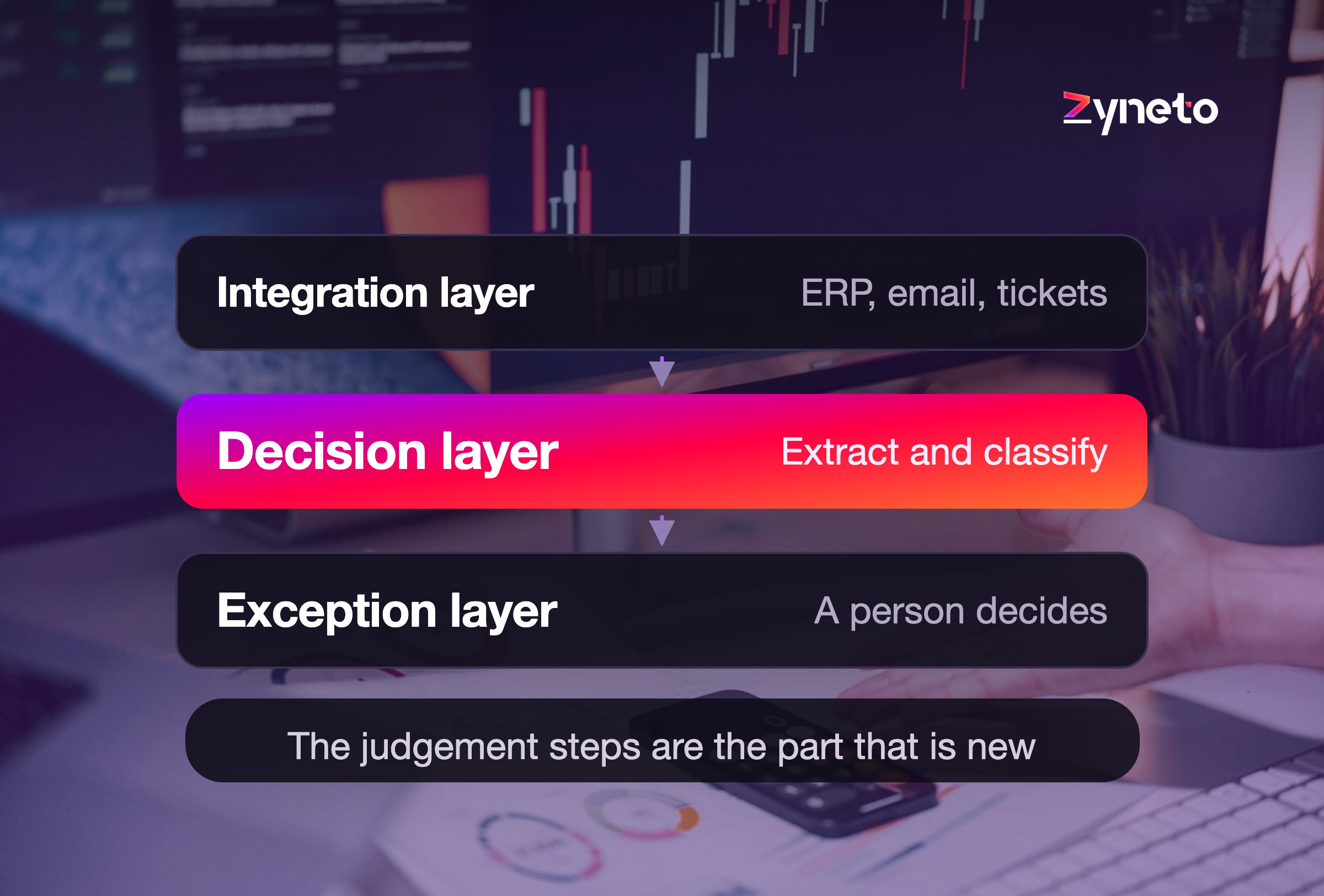
The modern stack has three layers and you pay for all three.
The integration layer connects the systems. Your ERP, your ticketing tool, your email, your document store. This is plumbing, it is unglamorous, and it is usually where most of the build hours go.
The decision layer is where the model sits. It reads, classifies, extracts and routes. This is the part that is new.
The exception layer is what happens when the model is not confident enough. Items drop out to a person with the reasoning attached. Teams that skip this layer are the ones who turn the system off six weeks later.
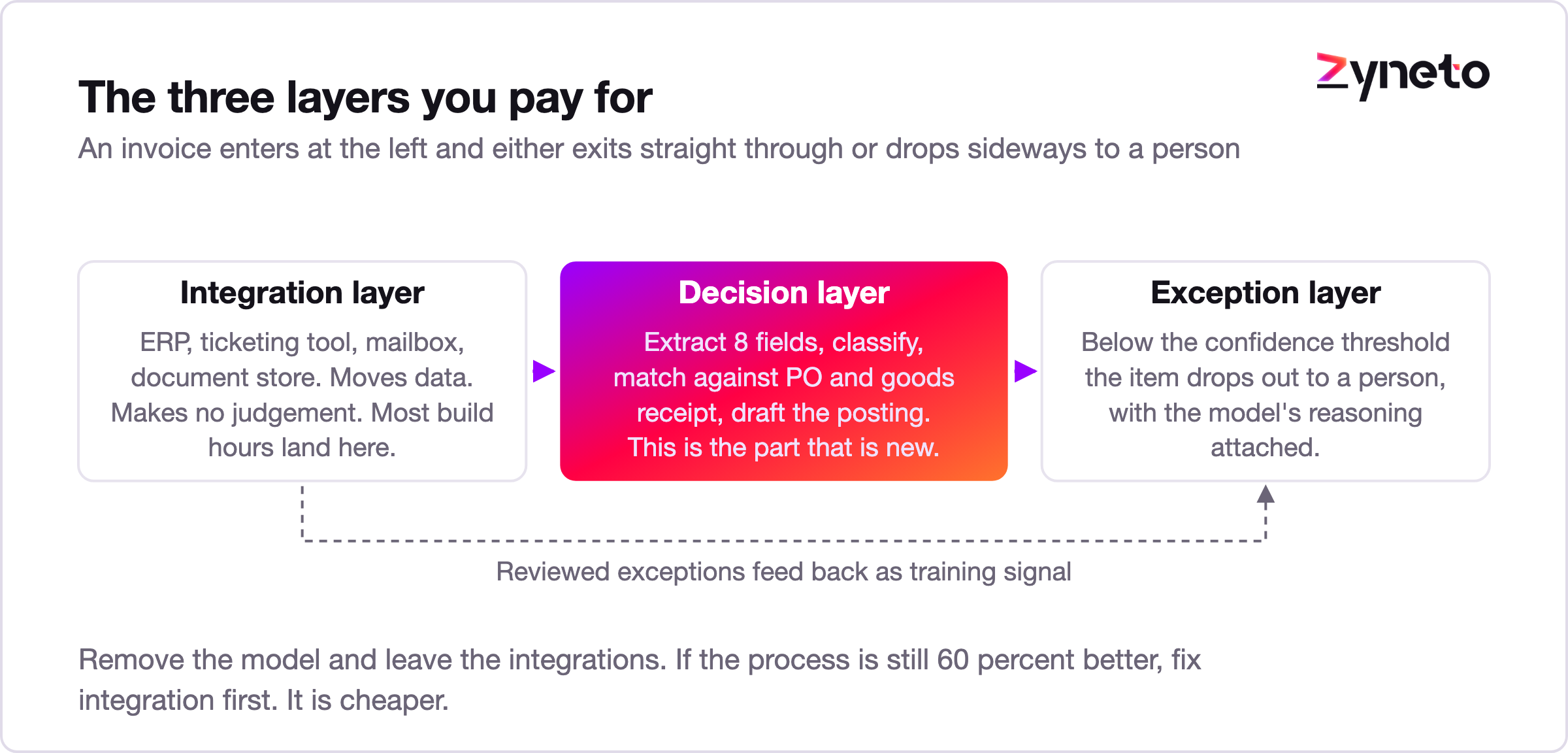
A useful test before you spend anything: if you removed the model and left the integrations in place, would the process still be 60% better? If yes, you have an integration problem and you should fix that first, because it is cheaper. If no, the judgement step is the bottleneck and this is the right tool.
Across the processes worth automating, the work that disappears falls into four buckets. Everything else is either integration work or genuinely human work wearing a disguise.
Reading and extracting. Pulling structured fields out of unstructured input. Invoices, purchase orders, contracts, delivery notes, emails, application forms. A person reads a document and types eight fields into a system. That is the single most automatable task in most back offices.
Classifying and routing. Deciding what something is and where it goes. Which team owns this ticket, which approval chain this request needs, whether this is a complaint or a query. The decision is usually consistent, the rules are usually undocumented, and the person doing it learned by absorption over months.
Matching and reconciling. Comparing two or three records and deciding whether they agree closely enough to proceed. Invoice against purchase order against goods receipt. Bank line against ledger entry. This is where rule based tools get 80% of the way and stall, because the last 20% is all near misses and judgement.
Drafting the first version. Producing a response, a summary, a case note or a data entry that a person then checks. Not the final output. The first draft. The time saving is real and it is usually between 40% and 70% of the original task, not 100%.
Notice what is missing from that list. Deciding policy. Handling an angry customer. Approving anything that carries real risk. Negotiating. Those are not on the list because they are not what this technology replaces, and a vendor who tells you otherwise is selling you a problem.
The process. A finance team receives supplier invoices, matches each one against a purchase order and a goods receipt, and either posts it for payment or raises a query. This is the classic three way match.
The assumptions. All hypothetical, all swappable.
Input | Value |
Invoices per month | 1,800 |
Currently arriving as clean EDI | 35% |
Arriving as PDF or scan | 65% |
Minutes per manual invoice | 6 |
Fully loaded cost per hour | 18 USD |
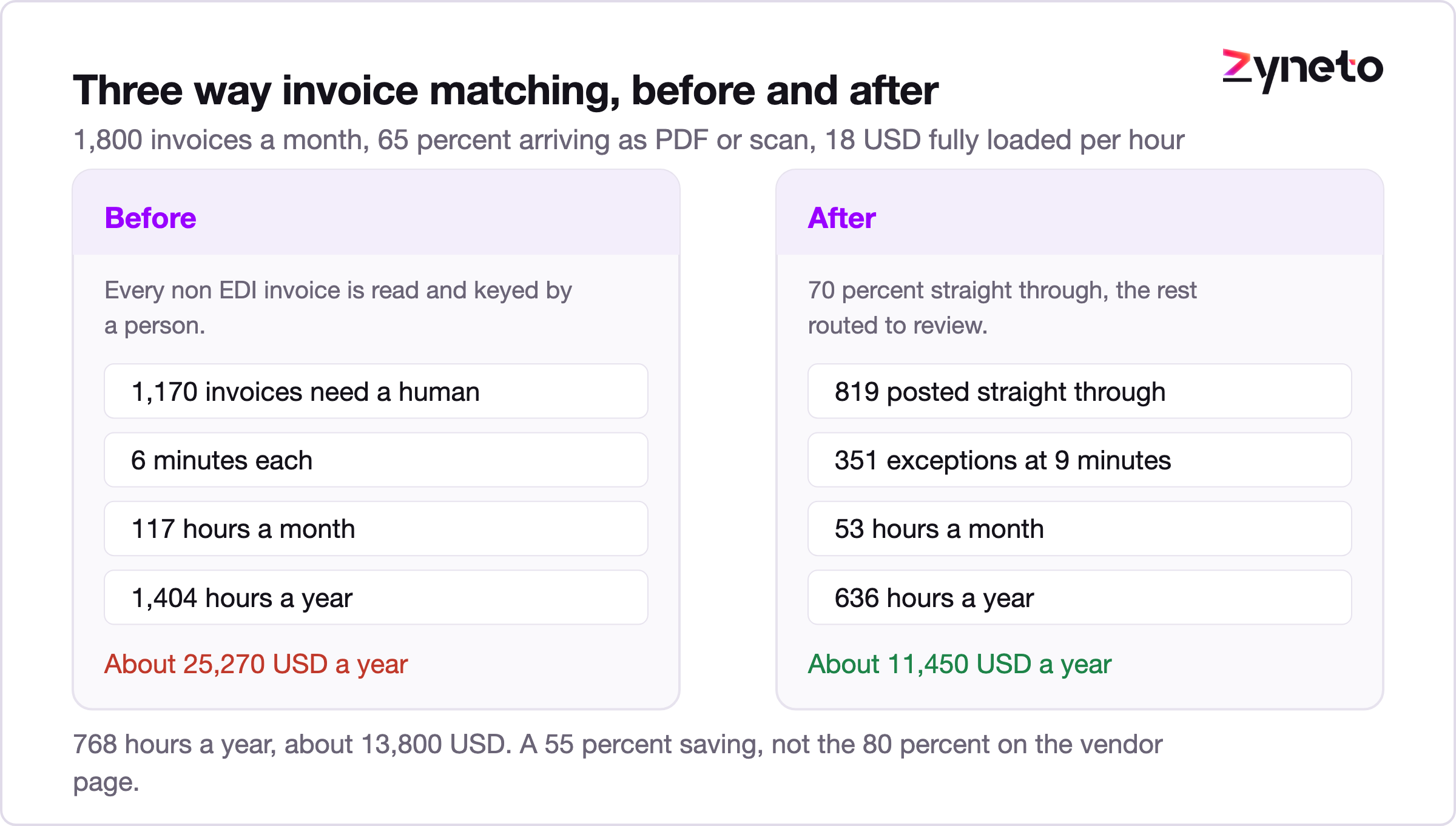
The current cost. 1,170 invoices need a human. At 6 minutes each that is 117 hours a month, or 1,404 hours a year. At 18 USD an hour the process costs about 25,270 USD a year in labour alone, before you count the cost of late payment penalties and duplicate payments.
What automation changes. Document extraction handles the reading. Matching logic handles the comparison. The model handles the near misses that rules cannot, such as a quantity that differs by one unit or a line description that has been abbreviated by the supplier.
A realistic straight through rate for a first deployment on this process is 70% to 85%, not 100%. Take the conservative end.
After | Value |
Straight through | 70% of 1,170 = 819 invoices |
Exceptions needing a person | 351 invoices |
Minutes per exception | 9, because exceptions are the hard ones |
Monthly hours | 53 |
Annual hours | 636 |
Annual labour cost | about 11,450 USD |
The saving. Roughly 768 hours and 13,800 USD a year. Not 80%. About 55%, and that is a number you can defend in a finance meeting.
Two things worth noticing. Exceptions take longer per item than the old average, because the easy ones have been removed and only hard items reach a person. And the 70% figure is where you start, not where you end. Straight through rates climb as the model sees more of your supplier base.
The process. Inbound tickets arrive by email and web form. Someone reads each one, tags it, sets a priority, and assigns it to a queue. Then the owning team picks it up.
The assumptions.
Input | Value |
Tickets per month | 4,200 |
Minutes to triage each | 2.5 |
Fully loaded cost per hour | 16 USD |
Currently misrouted | about 12% |
Minutes lost per misroute | 20 |
The current cost. Triage alone is 175 hours a month, 2,100 a year, about 33,600 USD. Misrouting adds 504 tickets a month at 20 minutes of wasted handling, another 168 hours a month, which is 2,016 hours and roughly 32,250 USD a year.
The misrouting cost is larger than the triage cost. That surprises most teams, and it is the reason triage is worth automating even though each individual decision only takes two and a half minutes.
What automation changes. Classification and routing, from the first bucket and the second. The model reads the ticket, assigns a category, sets priority against your own definitions, and routes it. Low confidence items go to a person with the model's reasoning shown.
After | Value |
Auto triaged at high confidence | 88% |
Sent to a person | 504 tickets a month |
Minutes each | 2.5 |
Monthly triage hours | 21 |
Misroute rate | falls to about 4% |
Monthly misroute hours | 56 |
The saving. Triage drops from 175 hours a month to 21. Misroute handling drops from 168 hours to 56. Combined, about 266 hours a month, roughly 3,190 hours a year, or about 51,000 USD.
The bigger win is not in the hours. It is that first response time falls, because tickets stop sitting in a queue waiting for a human to look at them. That shows up in your service level numbers, not your payroll.
The process. Customers email orders as free text or attached spreadsheets. Someone reads the email, works out which products are meant, checks pricing, and keys the order into the ERP.
This one is worth including because it is the hardest of the three and the honest answer is less flattering.
The assumptions.
Input | Value |
Orders per month | 900 |
Minutes per order | 11 |
Fully loaded cost per hour | 20 USD |
Order entry errors | about 3% |
Cost to correct an error | 45 USD |
The current cost. 165 hours a month, 1,980 a year, about 39,600 USD. Errors add 27 a month, 324 a year, about 14,580 USD. Total around 54,180 USD.
Why this one is harder. Product identification is genuinely ambiguous. "The usual 6mm ones" is a real order line. The model can learn a customer's shorthand, but only after it has seen that customer order several times, and a wrong product on an order costs more than a wrong tag on a ticket.
So the sensible design is different. The model drafts the order, a person confirms it. That is bucket four, drafting the first version, not full straight through processing.
After | Value |
Orders drafted by the model | 100% |
Minutes per order to review and confirm | 4 |
Monthly hours | 60 |
Annual hours | 720 |
Error rate | about 1.5% |
The saving. 1,260 hours a year, about 25,200 USD, plus roughly half the error cost, about 7,290 USD. Total near 32,500 USD.
That is a 60% time reduction rather than an 88% one, and nobody gets removed from the process. If a vendor promises straight through processing on free text sales orders in the first year, ask them to put the accuracy number in the contract.
This is the section that decides whether your project is still running in six months, so it gets the same space as the examples.
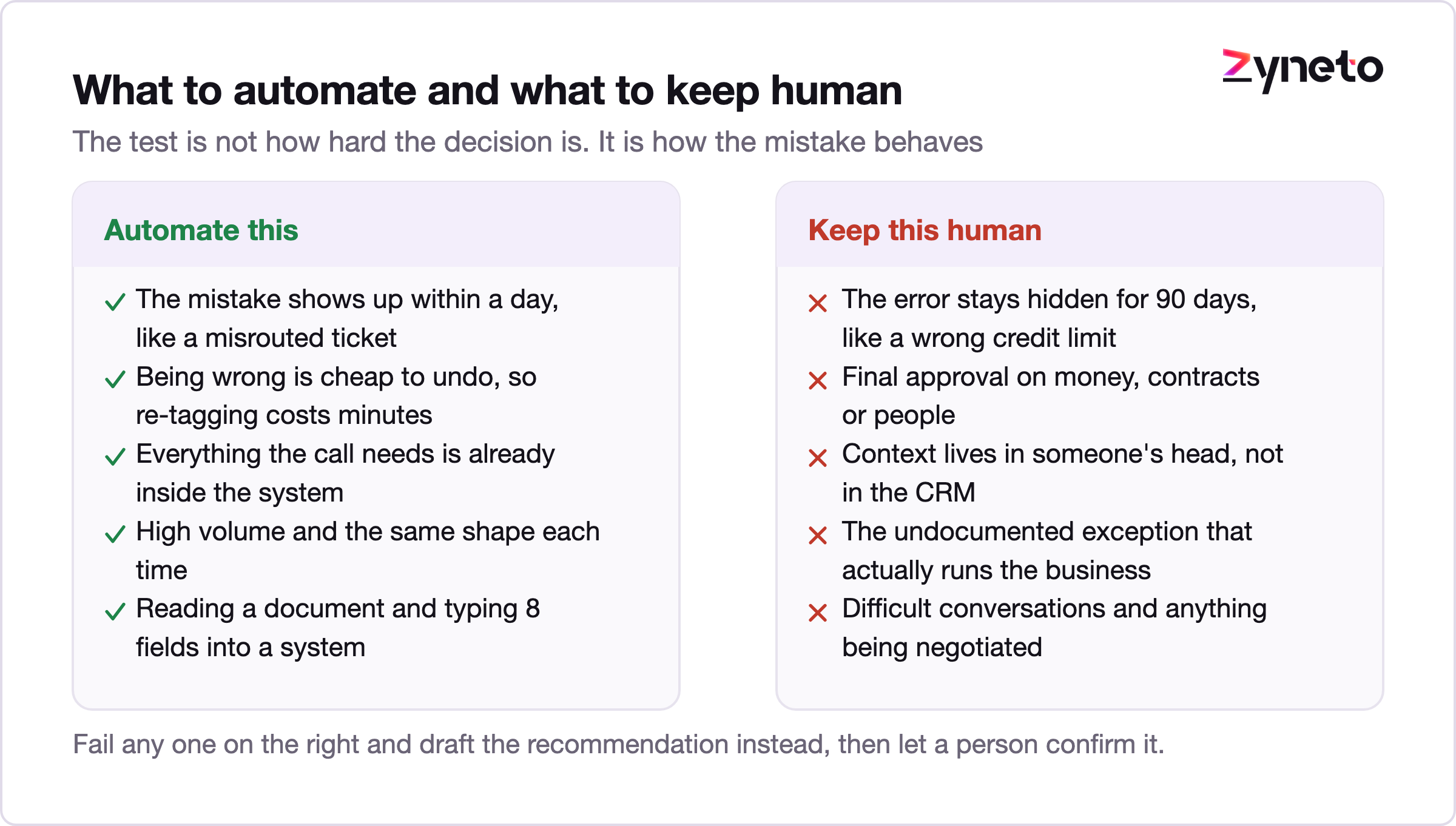
Anything where being wrong is expensive and the error is invisible. A misrouted ticket surfaces in minutes. A wrongly approved credit limit surfaces in ninety days. The second one does not belong on a confidence threshold.
Final approval on money, contracts and people. Not because the model cannot form a view, but because accountability has to sit with a person who can be asked why. Draft the recommendation, show the reasoning, let a human approve.
Judgement that depends on context the system cannot see. The customer who is about to sign a much larger deal. The supplier who is having a bad quarter and needs flexibility. That context lives in someone's head and in a CRM note nobody wrote.
Relationship work. Difficult conversations, negotiation, anything where the other party needs to feel heard. Drafting a reply is fine. Sending it without a person reading it, on anything sensitive, is how you end up in a screenshot.
The undocumented exception that actually runs your business. Most processes have three or four special cases that exist for good reasons nobody wrote down. Find them during discovery. If you automate the documented process and ignore these, the system will be correct and useless at the same time.
One more, and it is the one that catches people. AI does not replace the work of maintaining the automation. Suppliers change invoice formats. Product ranges change. A new ticket category appears. Somebody owns that, and if nobody does, accuracy degrades quietly over about two quarters.
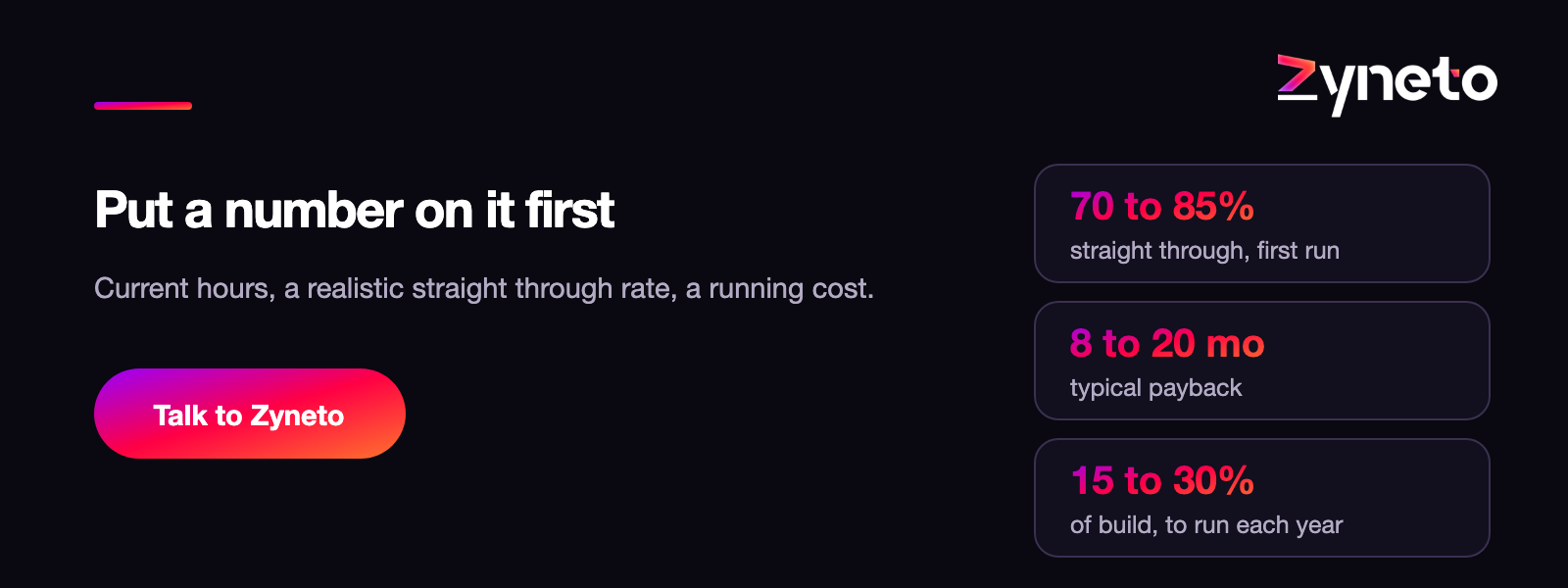
Build cost gets quoted. Running cost usually does not, and it is the number that decides whether the business case holds after year one.
Running cost has three parts.
Inference. What you pay the model provider per item processed. This is usually the smallest of the three and the one people worry about most. For document extraction and classification at the volumes in the examples above, inference typically lands in the tens to low hundreds of dollars a month, not the thousands. Costs per token have fallen steadily and that trend has held.
Integration maintenance. APIs change. Credentials expire. A system gets upgraded and a field moves. Budget engineering time for this every month, not just when something breaks.
Exception handling and quality. Someone reviews the items the model was not sure about, and someone checks a sample of the ones it was sure about. That second part is the one teams drop first and regret. A sample of 2% to 5% of straight through items, reviewed weekly, is what stops silent drift.
A reasonable planning assumption for a single automated process at mid market volume is that annual running cost sits somewhere between 15% and 30% of the first year build cost. If a proposal shows running cost near zero, the exception and quality work has been left out, and it will land on your team instead of the budget.
Payback. Take the three examples. Savings of roughly 13,800, 51,000 and 32,500 USD a year. Against a build in the tens of thousands per process, payback generally falls between eight and twenty months depending on volume and how messy the inputs are. Anyone quoting three month payback on a process with unstructured inputs is quoting the demo, not the deployment.
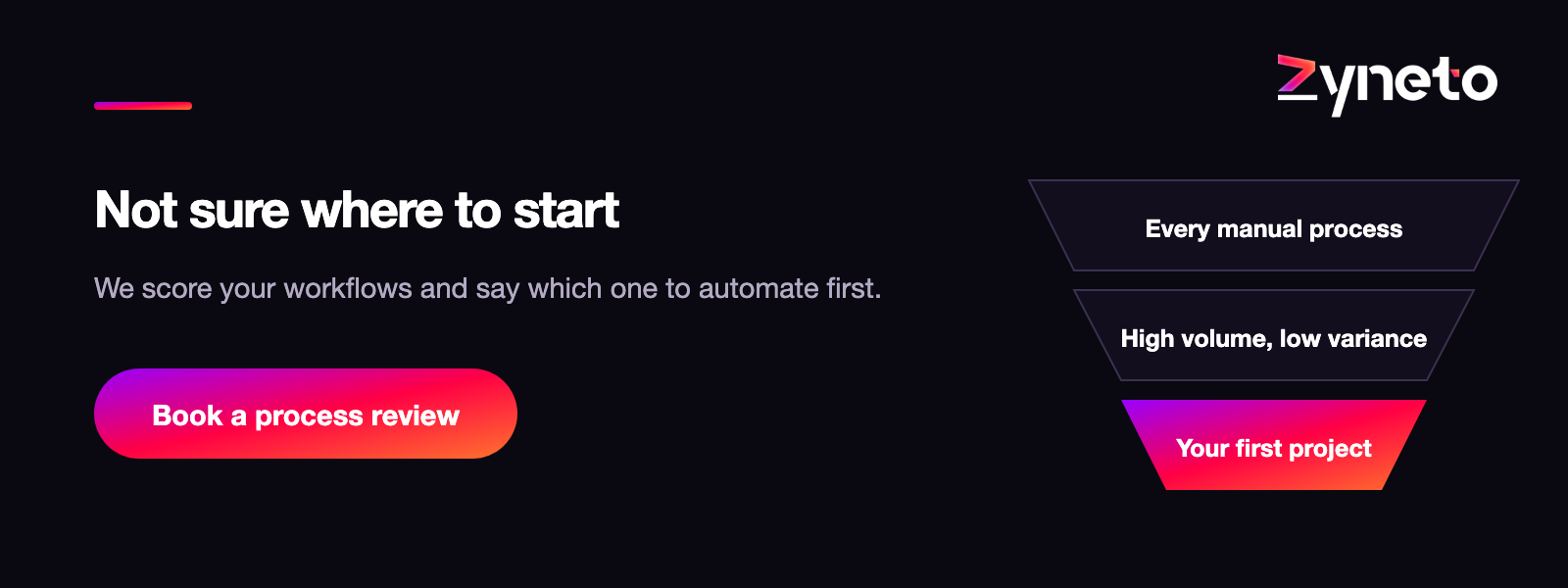
Pick wrong here and the second project never gets funded. Four filters, applied in order.
High volume, low variance. Something that happens hundreds of times a month in roughly the same shape. Ticket triage beats contract review for a first project, even though contract review sounds more impressive.
A measurable before. You need the current hours, the current error rate and the current cycle time, captured before you change anything. If you cannot measure the process today, you will not be able to prove the saving, and an unprovable saving does not get you a second budget.
A clear owner who feels the pain. Not a sponsor. An owner. Someone whose week is worse because this process is manual, who will chase the exceptions and tell you when the model is wrong.
Failure that is cheap and visible. When the automation gets something wrong, you want to find out the same day and fix it for the cost of a few minutes. That rules out anything touching payments, credit or compliance for a first project.
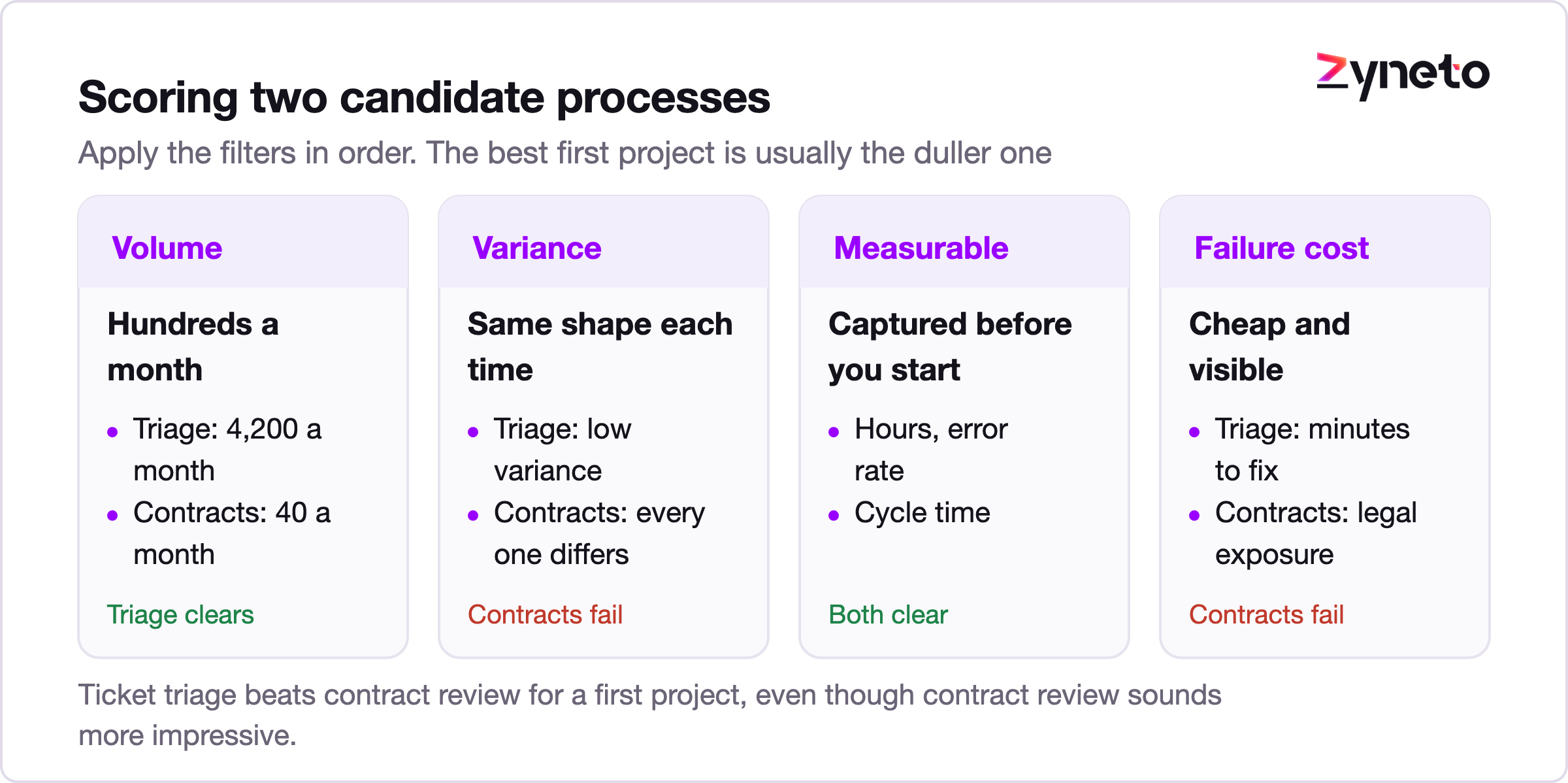
Run every candidate process through those four. Most organisations find their best first project is duller than the one they were planning to start with. That is usually the right signal.
Automating a broken process. If the process is wrong, automation makes it wrong faster and at scale. Fix the process on paper first. Some of the saving turns out to be available without any software, which is a good outcome even though it is an awkward conversation.
Chasing 100% straight through. The last 10% costs more than the first 70% and delivers less. Design for exceptions from day one and set the confidence threshold conservatively at launch. You can loosen it later with evidence. You cannot easily rebuild trust after a bad first month.
No human in the loop on anything. Covered above, but it is the most common failure and it deserves repeating.
Measuring the wrong thing. Hours saved is the headline, but cycle time and error rate are usually where the business value is. The invoice example saves 768 hours. It also shortens the approval cycle, which affects supplier relationships and early payment discounts. Track all three.
Treating it as a project rather than a product. There is no finish line. Formats change, volumes change, the business changes. Assign ownership and a monthly review, or accept that accuracy will quietly decline.
Buying a platform before defining one process. Platform decisions are easier after you have automated something and learned what you actually need. Start with the process, not the procurement.
AI workflow automation services replace four specific kinds of work: reading and extracting, classifying and routing, matching and reconciling, and drafting first versions. Everything else in a process is either integration work or human work.
Realistic savings on a well chosen first process sit between 50% and 88% of the manual effort, not the 95% that appears on vendor pages. Payback usually lands between eight and twenty months. Running cost is typically 15% to 30% of the first year build, and a proposal that shows less than that has left out the exception handling.
The projects that work start small, on something dull and high volume, with measurement taken before anything changes and a named owner who feels the pain. The ones that fail start with the most impressive process in the company and no plan for what happens when the model is unsure.
If you are sizing this up, the most useful hour you can spend is not on a vendor call. It is counting how many times a month someone reads a document and types what it says into a system.
Older automation moves data between systems using fixed rules. It works well when inputs are clean and predictable and breaks when they are not. AI workflow automation adds a decision layer that can read unstructured input, classify ambiguous items and handle near misses. The integration work is similar. The judgement steps are what is new.
For document heavy processes with structured outputs, 70% to 85% straight through in a first deployment is realistic, climbing with time. For processes with genuinely ambiguous inputs such as free text orders, plan for the model to draft and a person to confirm, which is usually a 50% to 65% time reduction. Treat any promise above 90% in year one as a claim that needs evidence.
For a single well scoped process, discovery and process mapping typically takes two to four weeks, build takes six to twelve weeks depending on how many systems are involved, and a supervised run alongside the manual process takes another four to six weeks before you switch over. Most of the build time goes into integration, not the model.
Plan for annual running cost of roughly 15% to 30% of the first year build. That covers model inference, integration maintenance and the exception and quality review work. Inference is usually the smallest of the three, which surprises people.
Anything where being wrong is expensive and the error stays hidden for weeks. Final approval on money, contracts or people. Judgement that depends on context the system cannot see. Difficult customer conversations. Draft the recommendation by all means, but keep the decision with a person who can be asked why.
Usually no. Most of this work sits on top of the systems you already run, through their APIs. If a system has no API and no export, that changes the picture and it is worth finding out during discovery rather than during the build.
Sample and review. Take 2% to 5% of the items the system processed at high confidence, review them weekly, and track accuracy as a trend. Drift is gradual and it does not announce itself. Teams that only look at the exception queue find out too late.

Vikas has around fifteen years of experience building software and now builds generative AI systems at Zyneto. His work covers retrieval augmented generation, agentic AI, knowledge graphs, AI memory, and the evaluation and guardrails that decide whether any of it is safe to put in front of customers. He has shipped enterprise copilots, document AI, chatbots and predictive analytics for e-commerce, fintech and marketing teams, and works day to day in Python, JavaScript and SQL. He follows multimodal models, business process automation and enterprise AI security closely, and mentors engineers moving into AI. He writes about architecture, inference cost and the failure modes that only show up at production scale.
Share your details and we will talk soon.
Be the first to access expert strategies, actionable tips, and the trends actually shaping the digital world. No fluff - just practical insights delivered straight to your inbox.
Dive into our blog and stay ahead of the curve with expert perspectives, future-ready trends, and tech tips written for decision-makers and doers alike.