Computer-Use Agents: What They Automate, and Where They Break


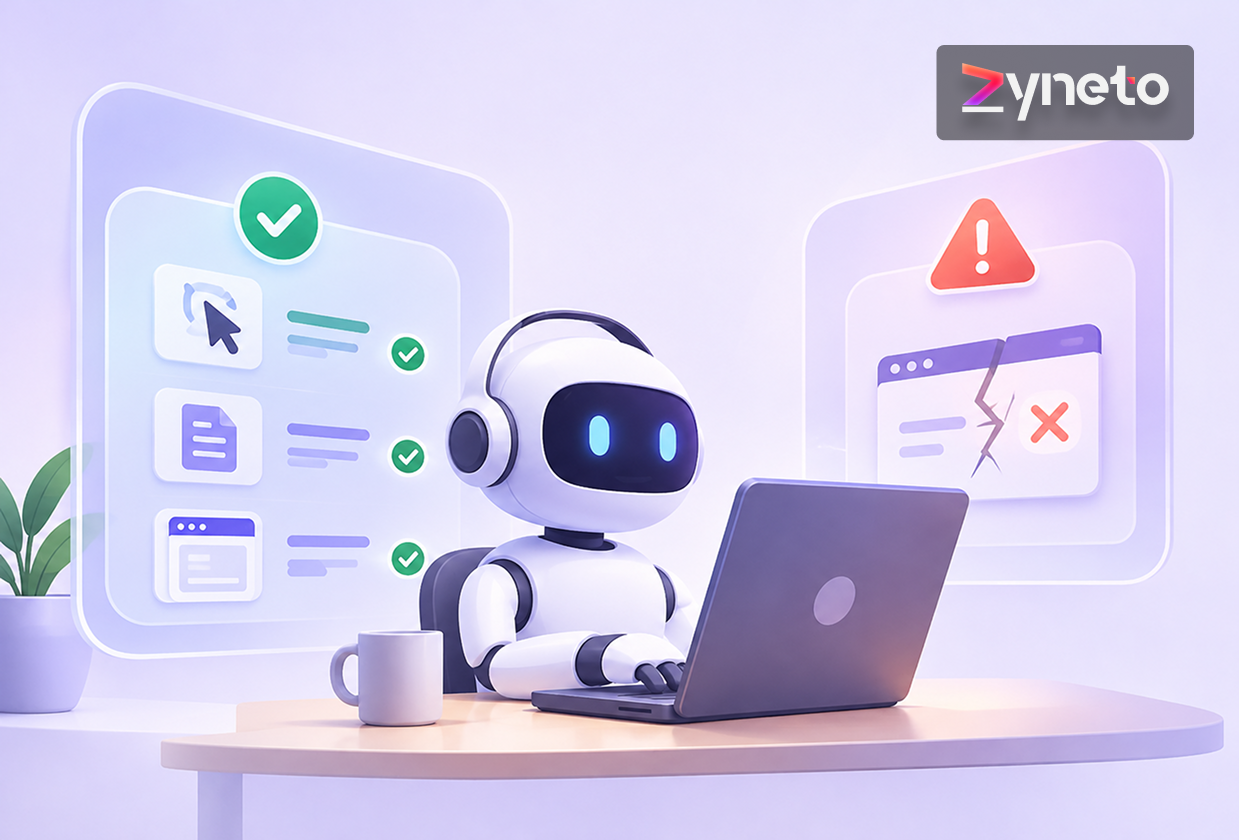
A computer-use agent looks at a screen, decides where to click, and clicks. No API, no integration, no cooperation from the software it is driving. That is the appeal: it works with the systems you cannot change.
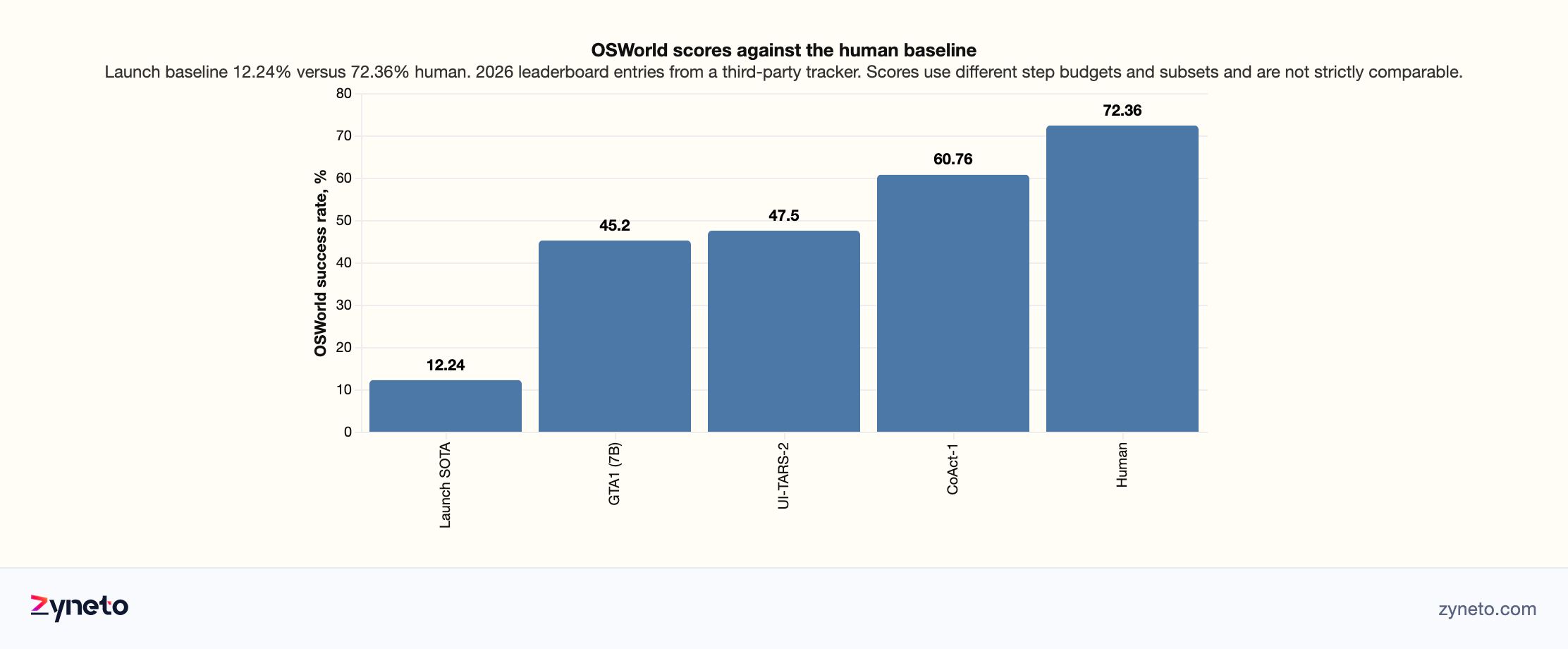
The honest summary of where the technology is comes from one benchmark. On OSWorld, which tests agents on open-ended tasks in real desktop environments, the best reported score at launch was 12.24% against a human baseline of 72.36%. By 2026 the published leaderboard had a top entry around 60.76%, with others near 47% and 45%. One vendor has claimed 72.6%, above the human figure, which does not appear on the independent leaderboard and should be treated as a company claim until it does.
So the trajectory is remarkable and the destination is not yet here. Something that completes six tasks in ten is transformative in some workflows and unusable in others, and the whole decision rests on which kind you have.
Compare those numbers carefully, because they are not comparable. Published results use different step budgets, some run on a verified subset rather than the full benchmark, and the ranking shifts depending on which you pick. A score at 100 steps is not the same achievement as the same score at 15.
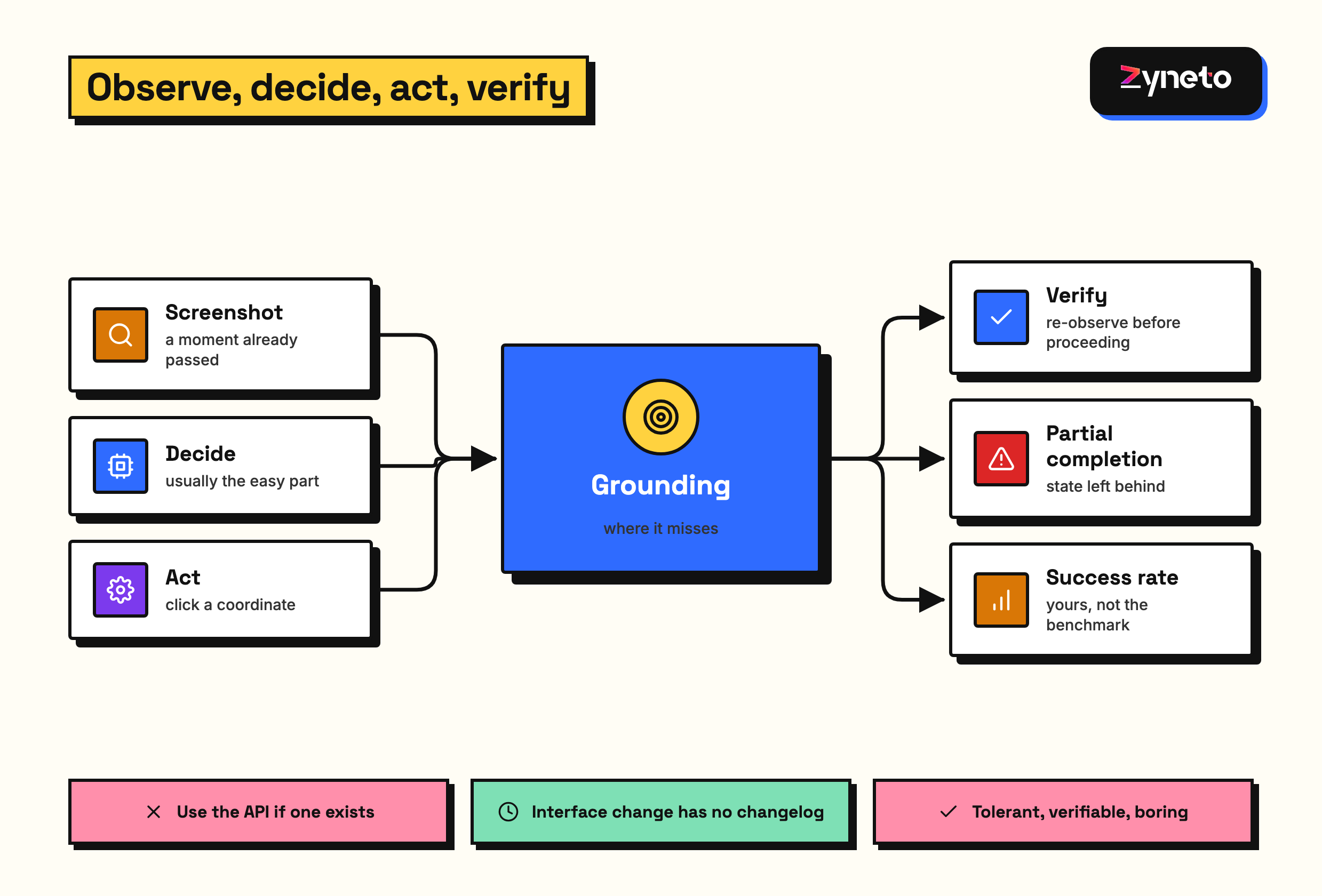
The dominant failure is grounding, not reasoning. Specialised models show large gains over general ones chiefly by locating interface elements more accurately. The model usually knows what it wants to do; it misses where to click.
Three questions decide whether this fits your process. Is a 40% failure rate recoverable or catastrophic? Can a human verify the result cheaply? And is there genuinely no API? That last one disqualifies most candidate projects on inspection.
Judge a computer-use agent by the cost of a failure, not by its success rate. Steps compound: five steps at 90% each complete the whole process 59% of the time. A wrong form field caught by validation costs seconds, while a wrong value submitted to a financial system costs an investigation.
A 60% task completion rate sounds like a system that mostly works. For most processes it is not, and the reason is compounding.
Multi-step processes multiply. If each of five steps succeeds 90% of the time, the process succeeds 59% of the time. Benchmark tasks are already multi-step, which is why the headline number is what it is, but your process may chain several benchmark-sized tasks together and the arithmetic continues.
What matters is the cost of a failure, not its frequency. An agent that fills a form wrong and is caught by validation costs seconds. An agent that submits the wrong value into a financial system costs an investigation. The same success rate is acceptable in the first case and unacceptable in the second.
Partial completion is the awkward middle. An agent that completes four of six steps and stops leaves state behind: a half-filled form, a record created but not submitted, a file uploaded to the wrong place. Cleaning up after a partial failure is often more work than doing the task manually, and it is the thing that kills pilots.
So the design question is recoverability. Can the agent's work be checked quickly, undone cleanly, and retried? Processes with those properties tolerate a 60% success rate comfortably. Processes without them need something close to perfect, which is not on offer.
Human-in-the-loop changes the arithmetic entirely. An agent that completes 60% unaided and hands the rest to a person with the context already assembled is a different proposition from one expected to finish everything. Framed that way, the 40% is a queue rather than a failure, and most processes can absorb a queue.
Measure your own rate, not the benchmark. OSWorld measures general desktop competence. Your process has its own interfaces, its own quirks and its own definition of done, and the only meaningful number is the one from a hundred runs of your actual task.
The model's problem is usually not deciding what to do. It is translating that decision into a correct coordinate on a specific screen.
Interfaces are hostile to this in ordinary ways. Two buttons with the same label, an icon with no text, a control that only appears on hover, a list where the item you want is below the fold, a modal that stole focus. Humans resolve all of these without noticing.
Resolution and scaling change behaviour. An agent that works at one screen size clicks the wrong thing at another, because the layout reflowed. Pinning the environment is a real mitigation and a real constraint.
Dynamic content is the common failure. A page that is still loading, a list that reorders, a notification that appears over the target. The agent decides where to click based on a screenshot taken a moment ago, and the moment has passed.
Accessibility trees help and are inconsistently available. Where an application exposes a structured description of its interface, an agent can target elements by identity rather than by pixel, which is dramatically more reliable. Well-built web applications often do. Legacy desktop software often does not, and those are precisely the applications people want to automate.
Verification after each action is the practical defence. Act, re-observe, confirm the expected change occurred, then proceed. It is slower and more expensive in tokens, and it converts silent wrong-clicks into detected failures, which is the trade worth making.
This needs saying plainly because the excitement around computer-use agents causes teams to reach for them in situations that do not call for one.
An API call is deterministic, fast, cheap and testable. A screen interaction is probabilistic, slow, expensive and fragile. Where both exist, the choice is not close.
The legitimate use case is software you cannot integrate with: legacy desktop applications, systems whose vendor charges for API access or does not offer it, internal tools nobody maintains, and third-party portals you have no relationship with.
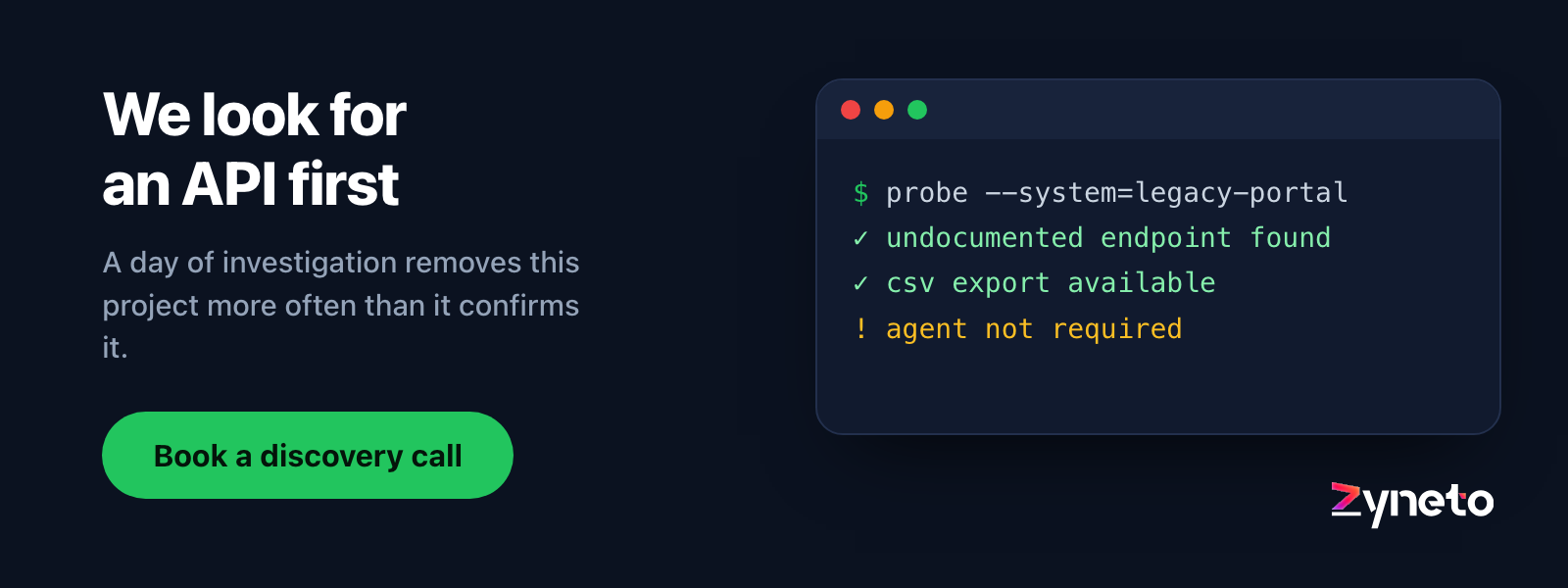
Check harder than you think before concluding there is no API. Many systems have one that is undocumented, or a data export that covers the need, or a database you can read directly. An afternoon of investigation routinely removes the requirement for an agent entirely.
Robotic process automation is the incumbent and it is not dead. Deterministic script-based automation is cheaper and more reliable than an agent for stable interfaces. The agent's advantage is handling variation and recovering from the unexpected, which is exactly where brittle scripts fail. Several published leaderboard entries combine both approaches, using code where code works and the interface only where it must.
The hybrid is usually right. Drive what you can through an API, use the screen only for the portion that has no other route, and keep that portion as small as possible.
An API has a version. A screen does not, and that asymmetry is the long-term cost of this approach.
A vendor redesign breaks your automation with no warning and no changelog. The button moved, the flow gained a step, a confirmation dialog appeared. Your agent does not get a deprecation notice because nobody knows it exists.
Agents degrade more gracefully than scripts here, which is their real advantage. A deterministic script targeting a moved element fails immediately and totally. An agent looking at a screen often finds the relocated button, because it is reading the interface rather than a coordinate. That resilience is the strongest argument for choosing an agent over traditional automation, and it is worth more than the headline success rate.
It does not survive a redesign, only a rearrangement. When a flow genuinely changes, adding a step or splitting a form across pages, the agent fails like everything else and the task description needs rewriting.
So budget ongoing attention, not a one-off build. Someone owns each automated task, watches its success rate, and fixes it when a vendor ships. A rate that drifts from 60% to 35% over two months is the normal failure pattern and it is invisible without monitoring.
Alert on the rate, not on the error. Individual failures are expected at this success rate, so error alerts get muted within a week. A weekly success rate crossing a threshold is the signal that means something.
Keep the task descriptions somewhere a non-engineer can edit them. Much of the maintenance is rewording what the agent should do, and routing that through an engineer makes a cheap fix expensive.
It is worth being concrete about the shape of task that succeeds, because the general case is still some way off and the specific cases are real.
Data retrieval from systems with no export. Logging into a vendor portal, navigating to a report, reading values and recording them. Read-only, verifiable, nothing to undo if it fails.
Form filling from structured input. Taking a row of data and entering it into a system that has no API, where validation catches most errors and a failure means a blank record rather than a wrong one.
Periodic checks. Confirming a status, looking for an alert, verifying a configuration is still what it should be. Low value per run, high value in aggregate, and failure means a missed check rather than a wrong action.
Testing your own software. An agent driving your application to verify it still works is a use case where the agent's failures are cheap, the environment is yours, and you control the interface it is reading.
Long-tail integrations. The system used by one department that nobody will build a connector for. The economics of an agent work precisely where the economics of an integration do not.
What is not working yet is the general assistant that uses any application to do whatever is asked. Every successful deployment today is narrow, scoped, monitored and recoverable, and the demonstrations that suggest otherwise are demonstrations.
A computer-use agent operates a session. Whatever that session can reach, the agent can reach.
There is no fine-grained permission model. An API integration can be scoped to one endpoint. An agent driving a desktop has the whole desktop: every application, every file, every open session, every saved credential in the browser.
Run it in its own environment. A dedicated virtual machine or container with only the applications the task needs, its own accounts, and no access to anything else. Running an agent on a person's working machine is convenient during a pilot and indefensible in production.
Scope the account, not the agent. Create a user with exactly the permissions the task requires and no more. The usual shortcut, borrowing an administrator's session because it was available, converts a mistake into an incident.
Everything on screen enters the model's context. A notification containing another customer's details, a document left open in another tab, an email preview. Screenshots sent to a model provider are a data transfer, and what might be visible needs thinking about before the first run.
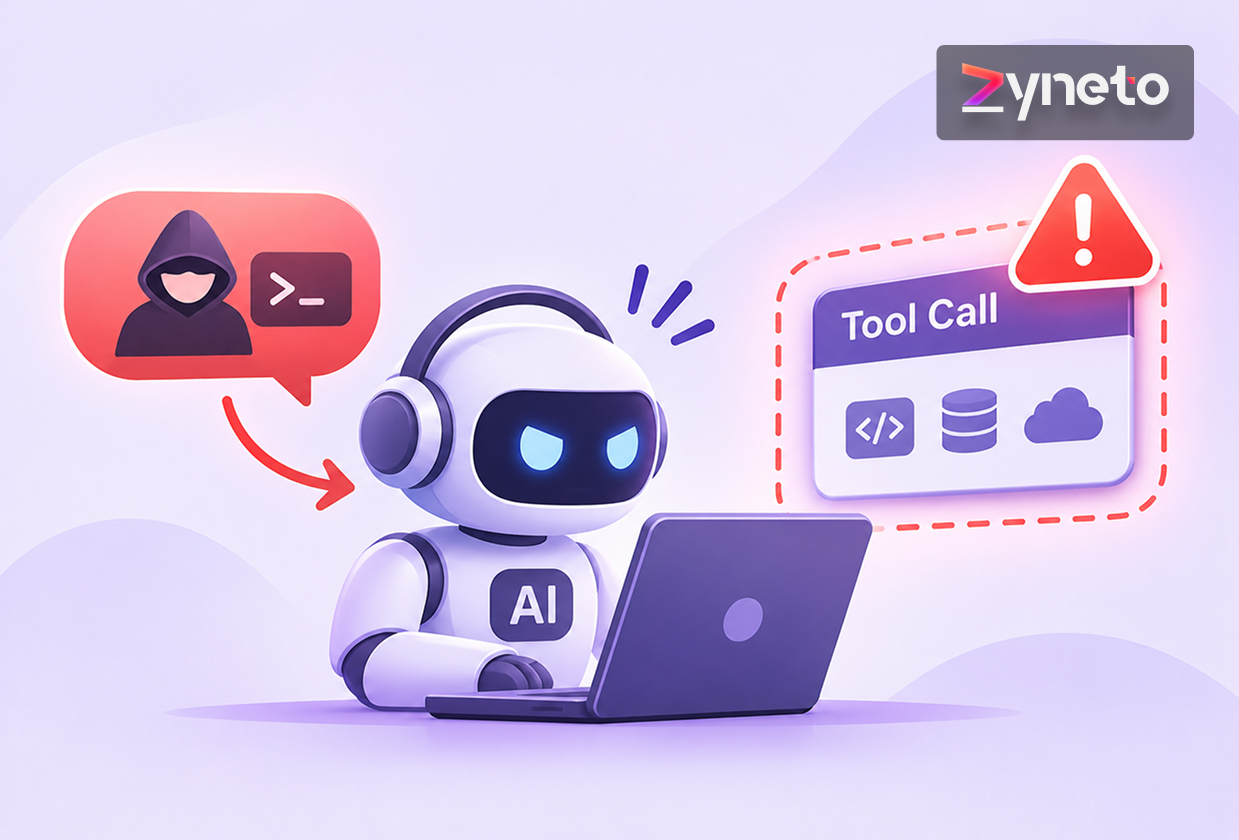
Content on screen can also instruct the agent. A page the agent is reading can contain text aimed at it, and the agent reads a screenshot with no distinction between interface and instruction. The same discipline that applies to tool output applies here, with less structure to work with.
Record the session. For an agent taking actions in real systems, a video or screenshot trail is what makes an incident explicable, and it costs almost nothing to keep.
Computer-use agents are among the more expensive ways to automate anything.
Every step costs a screenshot. Images are expensive in tokens relative to text, and an agent that takes thirty actions has sent thirty images plus its accumulated reasoning. A task that would be one cheap API call becomes dozens of vision-model invocations.
Verification doubles it. Observing after each action, which is the reliability fix, means twice as many model calls.
Failures cost full price. A task that fails on step twelve has paid for twelve steps and produced nothing, and the retry starts from the beginning. At a 60% success rate, roughly 40% of your spend produces no output.
Wall-clock time is the other cost. Screenshot, inference, act, wait for the interface to settle, repeat. A task a person does in forty seconds can take an agent several minutes, which matters when the process is interactive or has a deadline.
So the economics favour batch, overnight and low-volume-high-value work, and disfavour anything interactive or high-frequency. Running the same task ten thousand times a day through a screen is almost never the right answer; running a complex task twenty times a day against a system with no API often is.
Pilots of this technology fail in predictable ways, and most of them are avoidable by choosing the task carefully.
Pick a task that is tolerant, verifiable and boring. Tolerant means a failure costs nothing. Verifiable means a human can check the result in seconds. Boring means the interface does not change weekly.
Run it a hundred times before believing anything. Ten runs tell you nothing about a system with this variance. A hundred runs gives you a success rate you can plan with and surfaces the failure modes that only appear occasionally.
Instrument the failures by cause, not just by count. Wrong element clicked, timing, unexpected dialog, reasoning error, interface changed. The distribution tells you whether the fix is engineering, environment or scope.
Freeze the environment during the pilot. Same resolution, same application version, same browser. Otherwise you are measuring two things at once.
Set the kill criterion in advance. A success rate below which you stop, and a date. Pilots of promising technology continue indefinitely on the strength of the next improvement, and writing down the threshold beforehand is the only reliable defence.
Build it today for low-volume, high-value tasks against systems with no API, where a human verifies the output and a failure is cheap. Onboarding steps in a legacy portal, periodic data pulls from a vendor system, form submissions into software nobody will integrate with.
Build the hybrid rather than the pure agent. Code where code works, screen only where it must, and the smallest screen portion you can arrange.
Wait for anything interactive, high-frequency or irreversible. The success rates do not support it, and no amount of prompt work closes a 40-point gap.
Expect the numbers to move. This category improved from roughly 12% to roughly 60% on the same benchmark in about two years, which is unusually fast. A process that does not justify an agent today may justify one within a year, so the useful artefact is a written threshold rather than a permanent decision.
Our rate band is published: $40 to $100 an hour by role, blending to $60 to $70 for a mixed team. What we would not do is quote a computer-use agent before spending a day looking for an API, because that day removes the project more often than it confirms it.
It is an AI agent that operates software the way a person does: it looks at the screen, decides what to click or type, and does it, without needing an API or any cooperation from the application. That makes it usable against legacy desktop software, vendor portals and internal tools that cannot be integrated with, which is both its main advantage and the reason it is slower, more expensive and less reliable than an integration.
On OSWorld, a benchmark of open-ended tasks in real desktop environments, the best reported score at launch was 12.24% against a human baseline of 72.36%. By 2026 the published leaderboard showed a top entry around 60.76%, with others near 47% and 45%. One vendor claims 72.6%, which does not appear on the independent leaderboard. Scores are not directly comparable, since they use different step budgets and some run on a verified subset.
Mostly grounding, meaning locating the right interface element, rather than reasoning about what to do. Specialised models gain substantially over general ones chiefly by targeting elements more accurately. Practical causes include duplicate labels, icons without text, controls that appear on hover, items below the fold, layout reflow at different resolutions, and dynamic content changing between the screenshot and the click.
An API, whenever one exists. API calls are deterministic, fast, cheap and testable; screen interactions are probabilistic, slow, expensive and fragile. Investigate harder than feels necessary before concluding there is no API, since many systems have an undocumented one, a data export or a readable database. Computer-use agents are for software you genuinely cannot integrate with, and the best designs use code wherever possible and the screen only where unavoidable.
More than most automation. Every step sends a screenshot, and images are expensive in tokens compared with text, so a thirty-action task means thirty vision-model calls plus accumulated reasoning. Verifying after each action, which is the main reliability fix, roughly doubles that. Failed tasks pay full price and produce nothing, so at a 60% success rate roughly 40% of spend yields no output. The economics favour low-volume, high-value, batch work.
The agent has whatever the session has, with no fine-grained permission model: every application, file, open session and saved browser credential. Run it in a dedicated environment with a purpose-made account scoped to the task, never on someone's working machine. Remember that everything visible on screen enters the model's context, including notifications and other documents, and that on-screen content can itself contain text aimed at manipulating the agent.
Choose a task that is tolerant of failure, cheap for a human to verify, and running against an interface that does not change weekly. Run it a hundred times, not ten, because the variance is high and ten runs tell you nothing. Record failures by cause rather than only by count, freeze the environment so you are measuring one thing, and write down in advance the success rate below which you stop and the date you stop by.

Vikas has around fifteen years of experience building software and now builds generative AI systems at Zyneto. His work covers retrieval augmented generation, agentic AI, knowledge graphs, AI memory, and the evaluation and guardrails that decide whether any of it is safe to put in front of customers. He has shipped enterprise copilots, document AI, chatbots and predictive analytics for e-commerce, fintech and marketing teams, and works day to day in Python, JavaScript and SQL. He follows multimodal models, business process automation and enterprise AI security closely, and mentors engineers moving into AI. He writes about architecture, inference cost and the failure modes that only show up at production scale.
Share your details and we will talk soon.
Be the first to access expert strategies, actionable tips, and the trends actually shaping the digital world. No fluff - just practical insights delivered straight to your inbox.
Dive into our blog and stay ahead of the curve with expert perspectives, future-ready trends, and tech tips written for decision-makers and doers alike.