How to Integrate Large Language Models (LLMs) into Flask Applications


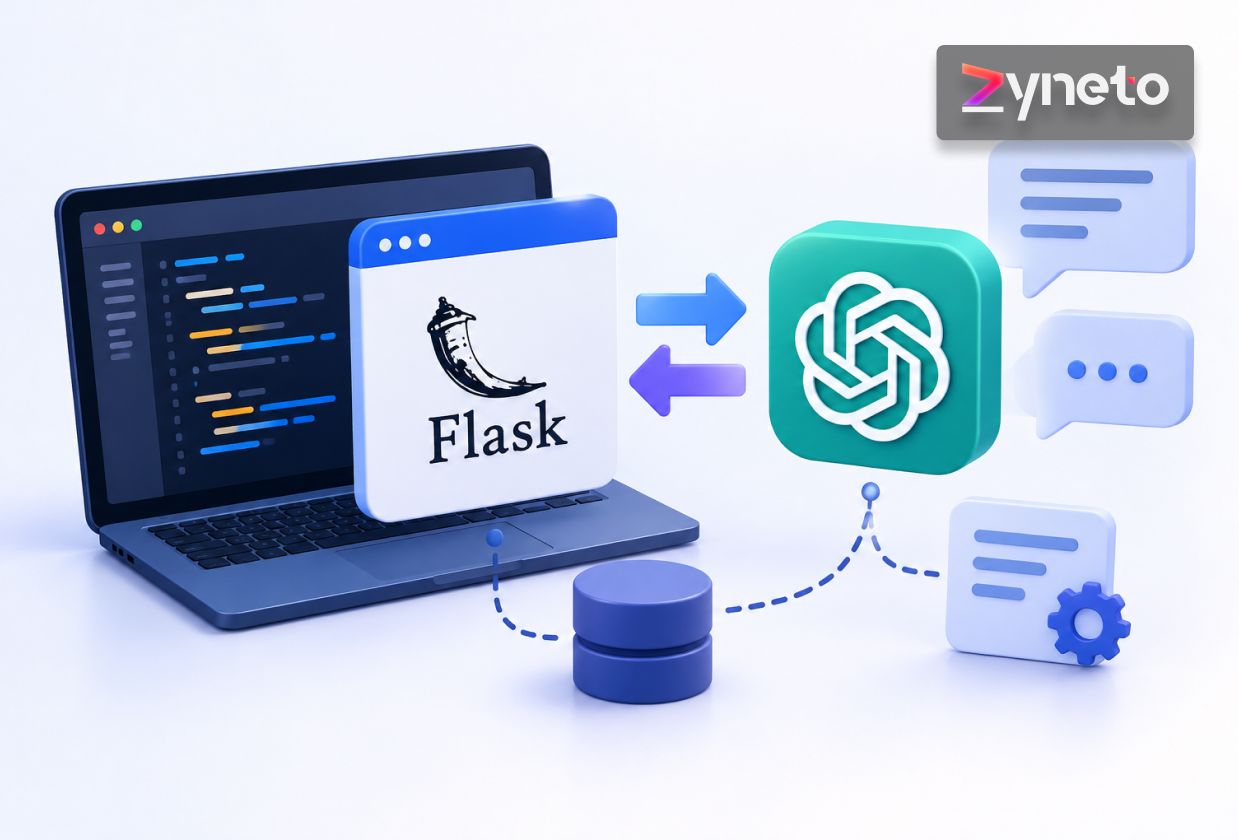
Adding an LLM call to Flask takes about ten lines. Keeping it up under real traffic is the part nobody warns you about.
The first version always works. You wire up a route, call the API, return the text, and the demo goes well. Then you deploy, a handful of people use it at once, and requests start timing out for reasons that have nothing to do with the model.
The cause is usually structural. Flask is synchronous by default, and an LLM call can hold a connection open for many seconds. That combination breaks assumptions your stack was built on.
This guide covers Flask LLM integration as a production concern rather than a tutorial. You will see the architecture, a working endpoint, how to add retrieval, how to stream responses, and the security and deployment decisions that determine whether it survives contact with users.
Yes, and for most teams it is the pragmatic choice.
An LLM feature is mostly an HTTP client call wrapped in your own authentication, validation and business logic. Flask does that well, and it does it without imposing much structure on how you work.
The reason it fits is the reason Flask fits most API work. It stays out of the way, the request lifecycle is easy to reason about, and the Python ecosystem around AI tooling is already where you are. Those same qualities show up in the general advantages of using Flask for backend services.
There is one real caveat and it shapes everything below.
Flask runs on WSGI, which is a synchronous interface. A request that waits twelve seconds for a model to respond occupies a worker for twelve seconds. A framework built on ASGI handles that waiting more efficiently.
This is a capacity question, not a correctness question. Flask works fine for LLM features. You simply have to configure concurrency deliberately instead of accepting the defaults, which the deployment section covers.
A Flask LLM API has more moving parts than a normal CRUD endpoint, and most of them exist to protect you from the model.
A typical request flows through seven stages:
Put provider logic in its own module rather than inside route handlers. Your routes should call something like llm_service.generate(prompt, context) and know nothing about which provider is behind it.
This is not architectural purity for its own sake. Model providers change pricing and deprecate models, and you will switch at some point. A service boundary turns that into a contained change instead of a rewrite.
The same separation that makes Flask pleasant for Flask for web development generally applies here, with one addition. The provider is an unreliable external dependency, so it deserves the same treatment you would give any third-party API: timeouts, retries and a fallback path.
Start with a minimal, explicit setup: Flask itself, your provider’s Python SDK, and python-dotenv so local development can read a .env file.
Keep credentials in the environment, never in code. A key committed to a repository is the single most common way teams leak provider access.
Your configuration should read four values at startup: the API key, the model name, a request timeout, and a maximum input length.
Two of those deserve a comment.
Read the model name from the environment rather than hardcoding it. Providers release and retire models frequently, and you want that to be a configuration change rather than a redeploy.
Make the application fail at startup if the key or model is missing. Reading them with os.environ["KEY"] rather than os.environ.get("KEY") does exactly that. A loud failure on boot is far better than a confusing one on the first user request.
Create the provider client when the application starts, not inside the request handler. Reusing a single client reuses its underlying connection pool, which removes a TLS handshake from every call.
Pass an explicit timeout when you create it. Without one, a stalled provider request can hold a worker until the server itself gives up.
A production chat route does six things in order, and only one of them is the model call.
Most teams will use their provider’s current recommended interface. For OpenAI that is the Responses API, reached through client.responses.create(...). Codebases already built on Chat Completions can keep using client.chat.completions.create(...) with no change to the structure above.
Provider errors are varied and they change over time, so a narrow exception list ages badly. Catch broadly, log the detail for yourself, and tell the client as little as possible.
That last point matters more than it looks. Provider error messages sometimes carry request details you did not intend to expose, so never pass one straight through to the caller.
Use 503 rather than 500 when the provider fails. This is a dependency failure, and the status code should say so, both for your own monitoring and for any client retry logic.
If the model returns JSON for your application to act on, parse and validate it against a schema rather than assuming the shape is right.
Models usually comply with format instructions. Usually is not a guarantee you can build on.
Models are stateless. Every request must carry whatever history matters, which creates a cost problem that grows with the conversation.
Send the whole history and your token spend rises on every turn. Send too little and the assistant forgets what the user just said.
Three strategies cover most cases:
Store history server-side, keyed to a conversation ID. Client-supplied history is user-controlled input, which means a user could rewrite the assistant’s previous turns and steer behaviour in ways you did not intend.
Set a hard ceiling on assembled context regardless of strategy. Without one, a long conversation eventually exceeds the model’s window and starts failing in production rather than in testing.
RAG grounds answers in your own documents instead of the model’s training data. In Flask it splits cleanly into two separate pipelines.
This runs offline, not during a request:
Run ingestion as a background job or a CLI command. It is slow and it does not belong in a web request.
This runs per request. Embed the user’s question, search the vector store for the closest handful of chunks, join their text into a single context block, and send that to the model alongside the original question.
Keep the number of retrieved chunks configurable. Five is a reasonable starting point, and the right number depends on your chunk size and how much context the model handles well.
This is the practical advice most RAG write-ups skip.
When a RAG answer is wrong, there are two possible causes. Retrieval returned the wrong chunks, or retrieval was fine and the model reasoned poorly over good material.
Those need different fixes, and you cannot tell them apart from the final answer alone. Log the retrieved chunks with every response and evaluate retrieval quality on its own. Teams that skip this spend weeks tuning prompts when the real problem was chunk size.
Always include the source of each chunk in your response payload. Citations make answers verifiable for users and make debugging possible for you.
A ten-second wait with no feedback feels broken. The same ten seconds with text appearing as it generates feels fast. Streaming does not make the model quicker, but it changes the experience completely.
Flask handles this with a generator and server-sent events. The route returns a Flask Response that wraps a generator function, with the mimetype set to text/event-stream. The generator calls the provider with streaming enabled, then yields each fragment of text as it arrives, formatted as an SSE data: line.
Streaming does not reduce worker occupancy. The connection stays open for the full generation, which makes the concurrency configuration below more important rather than less.
LLM endpoints carry risks that standard web security checklists do not cover. The OWASP Top 10 for LLM Applications lists prompt injection as the leading one, and it deserves specific attention.
A user can embed instructions in their input that attempt to override your system prompt. There is no complete fix, so you reduce the blast radius instead.
That last point is indirect prompt injection, and RAG applications are exposed to it by design.
Model output is untrusted content. If you render it as HTML, escape it. A model can be induced to emit a script tag, and you have created an XSS vector through an unusual route.
The ordinary web fundamentals still apply underneath all of this. Session handling, CSRF and input validation belong on the same Flask security checklist as everything above.
These three pull against each other, so treat them as one set of trade-offs rather than separate problems.
On latency, stream wherever the user is waiting. Route simple tasks such as classification or extraction to a smaller, faster model, and keep the larger one for work that genuinely needs it.
On reliability, set explicit timeouts, retry with exponential backoff on transient errors only, and never retry a non-idempotent operation blindly. Add a circuit breaker so a provider outage degrades your app instead of hanging it.
On cost, trim context aggressively, because most applications send far more history than the answer requires. Cache responses to repeated identical queries. Log token usage per request so you can see where spend actually goes rather than guessing.
Instrument first. The expensive call is rarely the one teams expect before they measure, and the same discipline that makes Flask microservices observable applies directly here.
Model output is non-deterministic, so your test strategy has to split in two.
Test everything around the model conventionally. Validation, authentication, rate limits, error handling and response shape are all deterministic, and you should mock the provider so these run fast and cost nothing.
Test the model behaviour with a small set of real inputs and known-good outcomes. Assert on properties rather than exact strings: that the answer cites a source, that the JSON validates, that a refusal happens when it should.
This is the deployment decision that matters most, and it returns to the WSGI point from earlier.
Default gunicorn sync workers handle one request each at a time. With LLM calls running for several seconds, a small worker count saturates almost immediately.
Size workers against concurrent in-flight requests rather than requests per second. The two numbers diverge sharply when each request lasts seconds instead of milliseconds. This sits alongside the usual production concerns of any web development services engagement, with the caveat that AI endpoints fail in ways standard monitoring does not catch.
Staffing matters here too, since the blend of backend engineering and applied AI is genuinely hard to recruit for, which is worth weighing before you decide how to hire Flask developers for this kind of work.
Most teams reach the same wall. The feature works in development and falls over the first time real traffic arrives, usually on concurrency, cost or an edge case nobody mapped.
The work that fixes it is unglamorous. Service boundaries around the provider, retrieval pipelines measured separately from generation, streaming that survives a proxy, token budgets with alerting, and a worker configuration matched to how long requests actually run.
That is the engineering a Flask development company like Zyneto handles, alongside the application the AI feature lives inside. We will also say when a rule or a smaller model does the job and the large one is not worth its latency.
If you are moving a Flask AI feature from prototype to production, a scoping call is usually enough to find the bottleneck.
Flask is a sound choice for LLM features, provided you treat the model as an unreliable external dependency and configure concurrency for requests that last seconds.
Put the provider behind a service layer, stream what users wait for, measure retrieval separately from generation, and instrument token spend from the first deploy.
Yes. Flask handles the HTTP, authentication and validation layer well. The main consideration is concurrency, since WSGI workers block during long model calls.
Initialise the provider client once at application startup with credentials from environment variables, then call it from a service module rather than directly inside route handlers.
Yes. Run document ingestion and embedding as an offline job, then query the vector store per request and pass the retrieved chunks into the prompt.
Return a Flask Response wrapping a generator with the text/event-stream mimetype, use stream_with_context, and disable proxy buffering so chunks reach the browser immediately.
Keep keys server-side, rate limit per user, enforce token budgets, escape model output before rendering, and never let model output trigger privileged actions without independent validation.
Sudhanshi has several years of experience in digital marketing and now works on growth at Zyneto. Her work covers SEO, content strategy, organic lead generation, social media and paid campaigns across Google, LinkedIn, Instagram and Facebook. She has run B2B technology and SaaS campaigns for international audiences, helping brands get found in search and stay found, and works day to day in Google Analytics, Search Console, Ahrefs, SEMrush, Screaming Frog and Canva. She follows AI driven marketing, changing search behaviour, content automation and social growth closely, and turns audience and search data into plans a team can actually run. She writes about SEO, content strategy and the tactics that still earn traffic as search keeps shifting.
Share your details and we will talk soon.
Be the first to access expert strategies, actionable tips, and the trends actually shaping the digital world. No fluff - just practical insights delivered straight to your inbox.
Dive into our blog and stay ahead of the curve with expert perspectives, future-ready trends, and tech tips written for decision-makers and doers alike.