App Maintenance Cost: Budget From the Calendar, Not a Percentage


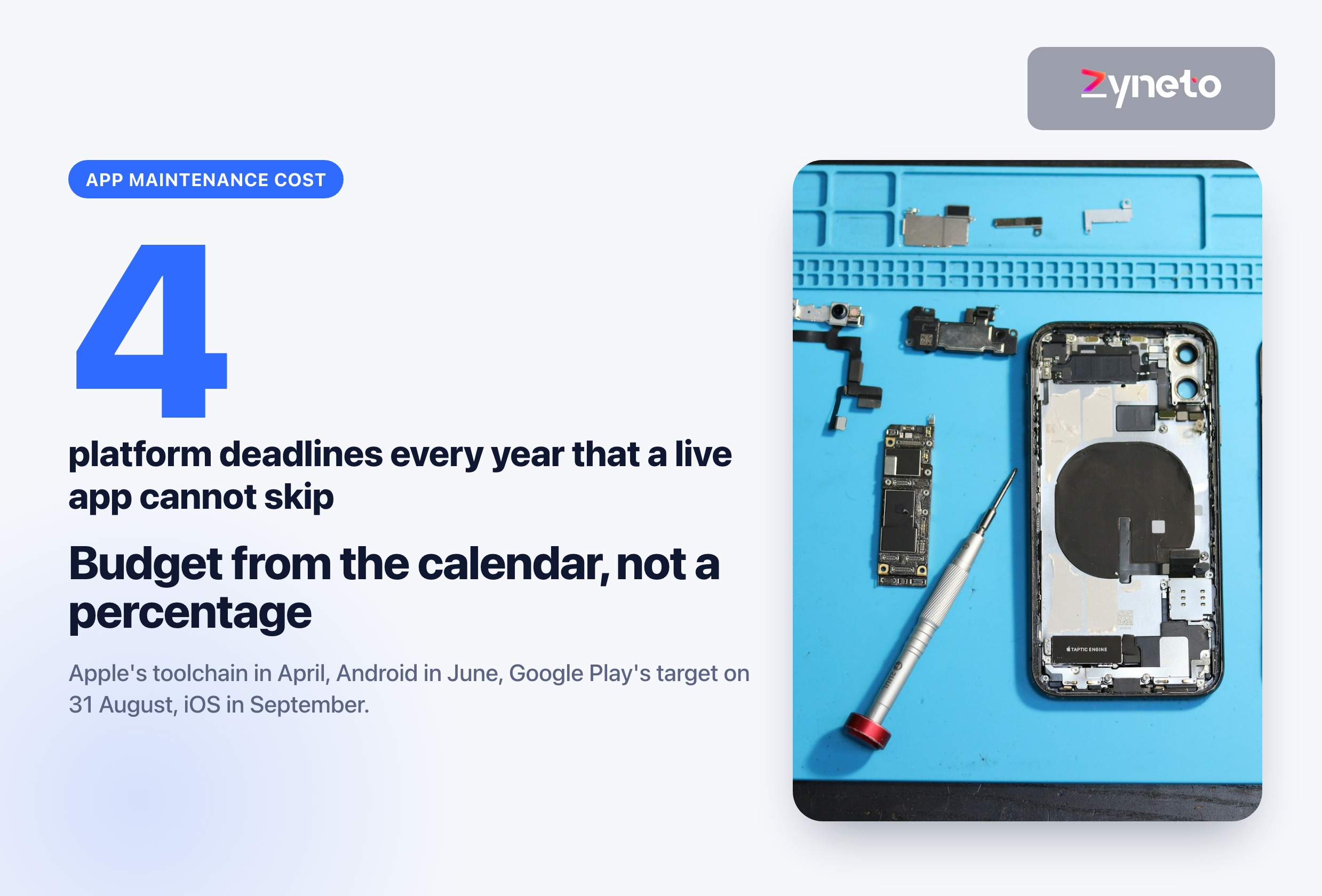
Maintaining a live mobile app costs whatever it takes to clear 4 fixed platform deadlines a year, keep its framework and libraries current, pay the services it runs on, and fix what breaks. The figure most quoted, 15 to 20 per cent of the build cost every year, has no primary source for mobile apps. The nearest one, a 2015 guide from the Consortium for Information and Software Quality (CISQ), puts support at about 20 per cent of development cost a year for applications in general and shows no dataset behind it. Use it as a sanity check: for a 1,260 hour app it means about 252 hours a year, or 21 hours a month. Then build the real budget from the calendar.
Most owners start with the percentage because it is the only number they have seen. The ordinary failure is an app nobody has touched for a year: a payment bug appears, the one-line fix is ready the same day, and it cannot ship, because the store now requires a newer toolchain than the app was built with. The fix becomes an upgrade project, at the worst possible moment.
It comes from agency blogs that cite each other. A search for the figure turns up page after page of development agencies repeating it for mobile apps. None of them cites original data.
The nearest real source is about software in general. CISQ's 2015 guide to software quality measurement says the average application costs about 20 per cent of its development cost each year to support, falling to about 12 per cent with good code quality and 3 to 5 per cent with excellent quality. The guide does not show the dataset behind those numbers, and it is not specific to mobile.
A percentage hides what you are paying for. 20 per cent of a large app and 20 per cent of a small one buy very different work, and the platform deadlines below arrive whether your app cost $40,000 or $400,000. Treat the percentage as a ceiling check on a budget you built line by line, not as the budget.
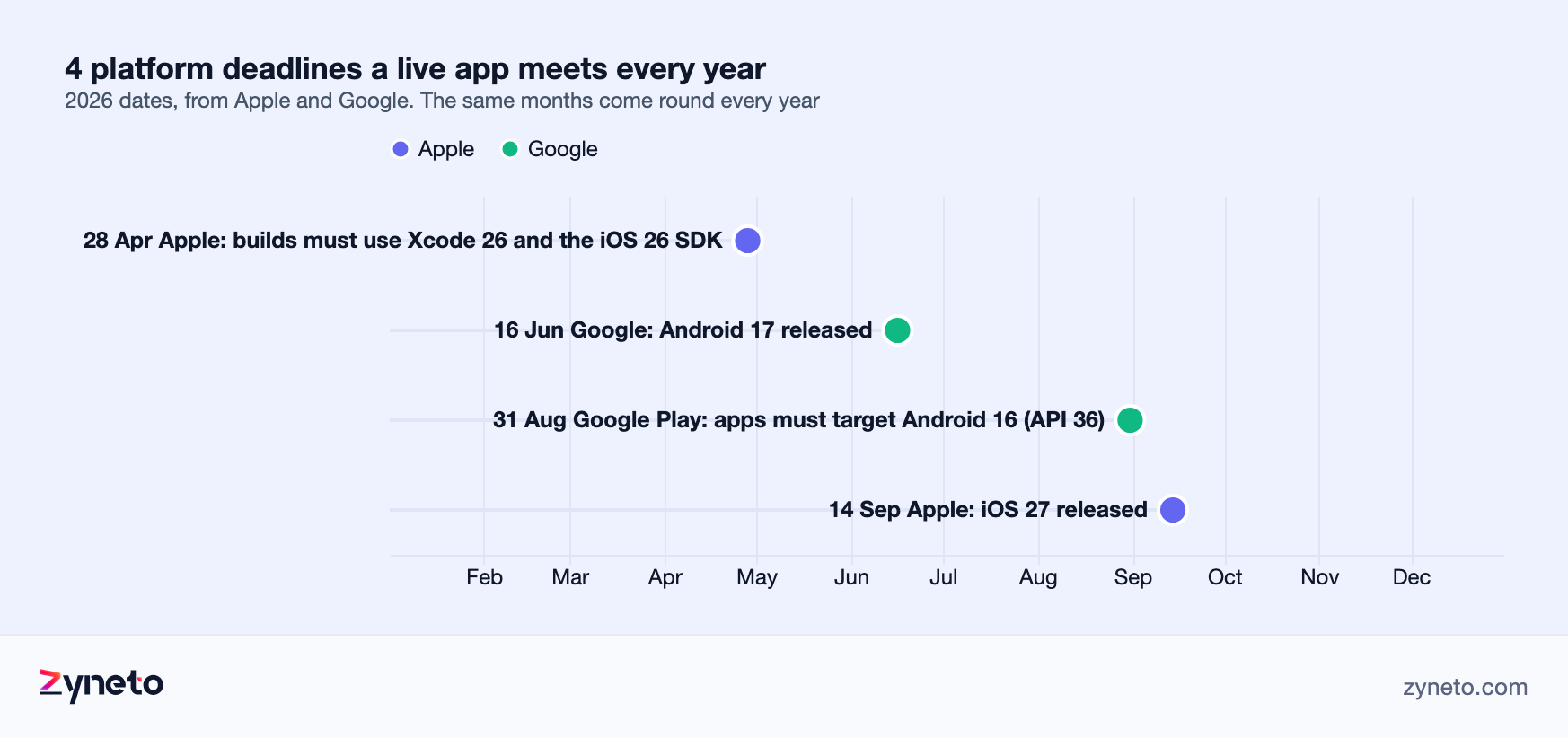
Apple raises the build requirement every spring. Since 28 April 2026, every app uploaded to App Store Connect must be built with Xcode 26 and the iOS 26 SDK. Since 9 September 2026, iOS uploads must also support iOS 13 or later. An app that cannot be built with the current toolchain cannot ship an update, including a security fix.
Google ships a new Android every June. Android 16 reached Pixel phones on 10 June 2025 and Android 17 on 16 June 2026. Each release changes behaviour your app may depend on, and your users start installing it within weeks.
Google Play's target deadline falls every 31 August. From 31 August 2026, new apps and updates must target Android 16 (API level 36), with an extension to 1 November available on request. Existing apps that do not target at least Android 15 stop being visible to new users on newer Android versions. That is a slow decline in installs rather than an error message, which is why it gets missed.
Apple ships a new iOS every September. iOS 26 was released on 15 September 2025 and iOS 27 on 14 September 2026. Testing on the new version before your users upgrade is the cheapest time to find what it broke.
Store forms change too. Since 1 May 2024, Apple requires a privacy manifest that declares why the app and every third-party SDK inside it uses certain sensitive APIs. Google Play requires a Data safety form for almost every app, even one that collects no data, and an inaccurate form can block updates. Apple required developers to answer new age-rating questions by 31 January 2026 or have update submissions interrupted. None of these is large, but each one has a date, and missing the date stops releases.
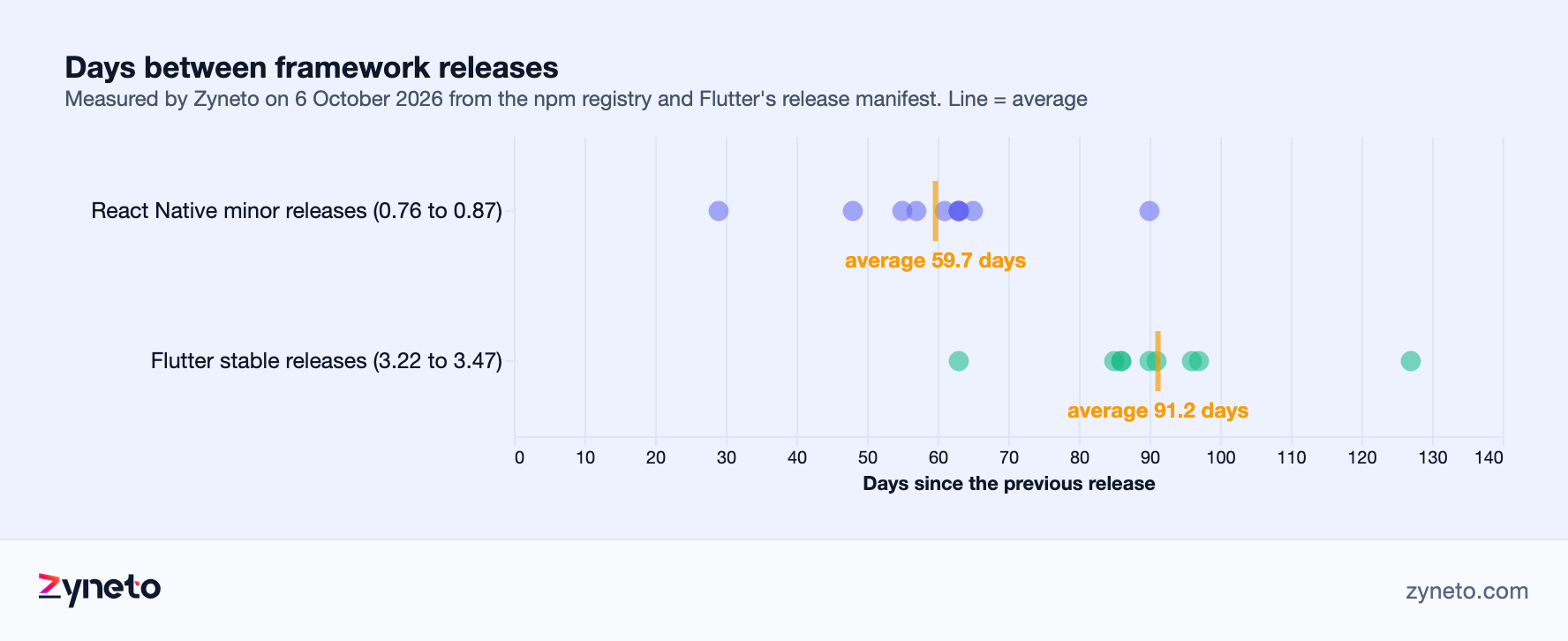
A React Native app sits on a release train that moves every 2 months. For our React Native guide, on 6 October 2026 we measured React Native's minor releases from 0.76 to 0.87: the average gap between them was 59.7 days, about 6 a year. Each hop changed between 1 and 13 files in the project template, and the whole span from 0.76.9 to 0.87.2 changed 30 files.
A Flutter app moves every quarter, and old versions do not get fixes. For our Flutter guide, we measured Flutter's stable releases from 3.22 to 3.47 on the same day: an average gap of 91.2 days, about 4 a year. No stable line received a hotfix after the next one shipped, so the only way to get a fix is to upgrade.
You do not have to take every release, but you cannot skip many. Upgrading 2 or 3 versions at once is normal practice. Skipping a year turns several small upgrades into one large one, usually discovered when a store deadline forces it.
Every library is a second release train. A fresh React Native app from Expo's default template carries 28 packages with native code. In our Flutter test, adding 26 common plugins pulled in 187 packages, 43 of them with native code, and the resolver silently picked a version of 1 plugin that was 14 major versions behind the latest. Each native package has to work with the new Xcode, the new Android target and the new framework version. One abandoned library can hold back the whole upgrade.
Some of the tools are free. Firebase lists Crashlytics, Cloud Messaging for push notifications, Analytics and Performance Monitoring as no-cost products. Remote Config has been billed above 100,000 fetches a day per project since 1 September 2026.
Error monitoring and device testing are small, fixed lines. Sentry's Team plan is $26 a month and Business $80 a month, billed annually. BrowserStack's App Live, for manual testing on real devices, runs from $39 to $249 a month; App Automate, for automated tests on real devices, from $199 to $249 a month, both billed annually. Firebase Test Lab charges $1 per virtual and $5 per physical device-hour beyond a daily free allowance.
Build services scale with your release rate. Expo's EAS Starter plan is $19 a month and Production $199 a month, each including build credit and a number of monthly users for over-the-air updates.
Running cost | List price, 7 Oct 2026 | Needed when |
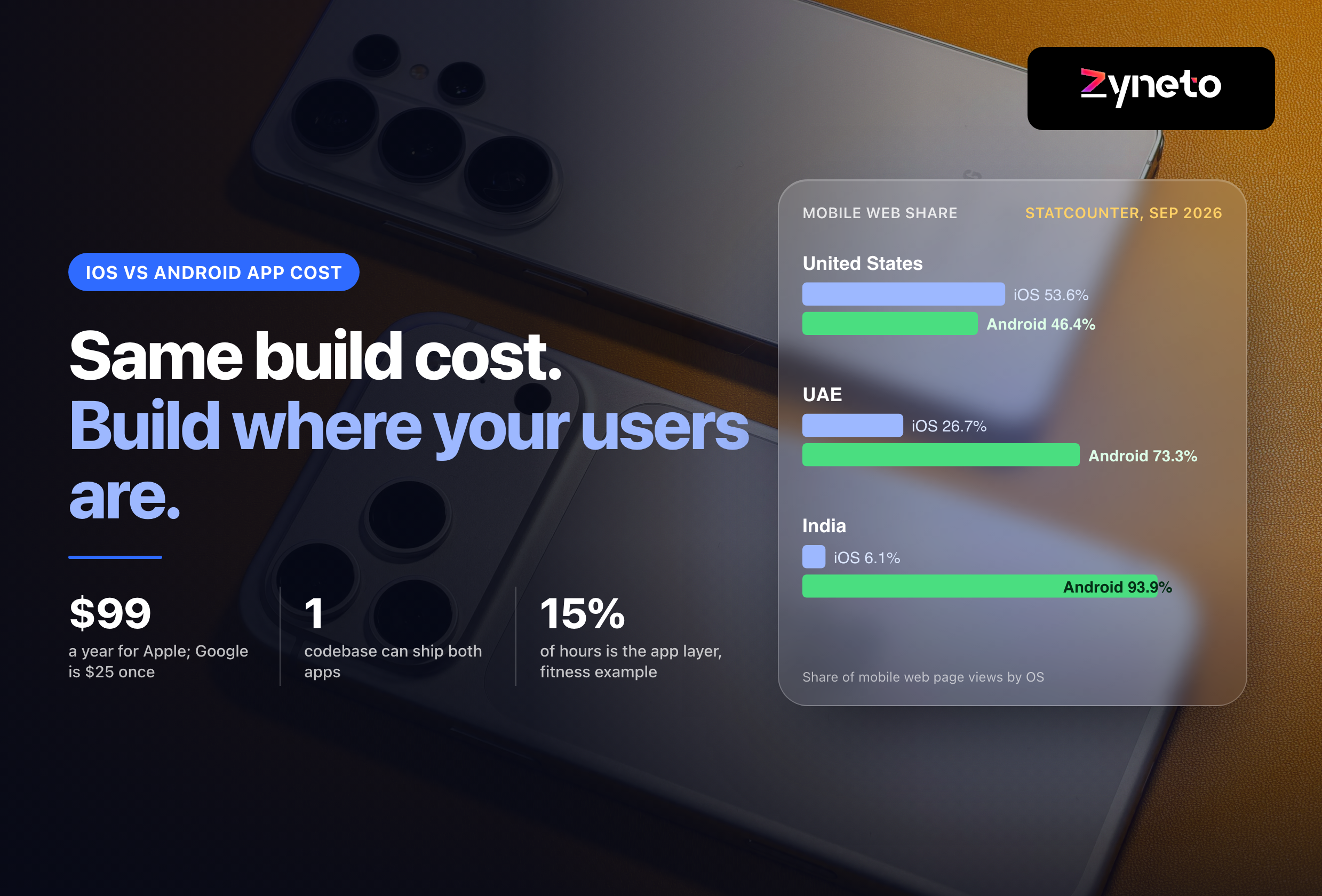
Apple Developer Program | $99 a year | Always, for iOS |
Google Play registration | $25 once | Once, for Android |
Crashlytics, push, analytics (Firebase) | No cost | Always |
Firebase Remote Config | No cost to 100,000 fetches a day, then billed | Feature flags at scale |
Sentry Team / Business | $26 / $80 a month, annual | Error monitoring beyond the free tier |
BrowserStack App Live | $39 to $249 a month, annual | Manual tests on real devices |
BrowserStack App Automate | $199 to $249 a month, annual | Automated tests on real devices |
Expo EAS Starter / Production | $19 / $199 a month | React Native builds and over-the-air updates |
Your backend is usually the larger running cost. Hosting, databases, maps, SMS one-time passwords and payment fees depend on traffic and are specific to each app, so they belong in your own cost model rather than in a list price table. Ask your team for the last 3 months of invoices and the usage behind each one.
Crashes you cannot see cost more than crashes you can. An app without crash reporting learns about failures from store reviews. Crashlytics is free, so the only cost of not having it is the reviews.
Payments and integrations break from the other side. A payment provider changes an API, a delivery partner retires an endpoint, a certificate expires. These arrive on someone else's schedule. A maintenance budget that covers only your own releases will not cover them.
Keep the release path itself working. Signing certificates, provisioning profiles, the Play upload key, the build server and the store listing credentials are all things a maintenance team needs on the day of an incident. Check them once a quarter by shipping a small release, even when there is nothing urgent to ship. A release path that has not been used for 6 months is the one that fails when it matters.
Watch the numbers the stores show you. Google Play Console and App Store Connect both report crash rates, and Google Play reports app-not-responding rates. A rise after an operating system release is the earliest warning you will get, often before the first 1-star review.
Know who answers, and how fast. A maintenance agreement should name response targets by severity, the hours of cover and who decides what counts as urgent. Without that, every incident starts with a negotiation.
January to March: audit and plan. List every third-party library and SDK with native code, and check each one's last release date and its support for the current Xcode and Android target. Libraries with no release in a year are the ones that will block the next upgrade. This is also the quarter to batch the framework upgrade you postponed over the busy season, because nothing external is due yet.
April to June: the Apple toolchain and the new Android. Apple's new build requirement lands in late April, so the app must build cleanly with the current Xcode before then. In June, Google ships the next Android to Pixel phones and publishes the behaviour changes. Read them in June, not in August.
July to September: the 2 hard deadlines. Google Play's target API deadline is 31 August, and the new iOS arrives in mid-September with Apple's beta available since June. Test on both betas in July. A team that starts in late August is choosing between missing the deadline and shipping an untested upgrade.
October to December: stabilise and freeze. Fix what the new operating systems broke, refresh the store forms if SDKs changed, and freeze risky changes before your own peak season. For a retail or delivery app, the busiest weeks of the year are the worst time to discover an upgrade problem.
Quarter | Platform event | Work that belongs here |
Jan to Mar | None fixed | Library audit, batched framework upgrade, incident review |
Apr to Jun | Apple build requirement (late April), new Android (June) | Build with current Xcode, read Android behaviour changes |
Jul to Sep | Play target deadline (31 Aug), new iOS (mid-Sep) | Raise the Android target, test on both betas, submit early |
Oct to Dec | None fixed | Fix OS regressions, refresh store forms, freeze before peak |
Inheriting an app changes the first quarter. If the team that built the app is gone, the first job is an audit: does it build with the current toolchain, which libraries are abandoned, who owns the store and hosting accounts, and is there crash reporting at all. The audit is a fixed piece of work with a written result, and it tells you whether the next year is maintenance or recovery.
Start with the events, then put hours on each. For a React Native or Flutter app, the fixed list is 4 platform deadlines, 2 to 3 framework upgrades if you batch releases, a library audit before each upgrade, the store forms, and regression testing on new iOS and Android versions. Ask your team to put hours against each event. The calendar fixes the count; only the hours per event are an estimate.
Then add running services and a reserve for incidents. List prices from the table above, plus your backend invoices, plus a block of hours for fixes you cannot predict. The reserve is the line most likely to be cut and the one most likely to be needed.
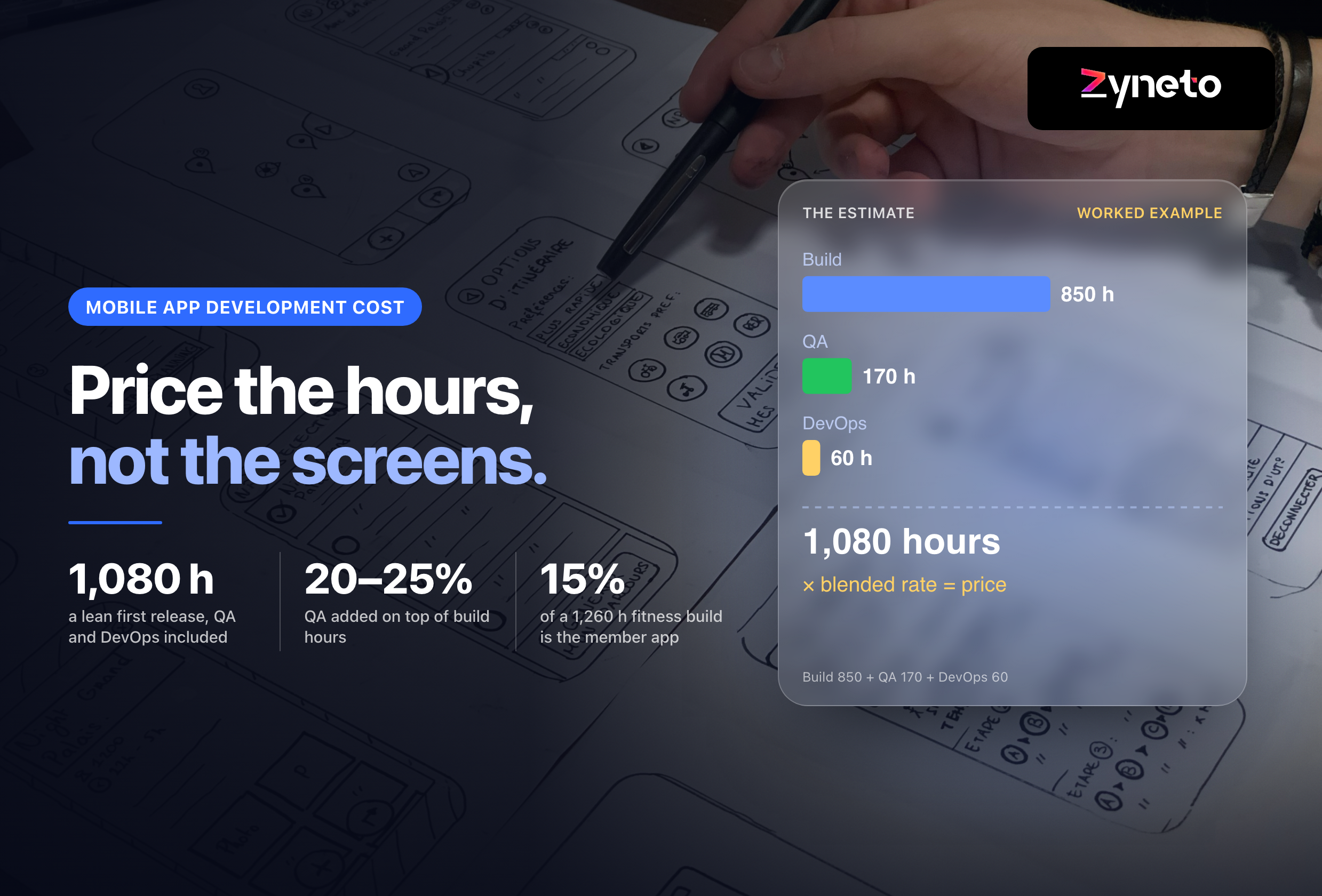
Check the total against the rule of thumb. Zyneto's published fitness app example is 1,260 hours. 20 per cent of that is 252 hours a year, about 21 hours a month. At Zyneto's published blended rate of $60 to $70 an hour, that is about $15,100 to $17,600 a year. If your bottom-up total is far above that, look for feature work hiding in the maintenance budget. If it is far below, look for a missing deadline.
Worked check | Figure |
Build hours (published fitness example) | 1,260 |
Rule of thumb, CISQ 2015 (applications generally) | about 20% a year |
Maintenance hours a year | about 252 |
Per month | about 21 |
At a $60 to $70 blend | about $15,100 to $17,600 a year |
Keep new features out of the maintenance line. Maintenance keeps the app you have working and shippable. New features change the app. Mixing them in one budget means the deadlines lose whenever a feature is urgent, which is always.
A retainer buys availability. A fixed block of hours each month means someone knows your app when an incident arrives, and the deadlines get planned rather than discovered. The risk is unused hours. Agree in writing whether they roll over, for how long, and what happens to them at the end.
Pay as you go buys flexibility. You pay only for work done, which suits an app with few integrations and a stable user base. The risk is that no one is watching the calendar, so every deadline arrives as a surprise and every incident starts with someone relearning the code.
In-house buys continuity at a higher fixed cost. The US Bureau of Labor Statistics put the median annual pay of software developers at $135,980 in May 2025, before benefits and recruiting. One developer rarely covers iOS, Android, backend and testing alone. Our mobile app development cost guide shows how the build itself is estimated. For most apps in their first years, a retainer with an external team that built or has audited the app costs less than 1 full-time hire.
Whoever does it, you should own the accounts. The Apple and Google developer accounts, the store listings, the hosting account and the code repository should be in your company's name. If your maintenance partner holds them, changing partner becomes a technical project instead of a commercial decision.
Nothing, at first. The app keeps working for existing users on the operating systems it was tested on. That is what makes stopping tempting.
Then the deadlines pass. After a missed Google Play target deadline, the app gradually disappears for new users on newer Android versions. After a missed Xcode requirement, the next update cannot be uploaded until the app builds with the current toolchain, which may need a framework upgrade, which may need library replacements.
Then something breaks that you must fix. A payment provider change, a security issue or a crash on the new iOS. The fix itself is small. Getting the app back into a state where it can ship is not, and it happens under time pressure.
Maintenance is not a percentage of what the app cost to build. It is the price of being able to ship a fix on the day you need to, and the calendar for that is published by Apple and Google every year.
There is no reliable percentage for mobile apps. The 15 to 20 per cent figure has no primary source; the nearest, CISQ's 2015 guide, gives about 20 per cent of development cost a year for applications generally. For a 1,260 hour app, that is about 252 hours a year, roughly $15,100 to $17,600 at a $60 to $70 blended rate. Build the real budget from platform deadlines, framework upgrades, running services and an incident reserve.
Meeting Apple's and Google's yearly requirements, upgrading the framework and libraries, testing on new iOS and Android releases, keeping store forms such as Apple's privacy manifest and Google's Data safety form accurate, monitoring crashes, fixing bugs and integration failures, and paying for running services. New features are separate and should have their own budget.
It keeps working at first. After a missed Google Play target API deadline, new users on newer Android versions gradually stop seeing it. After a missed Apple Xcode requirement, you cannot upload any update, even a one-line fix, until the app builds with the current toolchain. The fix then becomes an upgrade project under time pressure.
Since 28 April 2026, App Store uploads must be built with Xcode 26 and the iOS 26 SDK, and since 9 September 2026 they must support iOS 13 or later. From 31 August 2026, new apps and updates on Google Play must target Android 16 (API level 36), with an extension to 1 November available on request.
Zyneto measured both on 6 October 2026. React Native minor releases from 0.76 to 0.87 came every 59.7 days on average, about 6 a year. Flutter stable releases from 3.22 to 3.47 came every 91.2 days on average, about 4 a year, and no stable line received a hotfix after the next one shipped.
For most apps with users and integrations, yes. A retainer means someone who knows the app watches the platform calendar and is available when an incident arrives. Agree in writing on response targets, hours of cover, and whether unused hours roll over. Pay as you go suits a small, stable app with few integrations.
Firebase Crashlytics, push messaging and analytics are free. Sentry error monitoring costs $26 or $80 a month on its Team and Business plans, billed annually. BrowserStack real-device testing costs $39 to $249 a month for manual testing and $199 to $249 for automated testing. Apple's developer account is $99 a year and Google's is $25 once.

Vikas has around fifteen years of experience building software and now builds generative AI systems at Zyneto. His work covers retrieval augmented generation, agentic AI, knowledge graphs, AI memory, and the evaluation and guardrails that decide whether any of it is safe to put in front of customers. He has shipped enterprise copilots, document AI, chatbots and predictive analytics for e-commerce, fintech and marketing teams, and works day to day in Python, JavaScript and SQL. He follows multimodal models, business process automation and enterprise AI security closely, and mentors engineers moving into AI. He writes about architecture, inference cost and the failure modes that only show up at production scale.
Share your details and we will talk soon.
Be the first to access expert strategies, actionable tips, and the trends actually shaping the digital world. No fluff - just practical insights delivered straight to your inbox.
Dive into our blog and stay ahead of the curve with expert perspectives, future-ready trends, and tech tips written for decision-makers and doers alike.